4 Programming a Delay Start Infusion
4-56 COLLEAGUE CXE VOLUMETRIC INFUSION PUMP OPERATOR’S MANUAL 071960491
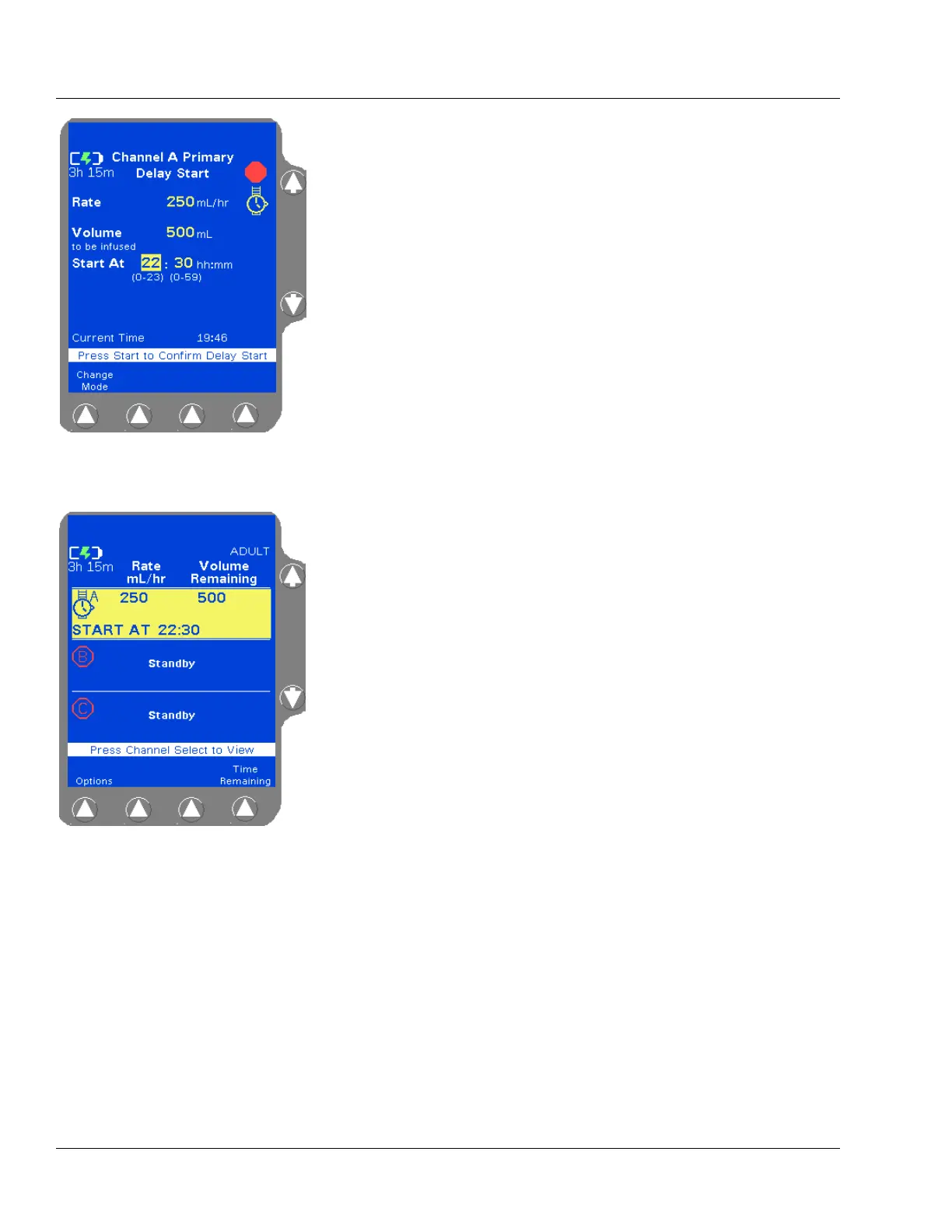
9. Enter the desired starting time for the delayed infusion in 24-hour
hh:mm format. A time of up to 23 hours from the current time may
be entered. A time of 00:00 corresponds to 12:00 midnight and a
time of 23:59 corresponds to 11:59 P.M.
Example: For the infusion to start at 4:30 P.M., use the numeric
keypad to enter 16:30 in the Start At field. (Figure 4-82).
Valid entries for hours are 0-23
Valid entries for minutes are 0-59
10. When all fields contain valid values, the prompt line displays Press
Start to Confirm Delay Start. Press the
START key to initiate the
Delay Start infusion so it will begin at the programmed start time.
The screen displays the wristwatch icon and the programmed start
time for the Delay Start infusion (Figure 4-83).
Viewing Delay Start Settings Prior to the Start of Infusion
To view preprogrammed Delay Start settings prior to the start of the
infusion:
Figure 4-82 Delay Start Infusion
Programming
Note:
Optional Labels
To add an optional label, see “Selecting a Label” on
page 4-23 for details.
Figure 4-83 Programmed Delay
Start Infusion
Note:
Pressing START
The Delay Start infusion will not start at the pro-
grammed time unless the START key is pressed to ini-
tiate the infusion after programming.
Note:
Delay Start and
Administration
Set Loading
Although a Delay Start infusion can be programmed
without an administration set loaded, a
Tube Not
Loaded
alarm will occur when the pump channel tries
to start the infusion.



 To Next Page