071960491 COLLEAGUE CXE VOLUMETRIC INFUSION PUMP OPERATOR’S MANUAL 4-21
Operating Instructions Primary Infusions
Programming an Infusion
Before starting an infusion, the administration set must be fully loaded.
If an administration set has not been loaded and START is
pressed, a Tube Not Loaded alarm will occur.
If an administration set is still loading and START is pressed, a
Tube Loading in Progress alarm will occur.
See Table 8-1, “Troubleshooting Alarm Messages,” on page 8-13 for
more information about these alarms.
Primary Infusions
Programming a Primary Rate-Volume Infusion
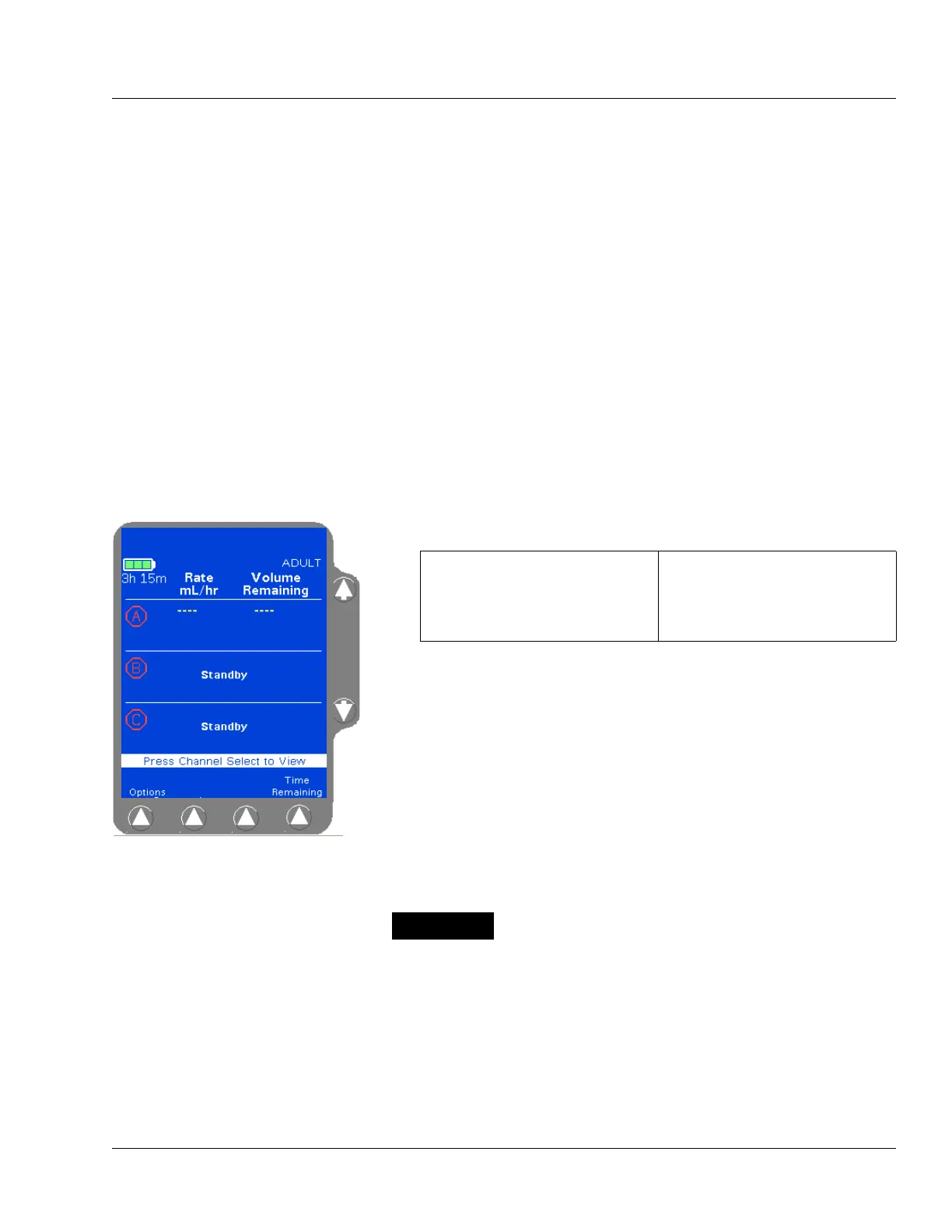
1. From the Main Display screen (Figure 4-24):
The display then changes to the Rate-Volume programming screen
(Figure 4-25). The Rate field is highlighted.
Figure 4-24 Main Display Screen
For single channel pumps: For triple channel pumps:
press the Primary soft key or
the
Rate or Volume keys.
press the desired
Channel
Select
key.
Note:
Channel Stopped
Alert
If a pump channel is powered on and no keys are
pressed for two minutes, a
Channel Stopped alert
occurs. Either continue programming, start the infu-
sion, or place the channel in standby to clear the alert.
There may be periods of no flow for flow rates less than
or equal to 1mL/hr.



 To Next Page