071960491 COLLEAGUE CXE VOLUMETRIC INFUSION PUMP OPERATOR’S MANUAL 2-25
Description Infusion Modes
Primary Delay Start Mode
Primary Delay Start is an optional feature available on the Programming
Modes menu. If Primary Delay Start does not appear on the
Programming Modes menu, this feature has not been enabled. Delay
Start lets the user program a primary rate-volume infusion to begin at a
specified time, in 24-hour format. A Delay Start infusion starts
automatically when the pump’s clock reaches the programmed Start At
time. If the pump is displaying a programming screen when the Delay
Start infusion begins, the display changes to the Main Display.
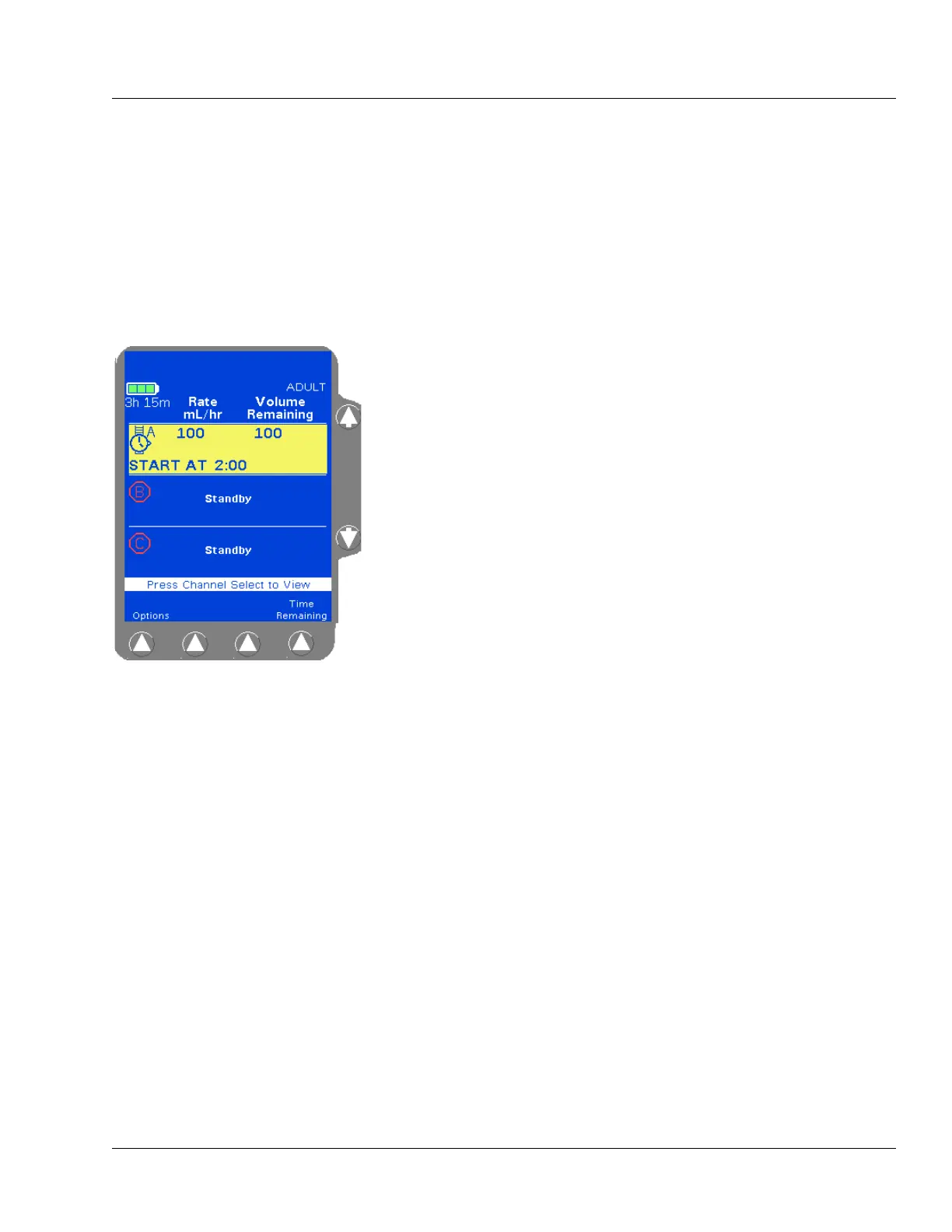
When a Delay Start infusion has been programmed, a wristwatch icon is
displayed on the Main Display screen (Figure 2-14) until it is time for
the infusion to begin.
When a Delay Start infusion begins, the pump channel’s infusion mode
changes to primary rate-volume and the main display shows the
programmed infusion information. The wristwatch icon changes to the
stop icon or the drop icon, depending upon whether the infusion is
stopped or running.
The
Secondary soft key for the channel is not available until the Delay
Start infusion starts running.
For instructions on programming Delay Start infusions, see
“Programming a Delay Start Infusion,” 4-54.
Figure 2-14 Primary Delay Start
Infusion Pending



 To Next Page