4 Battery Charge Alerts and Alarms
4-10 COLLEAGUE CXE VOLUMETRIC INFUSION PUMP OPERATOR’S MANUAL 071960491
Battery Charge Alerts and Alarms
As the pump runs on battery and remaining battery time decreases, a
progression of alerts and alarms advise the user of the declining battery
power. These alerts and alarms are described below.
For additional information, see “Troubleshooting,” 8-1.
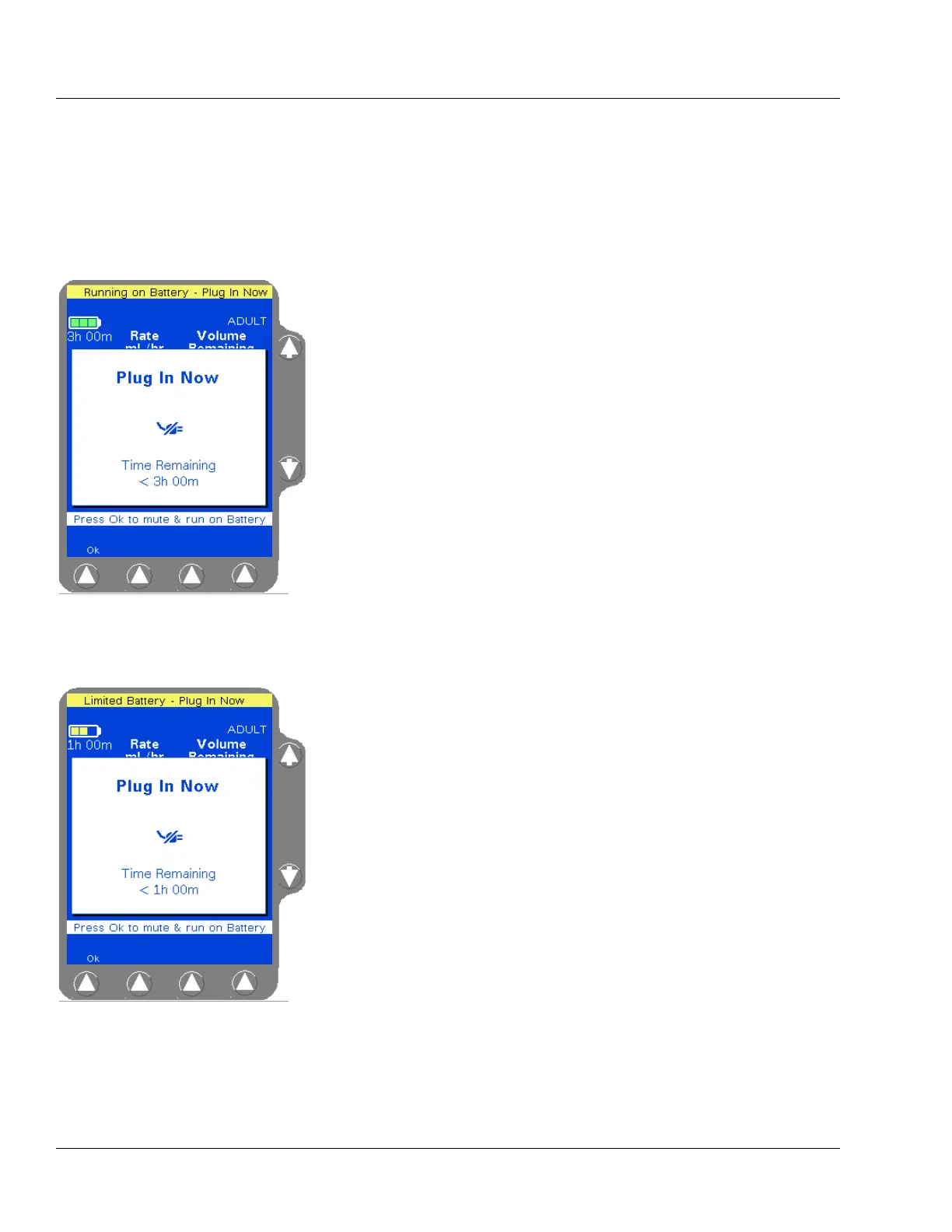
When the pump first begins to run on battery power, the Running on
Battery - Plug In Now alert occurs. An audible tone sounds and a Plug
In Now pop-up window displays (Figure 4-12), alerting the user that the
pump is operating on battery power and showing the approximate
battery time remaining. The pop-up will reappear every hour, counting
down the battery time until the battery time remaining reaches
60 minutes.
Pressing the
Ok soft key will silence the alert and clear the pop-up;
however, the status line will continue to show the message Running on
Battery - Plug In Now.
When the battery time remaining reaches 60 minutes, the Limited
Battery - Plug In Now alert occurs. An audible tone sounds and a Plug
In Now pop-up window displays (Figure 4-13), alerting the user that the
pump is operating on battery power and showing the approximate
battery time remaining.
Pressing the
Ok soft key will silence the alert and clear the pop-up;
however, the status line will continue to show the message Limited
Battery - Plug In Now.
Figure 4-12 Running on Battery
Alert Pop-up
Figure 4-13 Limited Battery Alert
Pop-up



 To Next Page