071960491 COLLEAGUE CXE VOLUMETRIC INFUSION PUMP OPERATOR’S MANUAL 4-9
Operating Instructions Battery Charge Icon Descriptions
The batteries begin to recharge whenever the pump is plugged into AC
power. If there is less than 30 minutes of battery time remaining when
recharge begins, the pump will display the empty outline battery charge
icon until 30 minutes of battery time is achieved. The pump
will then display the battery charge icon with one red bar up
until the point when the maximum charge is achieved, at which time the
battery charge icon will display three green bars . The time
remaining on battery will continue to display the time remaining when
the pump was plugged in until the maximum charge is achieved.
If there is more than 30 minutes of battery time remaining when the
recharge begins, the pump will continue to display the battery charge
icon that was present when the recharge began up until the point when
the maximum charge is achieved, at which time the battery charge icon
will display three green bars . The time remaining on battery
will continue to display the time remaining when the pump was plugged
in until the maximum charge is achieved.
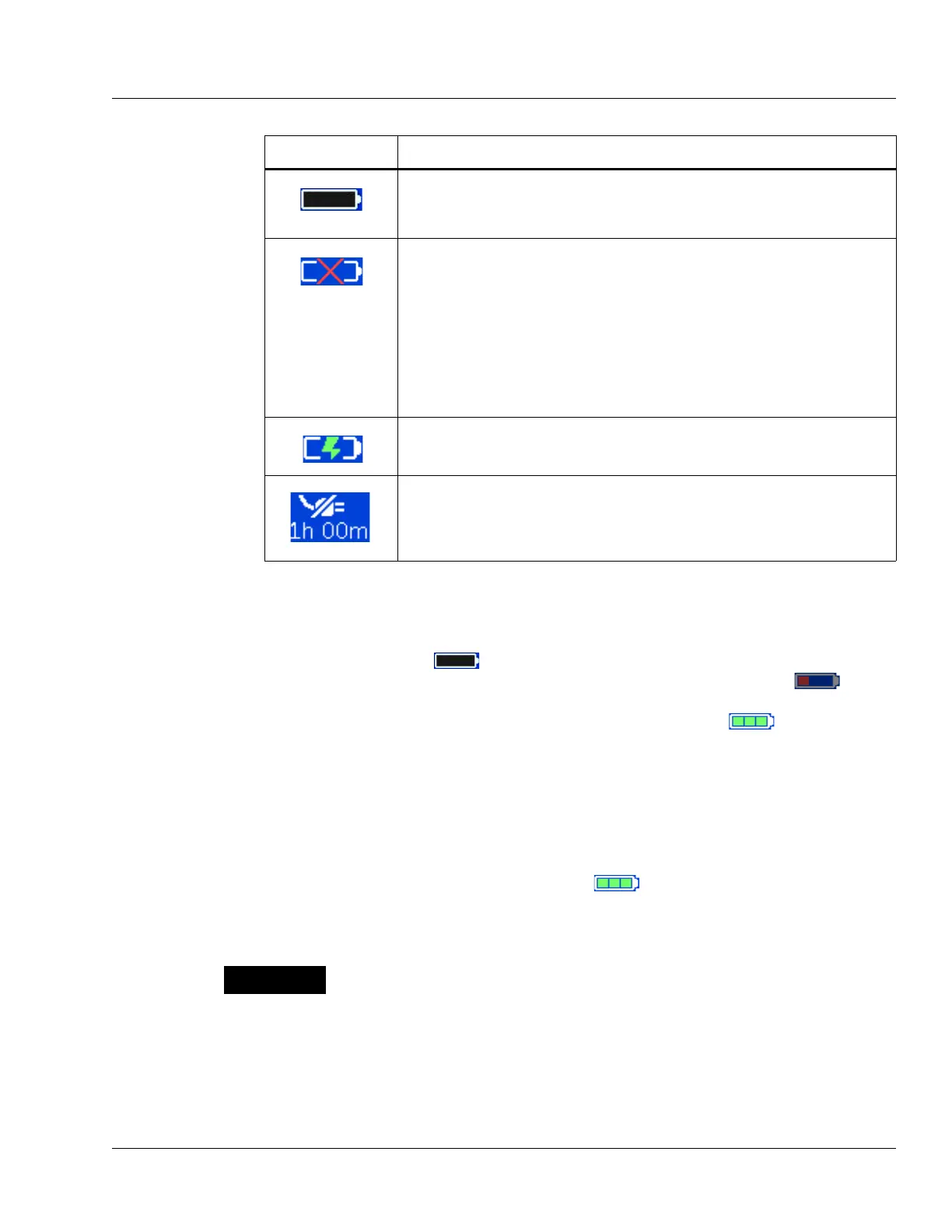
When the battery time remaining is only 5 minutes, the battery charge icon
appears as an empty outline as shown at left. The icon will remain an empty
outline until the battery is depleted and pump shuts itself off.
If the pump’s batteries need replacement when the pump is first powered on,
a
Damaged Battery! Service Now alarm occurs and this icon flashes
on the Power On screen. The pump cannot be used. Send the pump to
service.
If the pump’s batteries need replacement during pump operation, a
Damaged Battery! Service Now alert occurs and this icon flashes
instead of the battery charge icon. Ensure the pump is plugged into AC
power. Do not use the pump for transport. Have the pump serviced as soon
as possible so the batteries can be replaced.
When the pump is plugged in, the battery charge icon alternates with the
charging icon shown at left.
When the pump is unplugged and operating on battery power, the battery
charge icon alternates with the Plug In icon shown at left, and the
approximate battery operating time is displayed below the icon. The pump
should be plugged in whenever possible to maintain battery charge.
Table 4-1 Battery Charge Icons and Descriptions
Icon Description
When charging the batteries, ensure the room temperature is between 15° C
(59° F) to 30° C (86° F) to minimize charge time and maximize battery life.



 To Next Page