071960491 COLLEAGUE CXE VOLUMETRIC INFUSION PUMP OPERATOR’S MANUAL 4-23
Operating Instructions Primary Infusions
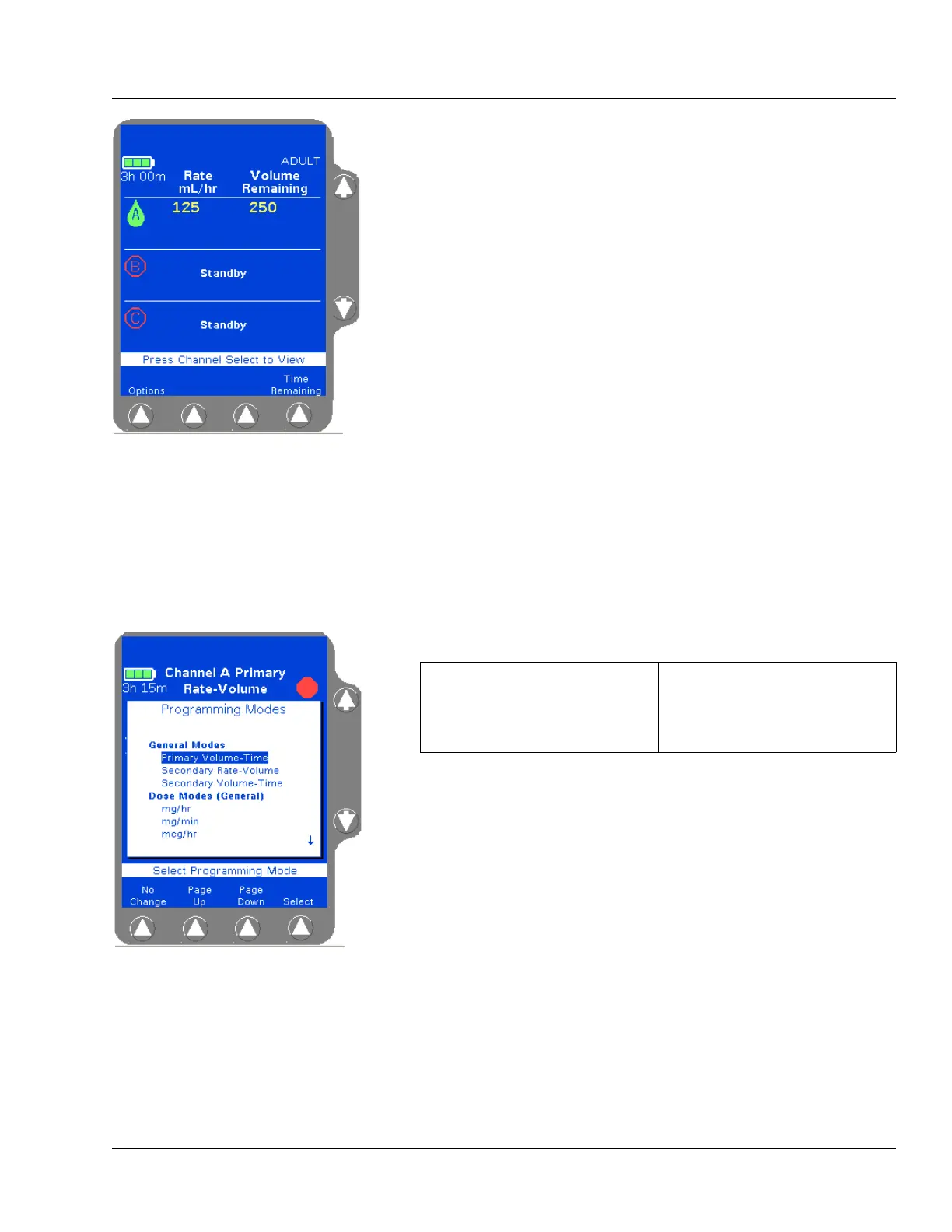
When the primary infusion starts, the RUNNING LED on the Pump
Module lights and a moving drop icon is shown on the Main Display
(Figure 4-27). Confirm that flow is occurring by observing drops
falling into the drip chamber.
Selecting a Label
If the Label Library feature is enabled, use the procedure below to select
an informational label for an infusion.
1. Access the desired programming screen:
2. Press the Change Mode soft key. The Programming Modes menu is
displayed (Figure 4-28).
3. Highlight Label Line (under Functions) using the ×Ø keys, then
press the
Select soft key.
A list of labels and their abbreviations is displayed as shown in
Figure 4-29. If the list consists of more than one screen, use the
Page
Up
and Page Down soft keys to view the next screen of labels.
Figure 4-27 Main Display,
Primary Running
Note:
Programming
Tips
If an incorrect value is entered during programming,
press the CLR key to clear the field, then enter the cor-
rect value.
If values that exceed the allowable range are pro-
grammed,
High or Low will be displayed and an Out
of Range
alarm will occur when the START key is
pressed.
If the rate and volume entered results in a time dura-
tion exceeding 99:59, the time duration will be dis-
played as **:**.
Figure 4-28 Programming Modes
Menu
For single channel pumps: For triple channel pumps:
press the Primary or
Secondary soft key.
press the desired
Channel
Select
key.



 To Next Page