Alaris™ GP (Guardrails™) Volumetric Pump
Flow Sensor Operation (Optional)
BDDF00535 Issue 1
40/56
Flow Sensor Operation (Optional)
w
• The flow sensor automatically monitors the infusion flow rate through the drip chamber. The flow sensor will
cause the Pump to alarm if a significant deviation from the infusion rate occurs. The flow sensor will also be able
to detect empty containers. For this reason we recommend use of a flow sensor wherever possible excluding
secondary infusions.
• When infusing critical drugs, it is recommended to use a flow sensor, in addition to entering a VTBI.
Alaris®
Guardrails
®
GP
Alaris
®
Guardrails
®
GP
plus
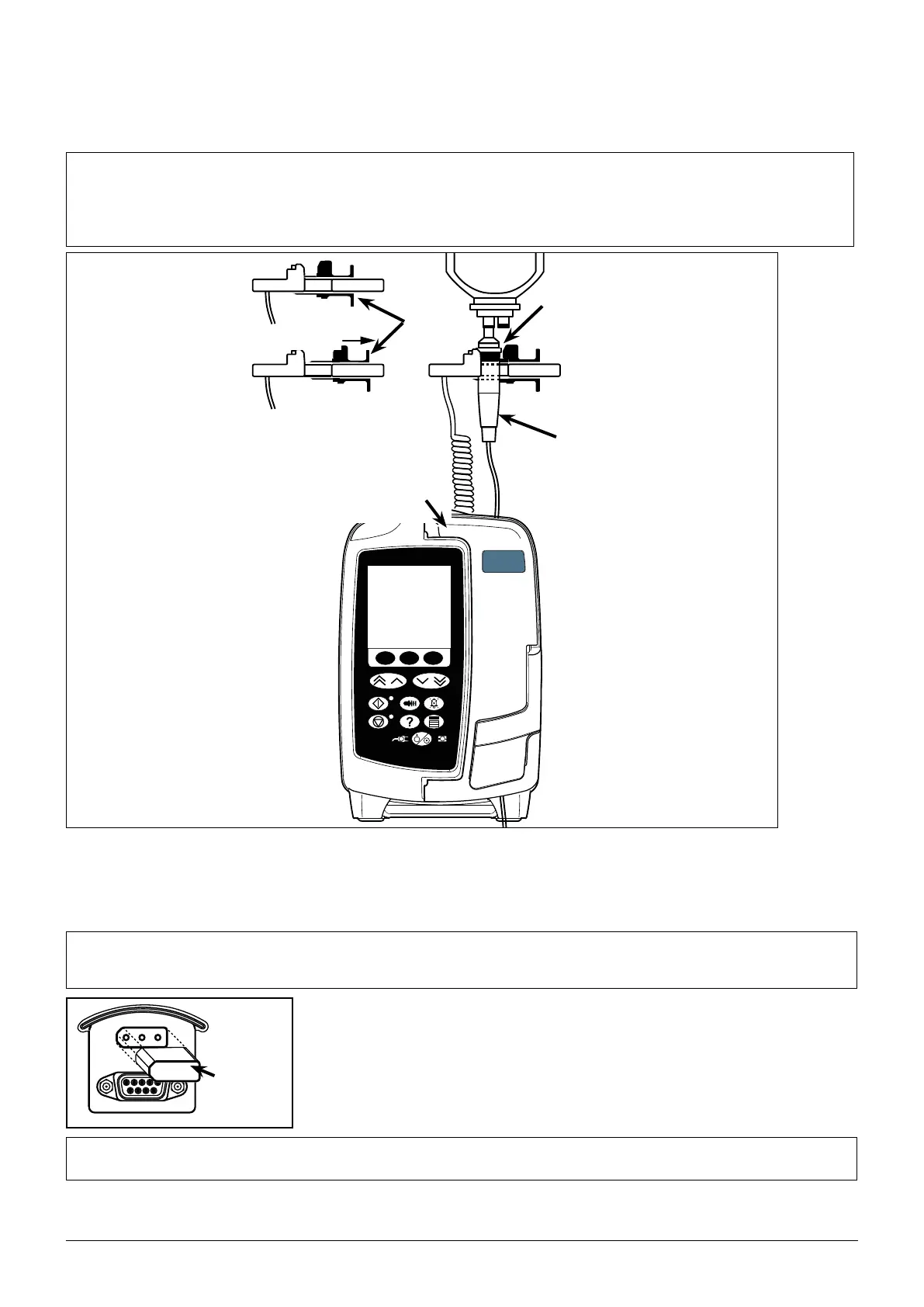
IVAC™ Model 180 Flow Sensor
Handles
Drip
chamber
Flanges
Pull back handles
Flow sensor
interface
1. Plug the flow sensor into the flow sensor interface located on the top rear part of the Pump.
2. Attach the IVAC™ Model 180 Flow Sensor to the drip chamber of the infusion set, by pulling back the handles. Refer to the illustration
above.
3. Proceed with load, priming, and set-up instructions as described in section 'Getting Started'.
Note: Ensure drip chamber is half full and upright.
w
Always attach the flow sensor before you start an infusion .
Avoid using the flow sensor in direct sunlight.
Always ensure lens is clean.
Flow
Sensor
Interface
Cover
w
Always replace the flow sensor interface cover when the flow sensor is disconnected.











 To Next Page