14
• Stop the automatic-calibration procedure by pressing the “ON/OFF button that will
be delayed of 5 minutes
or
• Let the countdown finish so that the automatic calibration starts
Note: during the countdown do NOT load nothing on the plate!
In this mode, it is also possible to carry out the calibration with the internal reference
mass by pressing the CAL button at any moment, first ensuring that no weight is loaded
on the plate.
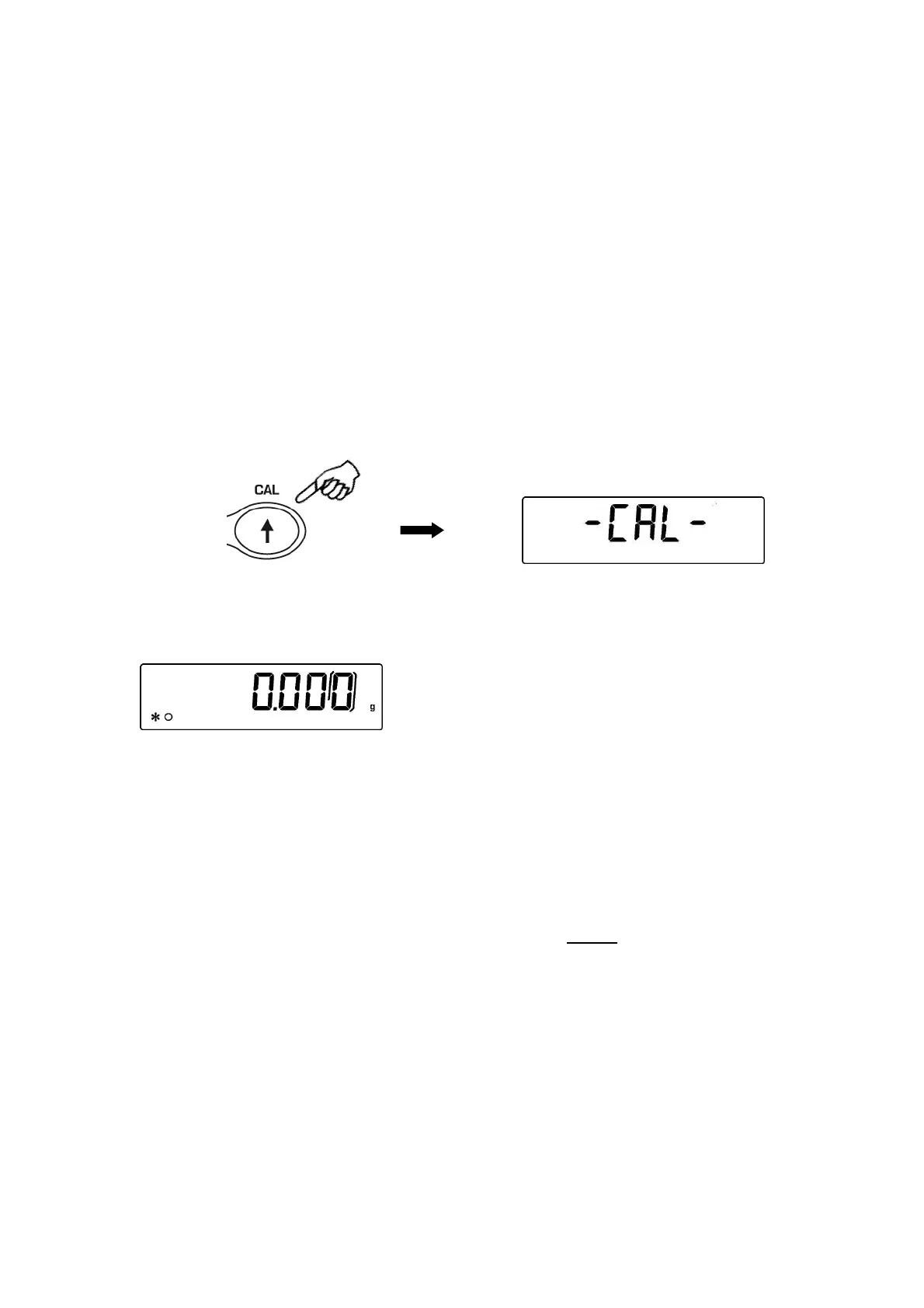
1. Press CAL button with empty pan.
The message “CAL” will be displayed and balance calibration will be effected
automatically.
2. At the end of calibration, balance returns to normal weighing conditions.
If calibration is not finished due to vibrations or air flows, then the message “CAL
bUt” is displayed. Press again CAL button. If the problem repeats then select external
calibration and contact the product supplier.
7.2.2 Internal calibration (I-CAL) [locked for verified balances]
The balance calibrates itself with internal reference mass ONLY on user command by
pressing CAL button.
Before effecting internal calibration, be sure that there’s no weight loaded on the balance
pan.
7.2.3 External calibration (E-CAL) [locked for verified balances]
The balance is calibrated through an external reference mass (NOT provided with
models with internal calibration).
(Follow procedures described at paragraph 7.1)


 To Next Page