40
21.2
Density determination of a liquid
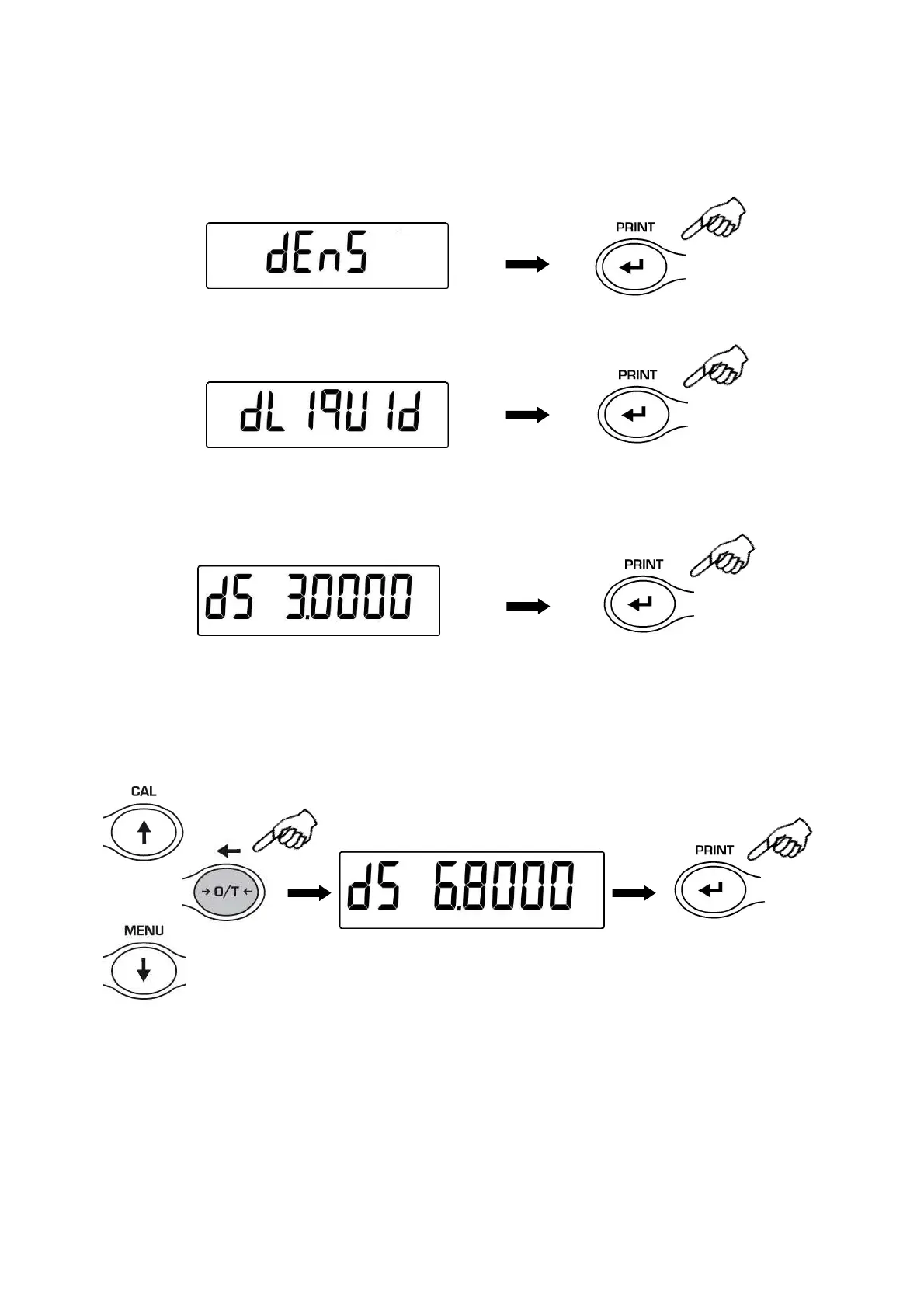
1. From zero condition on display, press the MENU button until the message “dEnS” is
displayed, then press the PRINT button to confirm.
2. Using the MENU button, select the function “d Liquid” and confirm this with PRINT
3. It will be displayed the value of the density of the glass float of known volume to use,
the default value is equal to 3.0000.
4. It is possible to set a different value using the CAL e MENU buttons for increase and
decrease the value and using the O/T button for skip to the others digits. Keeping
pressed the O/T button is possible to delete the inserted value.
5. It is possible to set a different value if you have the optional alphanumeric keyboard
6. Once the wished value is set, press the PRINT button.


 To Next Page