25
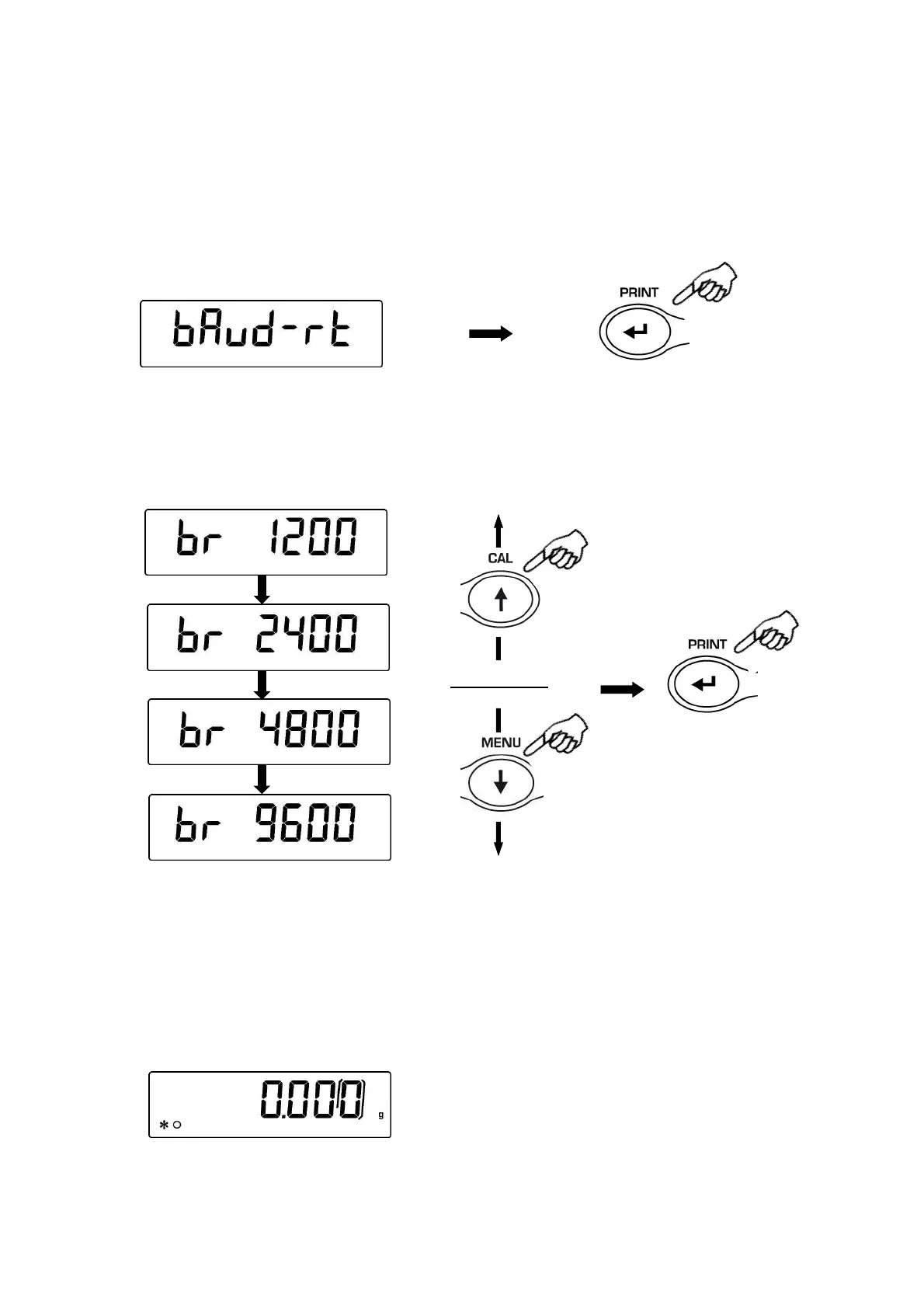
12 Transmission speed selection
1. From zero condition on display, press and keep pressed the MENU button until the
acoustic alarm gets mute, then release the button. The message “unitS” is displayed,
then press MENU button until the message “BAUD RT” is displayed and confirm by
pressing the PRINT button.
.
2. Select serial data transmission speed (1200-2400-4800-9600 baud). Pressing MENU
or CAL buttons it will be possible to scroll forward or backward trough the different
transmission speeds, then confirm your choice by pressing PRINT button.
3. After having selected the transmission speed you wish, press the MENU button to go
to next parameter or CAL button to go to previous one.
4. To escape from parameters setup menu, press the MENU button until the acoustic
alarm gets mute, then release the button.
5. The balance will return to standard weighing conditions.


 To Next Page