43
23 Percentage weighing function
This function allows to read the weighing value as a percentage of a reference weight.
The reference weight is took as 100% percentage value (factory setting).
There are two modes for acquiring the reference weight: one is automatic (with the
reference weight) and one manual (by inserting manually the value of the reference
weight).
23.1
Mode with weight reference
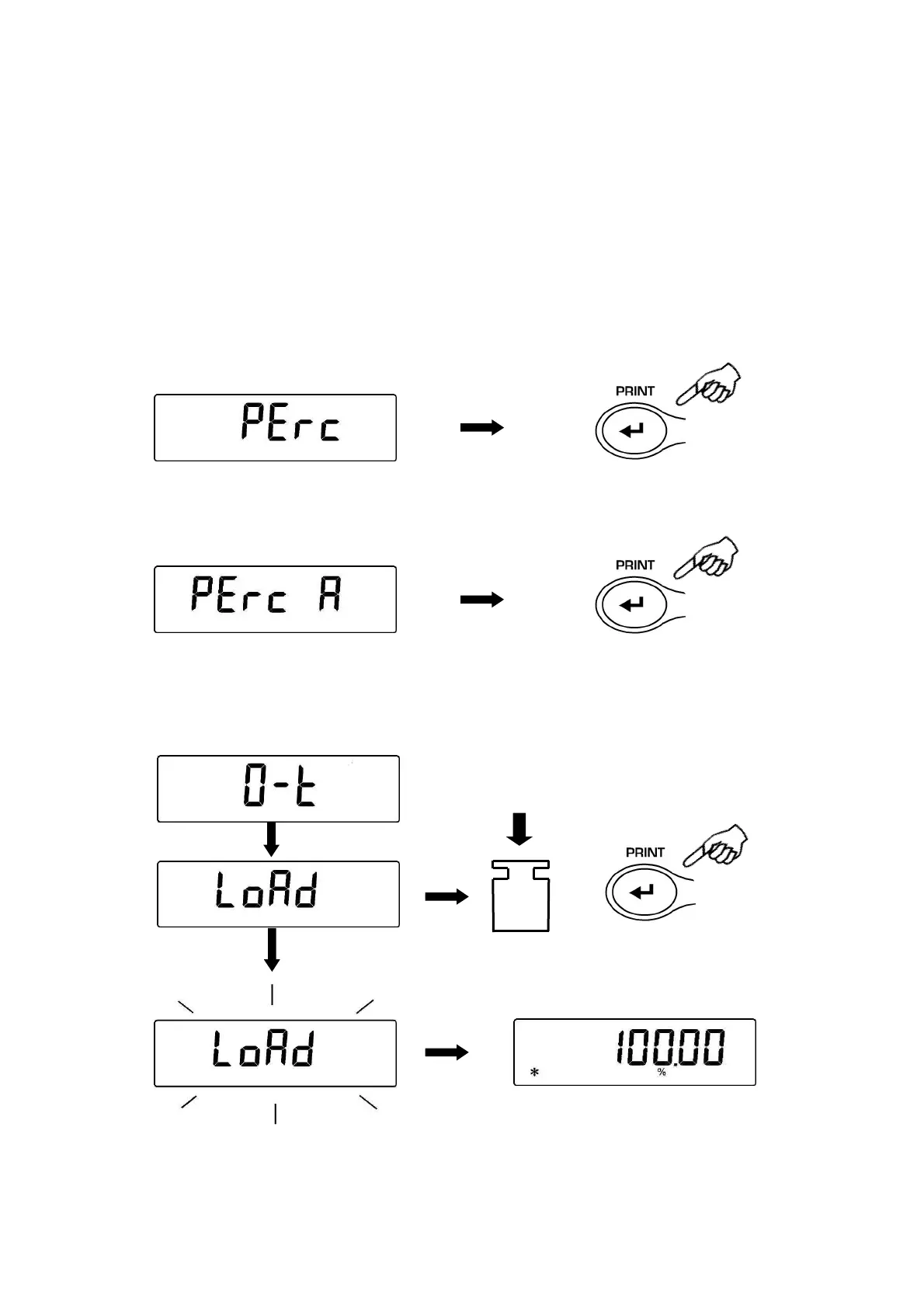
1. From zero condition of the display press the MENU button until will be displayed the
“Perc” message, then press the PRINT button to confirm.
2. Press the MENU button to select the “Perc A” function and press PRINT button to
confirm.
3. Tare function will be performed and will be shown on the display the string “Load”.
Then load on the weighing pan the reference and press the PRINT button, the string
“Load” will start to flash and once the weight is acquired will be visualized the value
with the % indication.


 To Next Page