18
8.1
Manual tare function
Function not available in verified balances
This function allows to insert manually the tare values.
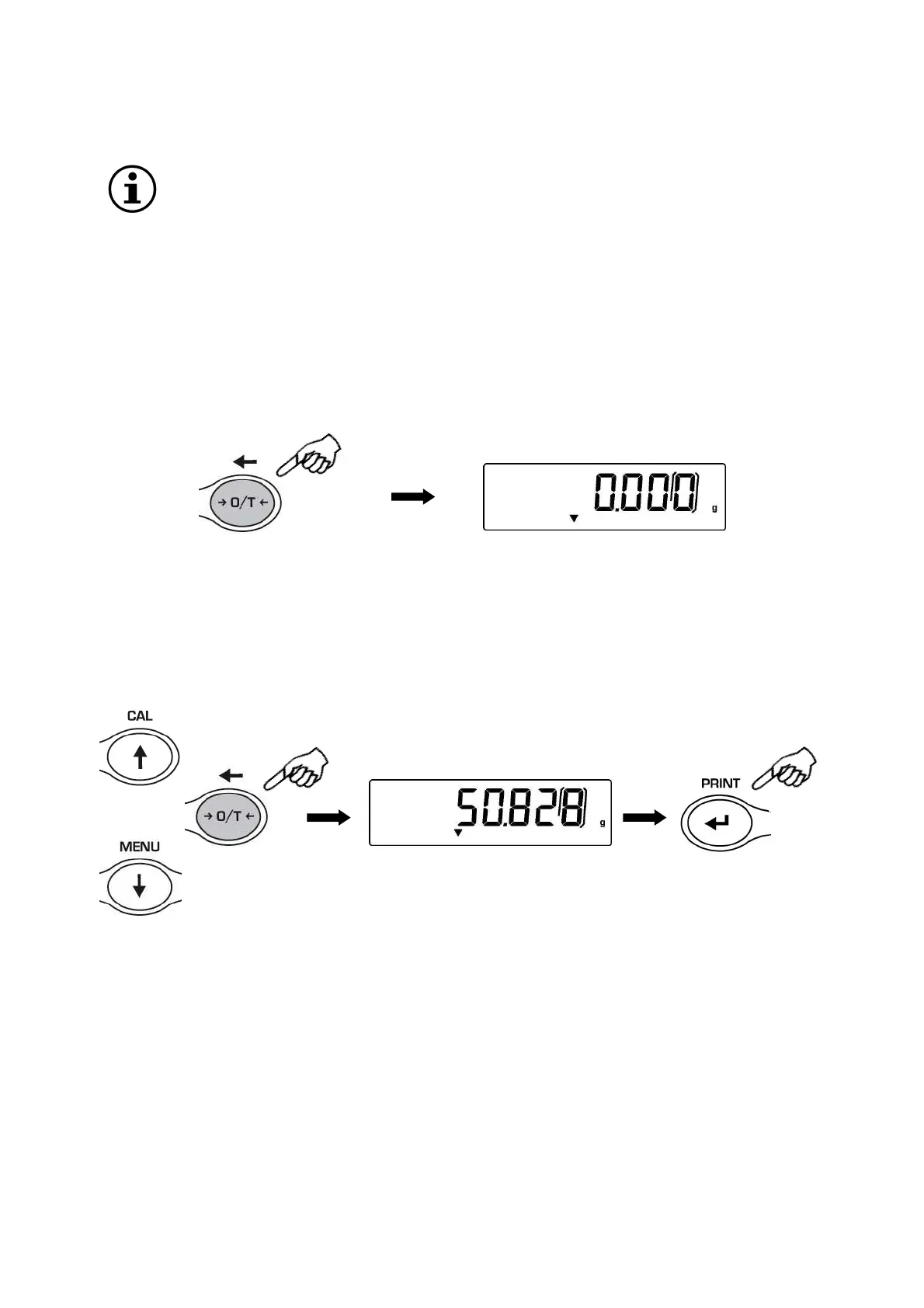
1. Press and keep pressed the O/T key whit no objects on the weighing pan until the
beep alarm stops, then release the key.
2. Will be shown on the display the following string:
3. Insert now the desired tare value using the keys CAL and MENU for increase or
decrease the value, and press the O/T key for skip to the following digit. During the
value insert mode, if keep pressed the O/T key is possible to delete the inserted
value.
4. Press PRINT key to confirm the value inserted.
2 Sec


 To Next Page