30
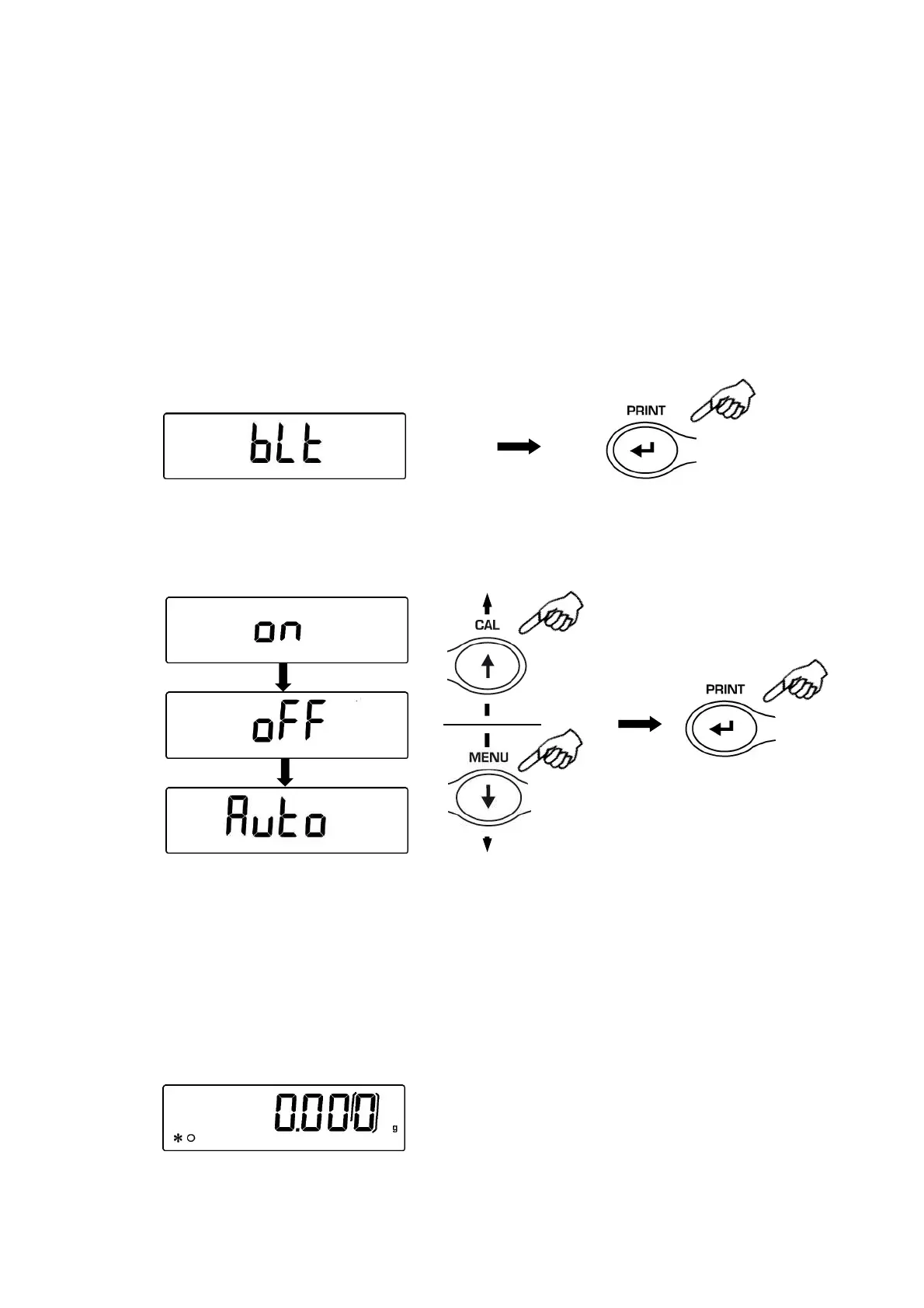
17 Display Backlight setup
The balance display is equipped with backlight to make the indication more visible also
during low light conditions.
There are 3 working modes:
ON = light always switched ON
OFF = backlight always switched OFF
AUTO = backlight automatically switched on during weighing operations
1. From zero condition on display, press and keep pressed the MENU button until the
acoustic alarm gets mute, then release the button. The message “unitS” is displayed,
then press MENU button until the message “bLt ” , then press the PRINT button to
confirm this.
2. Pressing MENU or CAL button it will be possible to scroll forward or backward the
different working modes, select the one you wish and then confirm it by pressing the
PRINT button
3. After having selected the backlight working mode you wish, press the MENU button
to go to next parameter or the CAL button to go to previous one.
4. To escape from parameters setup menu, press the MENU button until the acoustic
alarm gets mute, then release the button.
5. The balance returns to normal weighing conditions.


 To Next Page