24
11 Printer serial communication selection
Connect the balance to the printer using the proper cable (par. 25)
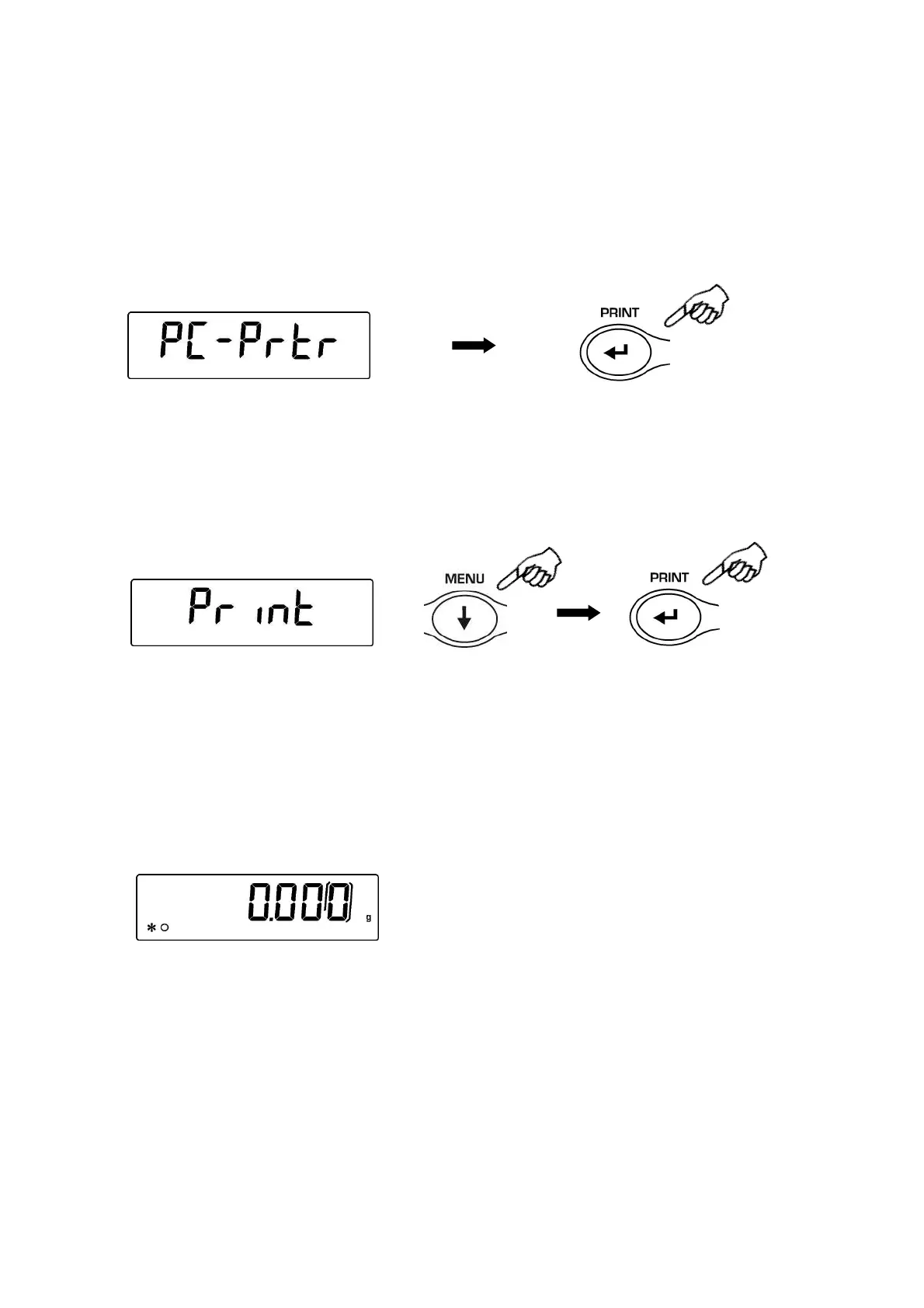
1. From zero condition on display, press and keep pressed the MENU button until the
acoustic alarm gets mute, then release the button. The message “unitS” will be
displayed, then press MENU until you read the message “PC-PRTR” on display and
confirm pressing PRINT button
2. To select the data print mode, press MENU until the message “PRINT” is displayed
or “TLP50” if you want to connect the TLP50 printer for printing on labels or on paper
with date and time.
3. Press PRINT to confirm.
4. After having selected the data print mode, press MENU button to go to next
parameter or CAL button to go to previous one.
5. To escape from parameters setup menu, press MENU button until the acoustic alarm
gets mute, then release the button. The balance returns to normal weighing
conditions, ready to transmit data each time the PRINT button is pressed.
.
NOTE: select speed transmission (par. 12)


 To Next Page