51
27 RS232 interface features
1. General features
The balance transmits the value visualized on the display following serial RS232C
standard, allowing to print the value of weight to a PC monitor or to a serial printer. In
the case of connection to a PC, it will be possible to select the transmission in
continuous mode or transmission at user command through pressing of the PRINT
button ( as described at par.10). The balance is also capable of receiving commands,
always through the standard RS232C, that allow performing all the functions available
through the keyboard of PC itself. The speed of transmission and reception can be
selected, as described previously (see par.12), to 1200, 2400, 4800, e 9600 baud.
The character format is of 8 bit preceded by one bit of start and followed by a bit of
stop. Parity is not considered.
2. Selection of interface for PC
Selecting the transmission to PC (personal computer IBM compatible), it is achieved
a continuous transmission output, at the same rate of weight update on display of the
balance. It is possible to perform all the functions of the balances directly from the
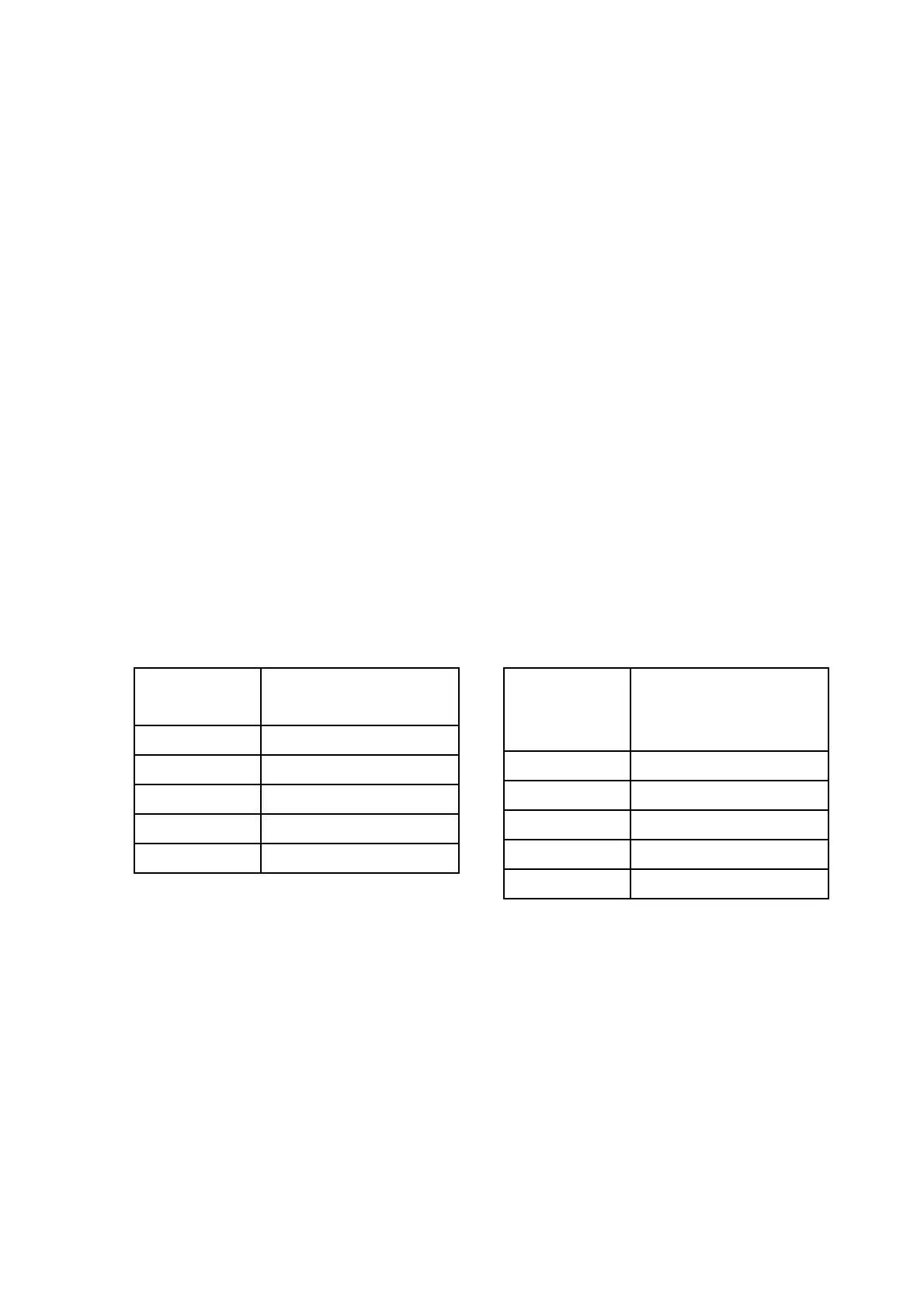
computer keyboard, transmitting to the balance the ASCII codes as in the table
below. The connector to use for connection to PC is the number 2 with reference to
fig.2 of paragraph 5 of this manual.
Selecting the transmission to PC at user command, it is achieved a transmission
output only when the PRINT button is pressed, also in this case it is possible to
perform all the functions of the balance directly from the keyboard of the computer,
sending to the balance the ASCII codes in the table above.
(SINGLE PRESS)
“T” = H54 TARE
“C” = H43 CALIBRATION
“E” = H45 ENTER
“M” = H4D MENU
“O” = H4F ON/OFF
(PROLONGED
PRESS)
“t” = H74 TARE
“c” = H63 CALIBRATION
“e” = H65 ENTER
“m” = H6D MENU
“o” = H6F ON/OFF


 To Next Page