52
3. Connection of the balance to PC
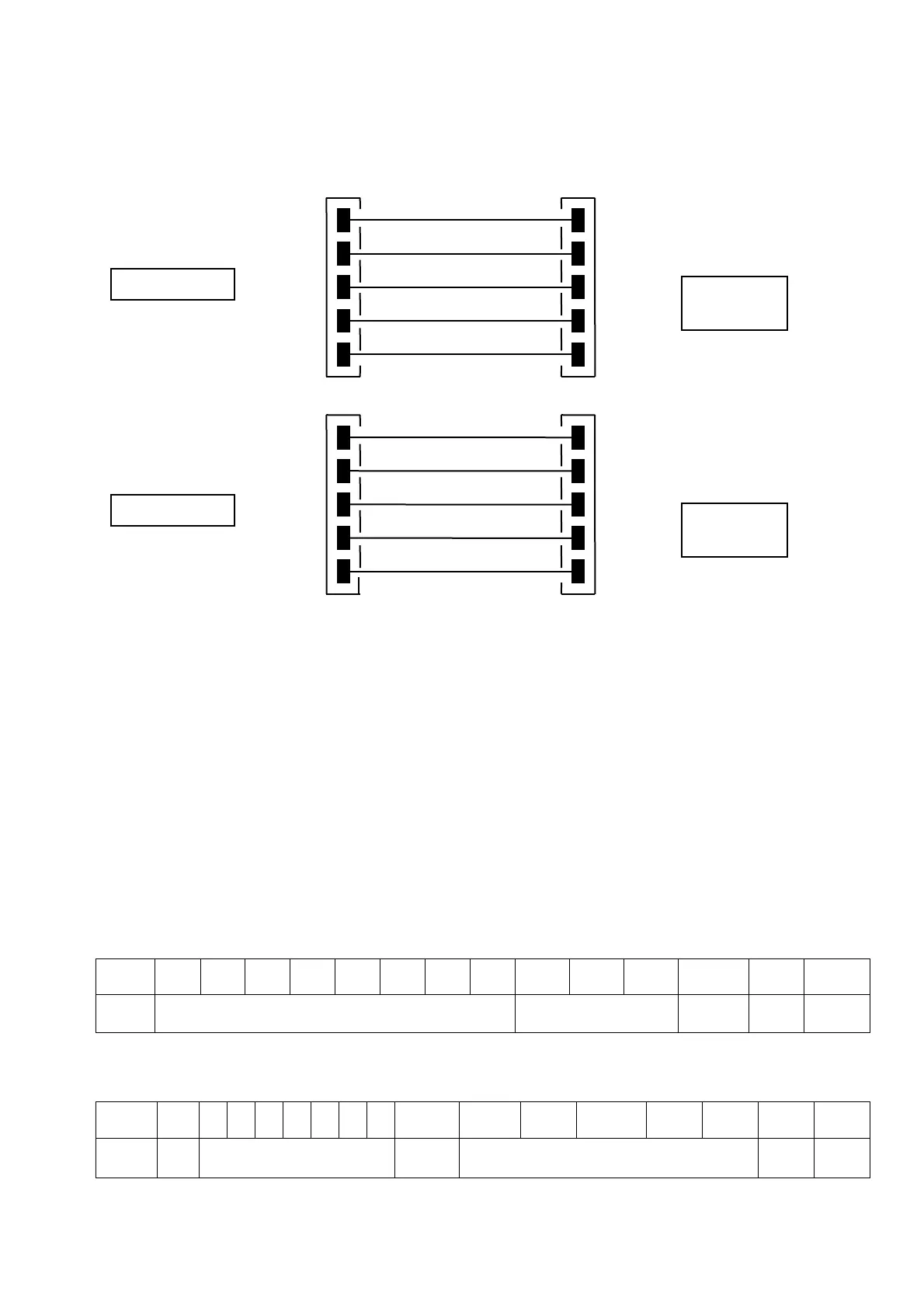
To receive/transmit data, link the connector
(n.2 of fig.2 at par.5) of the balance to
the serial port of your Personal Computer as shown below:
4. Transmission format
String transmitted is composed by the following 14 characters:
First character: weight sign (blank or -)
second/ninth character: weight or other data
tenth/twelfth character: weight unit symbol
thirteenth character: stability indicator
fourteenth character: carriage return
fifteenth character: line feed
Eventual non-significative zero are put as spaces.
In the following tables the various transmission formats are shown:
Weighing mode (valid both for continuous transmission and transmission at user
command)
1° 2° 3° 4° 5° 6° 7° 8° 9° 10° 11° 12° 13° 14° 15°
Sign Weight Weight unit Stability
CR LF
Density mode (only in transmission at user command mode)
1° 2° 3°
4°
5°
6°
7°
8°
9°
10° 11° 12° 13° 14° 15° 16° 17°
d = Density value Space
Weight unit CR LF
side
side
Connector
side
side
Connector
2
3
5
6
4
2
3
5
6
4
3
2
7
6
20
2
3
5
6
4


 To Next Page