44
4. Remove now the reference weight and load the sample. Is possible to read the
weight in percentage now.
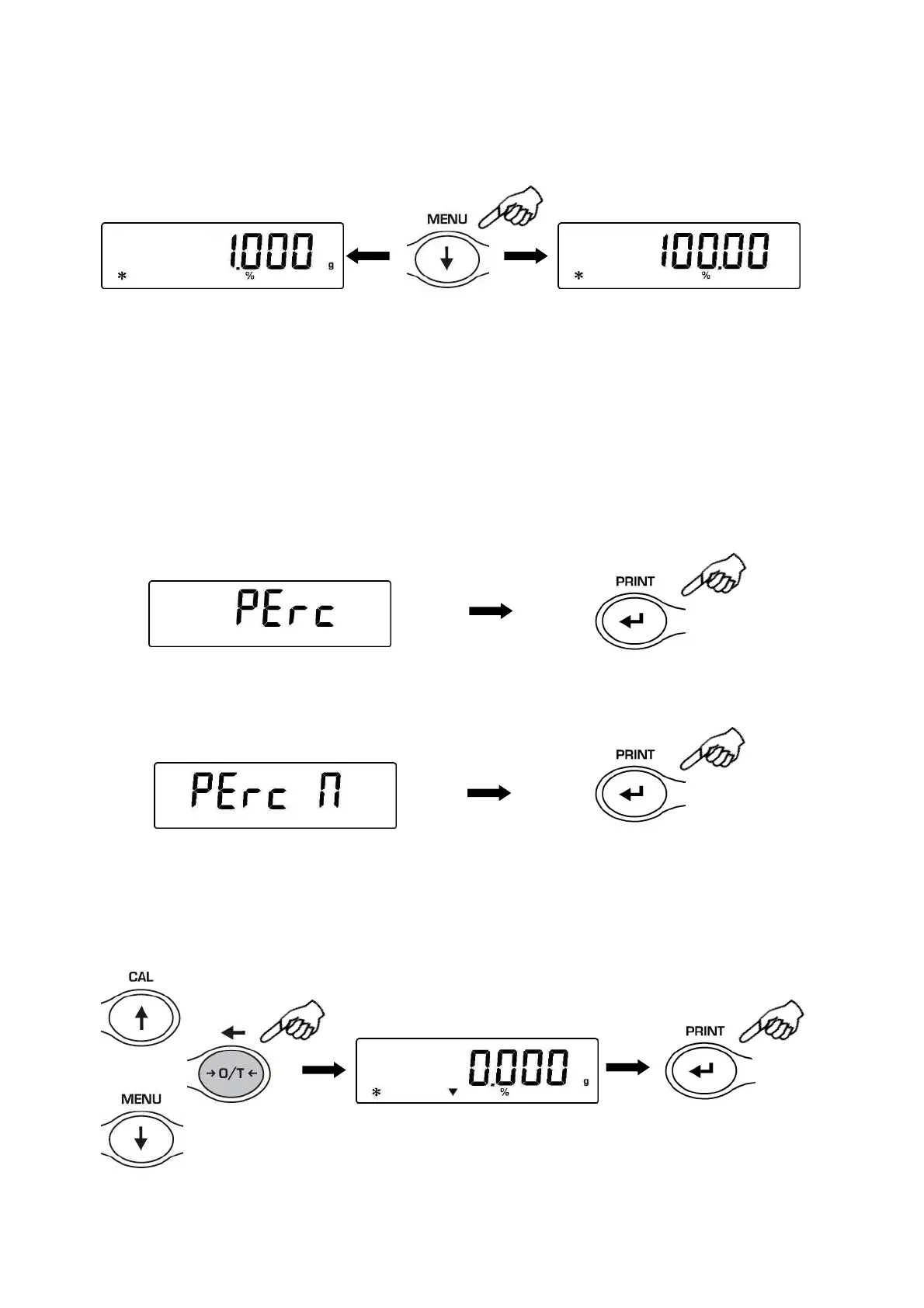
5. Press the MENU button to visualize the weight in gram and vice-versa.
6. Press the ON/OFF button to escape from the percentage weight function.
NOTE: If the reference weight is lower than 10 digits after the acquiring sequence of the weight, the
string ERROR 07 will be displayed.
23.2
Mode with manual insertion of the reference weight.
1. From zero condition of the display press the MENU button until will be displayed the
“Perc” message, then press the PRINT button to confirm.
2. Press the MENU button to select the “Perc A” function and press PRINT button to
confirm.
3. It is possible to set a different value using the CAL e MENU buttons for increase and
decrease the value and using the O/T button for skip to the others digits. Keeping
pressed the O/T button is possible to delete the inserted value. The inserted value will
be stored in the memory until the balance is switched off.


 To Next Page