46
24 Animal weighing function
This function allows to acquire the averaged weight of moving objects or animals for a
time period that can be set.
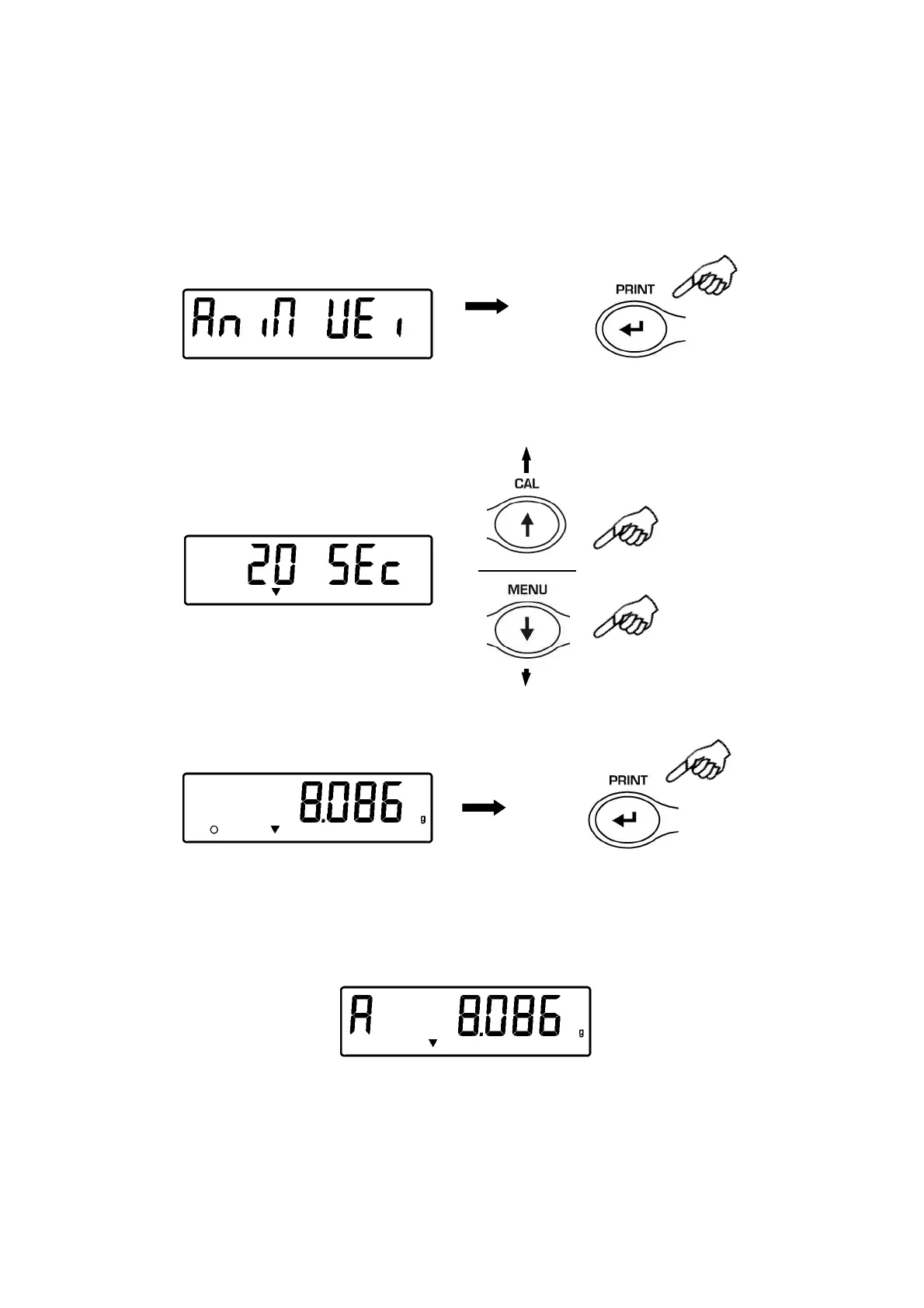
1. From zero condition of the display press the MENU button until will be displayed the
“anim UEi” message, then press the PRINT button to confirm.
2. Set the desired period time from 5 to 90 sec. using the button MENU to decrement
and CAL to increment time.Confirm by pressing the PRINT button.
3. It is now displayed the value of current weight, effect tare if necessary, then load on
the pan the sample to weight and press the PRINT button
4. It is then displayed the count-down of the sampling time value that has been
previously set.
5. When the count-down is finished, it is calculated and then displayed the value of the
averaged weight measured.
6. Press once the ON/OFF button to start another measurement, or twice to escape this
function and return to weighing mode


 To Next Page