E-1032 PROGRAMMING & OPERATION
1MANUL226 Belanger, Inc. * PO BOX 5470 * Northville, MI 48167-5470 * Ph (248) 349-7010 * Fax (248) 380-9681 2-1
Chapter 2 Operator Interface/Standard User Screens
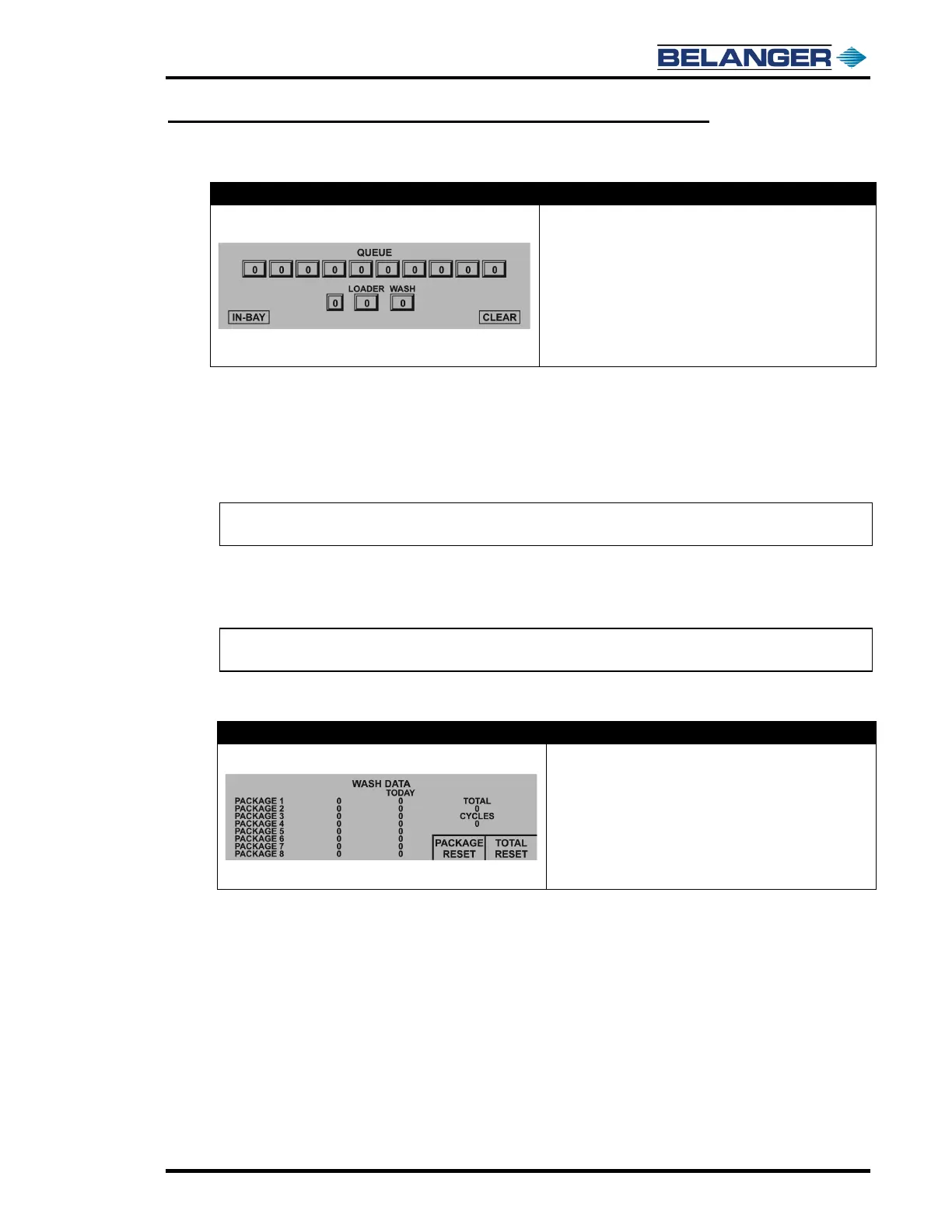
Queue
• The row of boxes displays the ten packages in
QUEUE, 0 if not present
• The field to the right of the arrow is where you will
enter the next available Package
• “Loader” shows the wash that is being evaluated to
load
• “Wash” shows the vehicle that has been pulled from
loader. typically occurs when the vehicle has entered
the Photo-Eye beam
The Queue keeps track of the packages that vehicles will receive. It can keep track of up to 10 vehicles at a time.
Package selections can be entered in the “Queue” from the screen ONLY. The POS and Fleet Mode will enter
selections directly into the Loader.
Values entered in the Queue will be inserted to the right of the last position entered. If Package is the first entered in
the Queue, it will be inserted into the left most position. As washes are used, the Queue will shift all packages to the
left one place until all washes are shifted into the Loader.
Note: POS and Fleet mode will NOT use QUEUE; it will insert selections directly into the
Loader.
When the system is ready to accept another vehicle into the wash, the Loader will be shifted into wash if Entrance
operation 1 “On Condition” is met.
Entrance Operation 1 will need to be configured even if not used in packages.
Note: See Entrance Operation 1 for conditions to move package from Loader to
wash.
Data
• The left column displays total of each package used
since last package reset
• Today Column displays total of each package used
since midnight
• Total Field displays total of combined packages until
“Total Reset”
• Cycles Field displays total of combined packages
that are “Non Re-settable”
The left column shows accumulation of packages since last time the Package Reset was pressed.
The “Today” column shows accumulation of packages since midnight.
Pressing “Package Reset” will clear the value of both Left and Today columns.
Pressing “Total Reset” will clear the values of the total data field accumulated since Total Reset All was last pressed.











 To Next Page