E-1032 PROGRAMMING & OPERATION
1MANUL226 Belanger, Inc. * PO BOX 5470 * Northville, MI 48167-5470 * Ph (248) 349-7010 * Fax (248) 380-9681 2-3
Chapter 2 Operator Interface/Standard User Screens
User
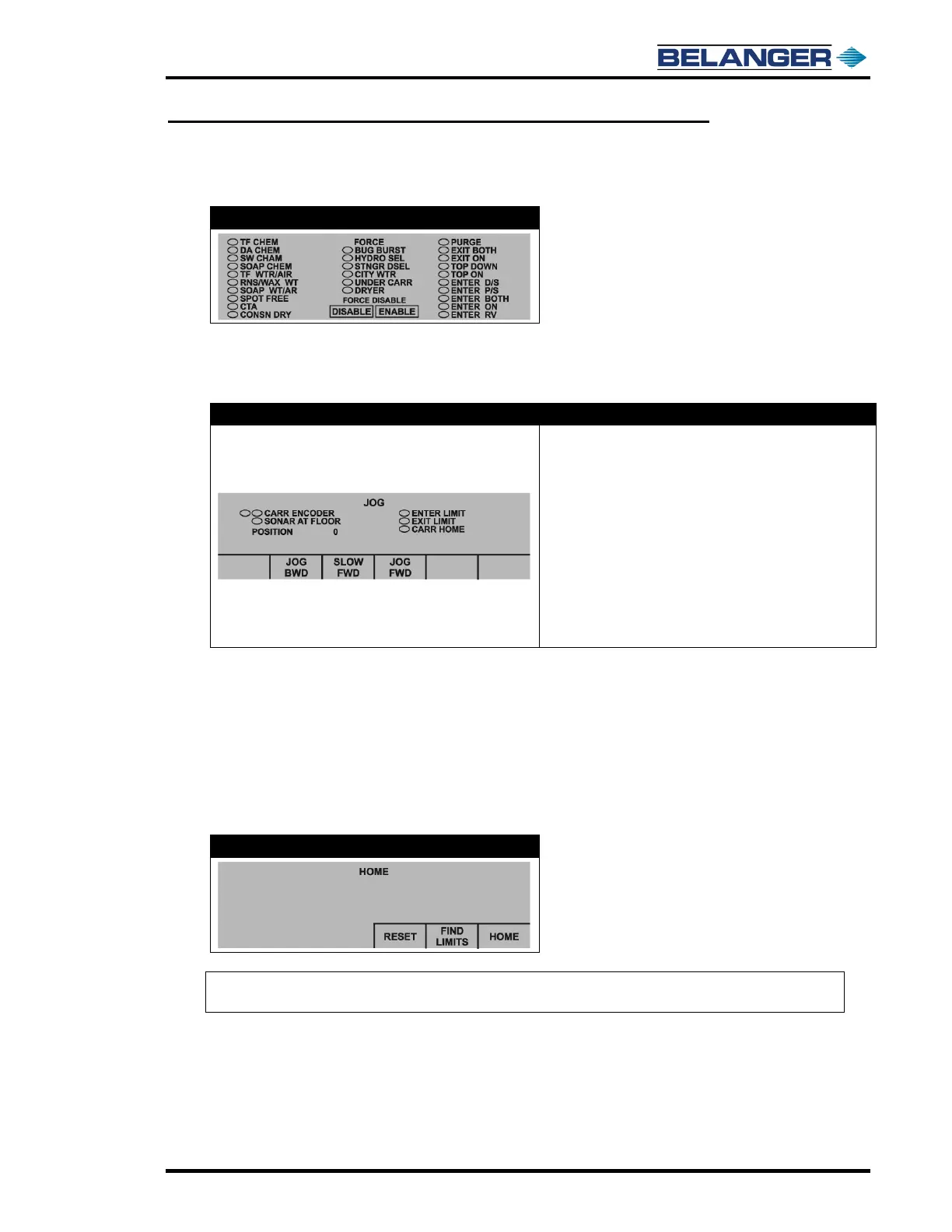
User / Force
To force an Application, fill in the ovals next to the desired Outputs. Enter the pump speed, and then press “Force
Enabled”. The pump speed may be zero for some applications. To turn off Force, press “Force Disabled”.
User / Jog
• Carriage Backward: Jogs carriage towards entrance while
pressed
• Carriage Forward: Jogs carriage towards exit while
pressed
• Slow Forward: Jogs carriage towards exit slower than
Carriage Forward while pressed
• B/F FWD: Jogs butterfly towards exit
• B/F BWD: Jogs butterfly towards entrance
• Shuttle FWD: Jogs shuttle assembly to the right when
viewed from entrance
• Shuttle BWD: Jogs shuttle assembly to the left when
viewed from entrance
Slow Forward: has been provided to check proper carriage Encoder operation. Pressing this button first begins
the Carriage moving slowly down the rails causing the gear in the Encoder to turn. This should make the ovals
next to “CARR ENCODER” fill from left to right and clear from left to right. If the oval fill/clear pattern is not
according to the above, first check wiring. A typical fix if pattern is reversed is to swap Proximity Cables on the
Encoder.
Pressing and holding the SLOW FWD button will cause the display to appear for A and B phase encoders on
times. The proximity should be adjusted until these are nearly identical.
User / Home
Note: The Carriage Find Limit must be performed on a machine that is a new install before any vehicles are
washed. This function typically does not need to be performed again after it has been completed once.
If pressing the reset button does not reset the machine, check Fault screen for reoccurring fault.











 To Next Page