E-1032 PROGRAMMING & OPERATION
1MANUL226 Belanger, Inc. * PO BOX 5470 * Northville, MI 48167-5470 * Ph (248) 349-7010 * Fax (248) 380-9681 3-3
Chapter 3 Operator Interface/Programming
Setup
Setup / POS (Point of Sales)
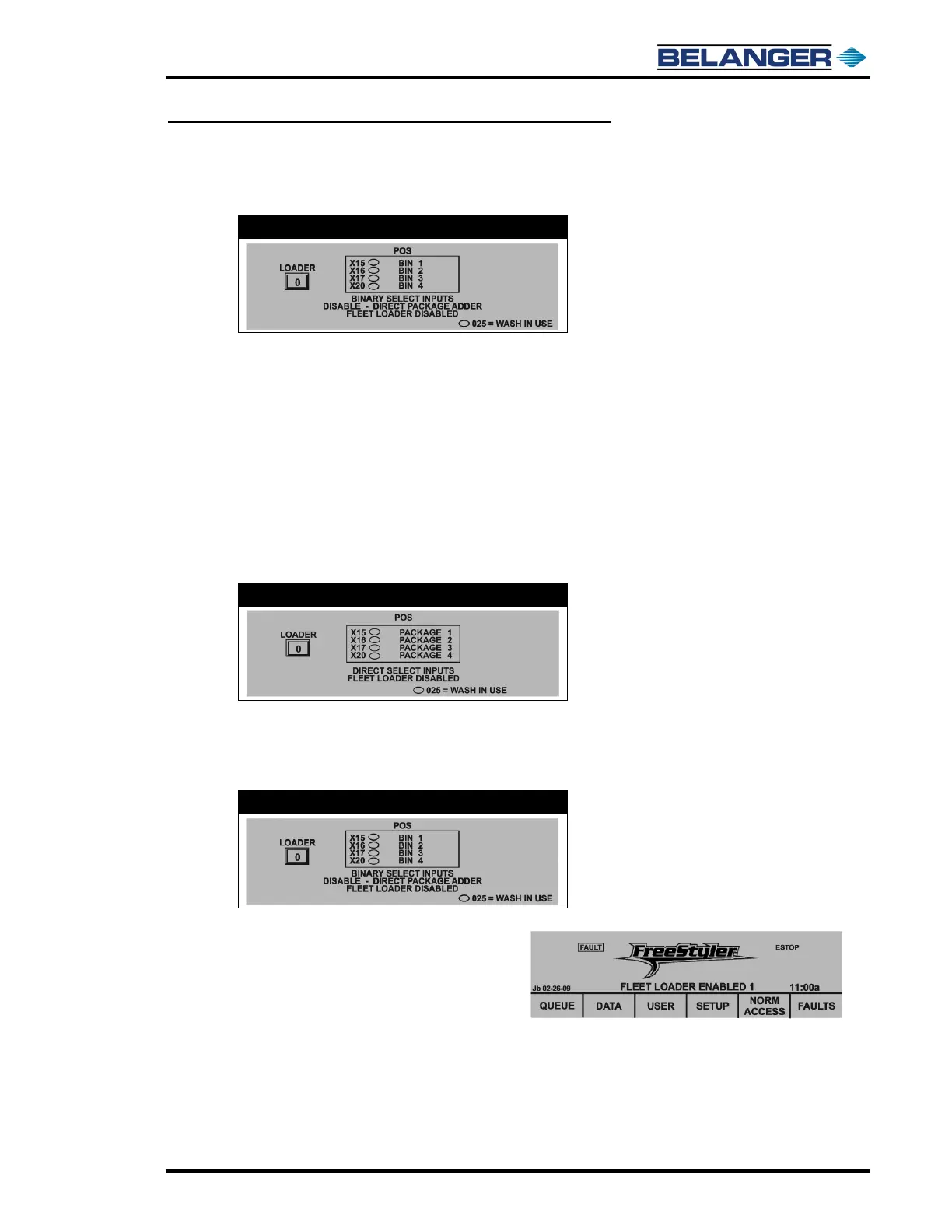
BINARY SELECT INPUTS / DIRECT SELECT INPUTS
This toggles between the two, to select Input Operation. You will notice that the display also changes from BIN
to PACKAGE in the larger box.
DIRECT SELECT INPUTS
When in DIRECT SELECT INPUTS mode, PACKAGE will be displayed instead of BIN. When in Direct Mode
and a Package is toggled, the fields will toggle as follows:
• PACKAGE 1 to PACKAGE 5
• PACKAGE 2 to PACKAGE 6
• PACKAGE 3 to PACKAGE 7
• PACKAGE 4 to PACKAGE 8
When in Direct Mode, Input will insert corresponding Package into Loader (i.e. if PACKAGE 1 is displayed,
PACKAGE 1 will be loaded into the Loader when Input X15 turns ON).
BINARY SELECT INPUTS
When in Binary Mode each Input is given a value. The Package that is inserted in the Loader is determined by
the sum of the Inputs turned ON (have filled ovals) i.e. if X15 and X20 are ON, package 5 will be loaded into the
Loader.
E-1032
Pressing the “Fleet Loader” toggles back and forth
between FLEET LOADER ENABLED / FLEET
LOADER DISABLED. When FLEET LOADER
ENABLED it will be displayed on the Main Screen
(under Vector logo, also displaying the fleet
package to the right of it. See example at the right.











 To Next Page