
 Need help?
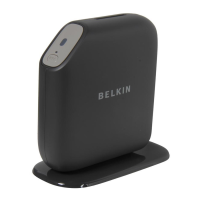
Do you have a question about the Belkin G+MIMO and is the answer not in the manual?
Guides through physical connections and using the setup assistant for initial configuration.
Details the steps to secure your wireless network using WPA/WPA2 or WEP encryption.
Guides through setting up various ISP connection types like PPPoE, PPPoA, and Dynamic IP.
Details various wireless security options including WPA2, WPA, and WEP.
Provides step-by-step instructions for setting up WEP encryption.
Guides on configuring the router's firewall for network protection.
Explains how to download and update the router's firmware to the latest version.
Provides instructions for manually configuring network settings on Mac OS systems.
Provides instructions for manually configuring network settings on Windows systems.
Addresses issues with the installation CD and the setup assistant not starting.
Helps resolve problems where the setup assistant cannot find the router.
 General
| Brand | Belkin |
|---|---|
| Model | G+MIMO |
| Category | Wireless Router |
| Language | English |







 To Next Page