27
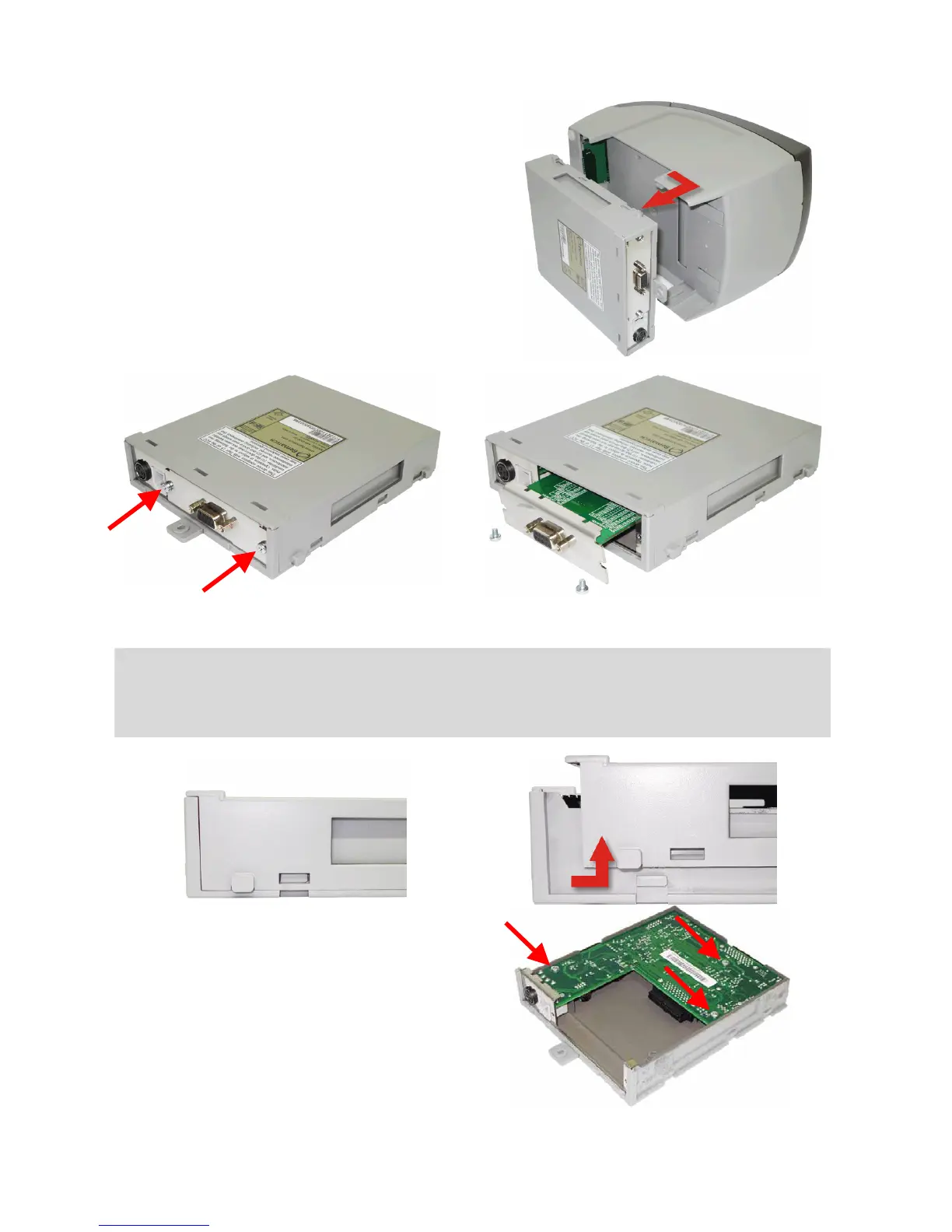
To remove the control board set, simply pull the
cartridge back and then out.
When pulling it back, the control board is
disconnected from the connection board, located
on the frontal portion of the printer. After this,
just pull it out of the printer cabinet and you will
have the complete control board set on your
hands.
Above, the control board set plus the serial communication board, which can be removed by
unfastening the two screws shown in the first picture.
ATTENTION!
To remove the communication board it is not required to remove the control board set - just
remove the two screws that hold it to the control board and then pull the interface board.
If you need to open the cartridge to gain
access to the control board, just move the
two cartridge covers as indicated by the
arrow in the above illustration. The picture on
the right shows the screws that hold the
control board to the cartridge.



 To Next Page