44
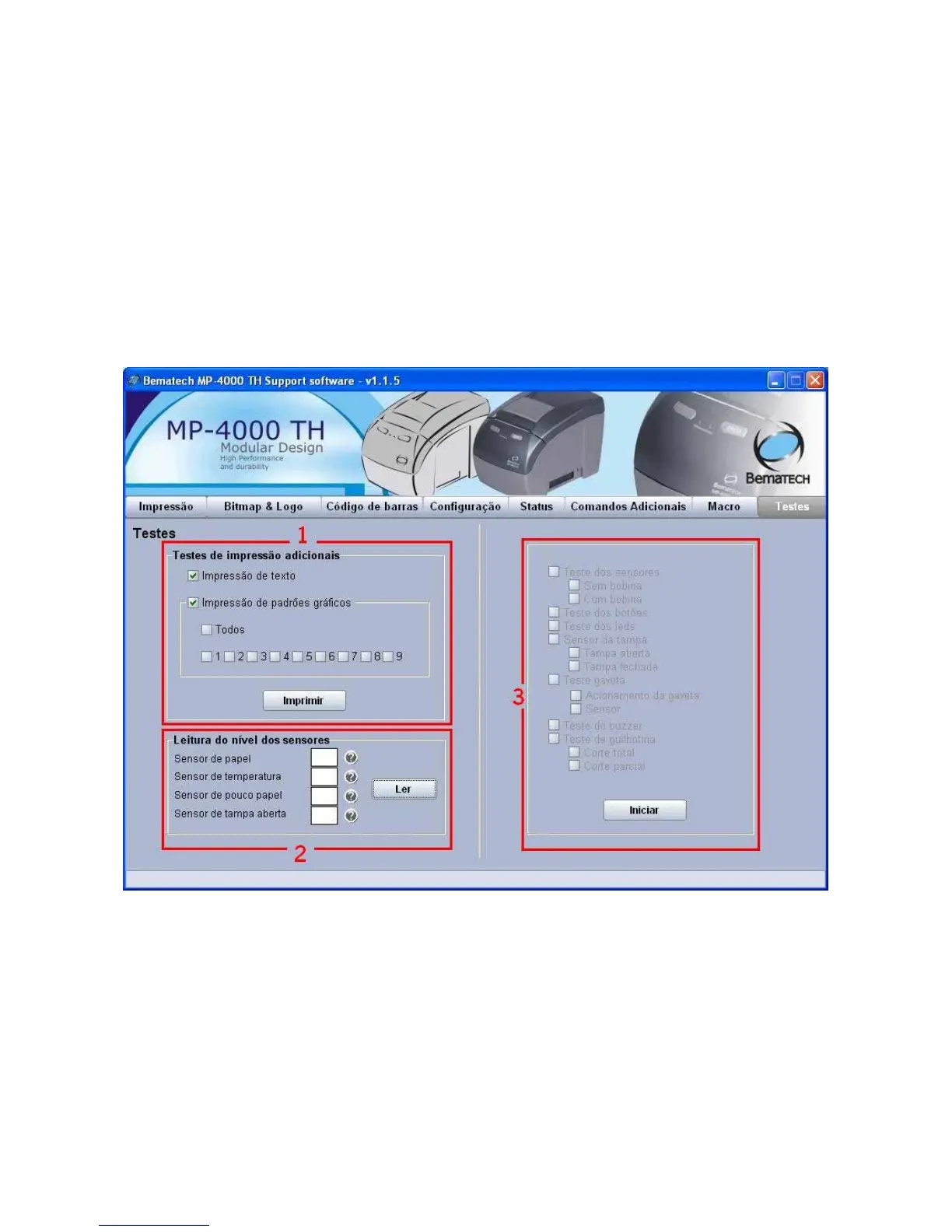
Tab 'Tests'
1. For text and graphic printing select the modes you want to print and click on the button
'Print'. Do some tests for you to get familiar with the modes available.
2. Click on the button 'READ' to perform the MP-4000 TH printer sensor reading. The values
shown correspond to the sensor levels. The printer interprets the value as follows:
Paper sensor: there is still paper if the sensor value is over 30.
Temperature sensor: is the temperature read in Celsius.
Low paper sensor: there is still paper if the sensor value is over 80.
Open cover sensor: the cover is closed if the sensor value is over 110.
3. MP-4000 TH printer test phases. Click on the button 'Start' to make a complete test of the
printer. Execute the steps as required on the screen. By the end you will have performed a full
printer checkup.



 To Next Page