35
Firmware update
ATTENTION!
The product firmware update will only be possible through the serial DB9/DB25 or Ethernet
interfaces.
The product firmware update can be performed by using the 'User's Software' or the
'Technical Support Software'.
User's Software
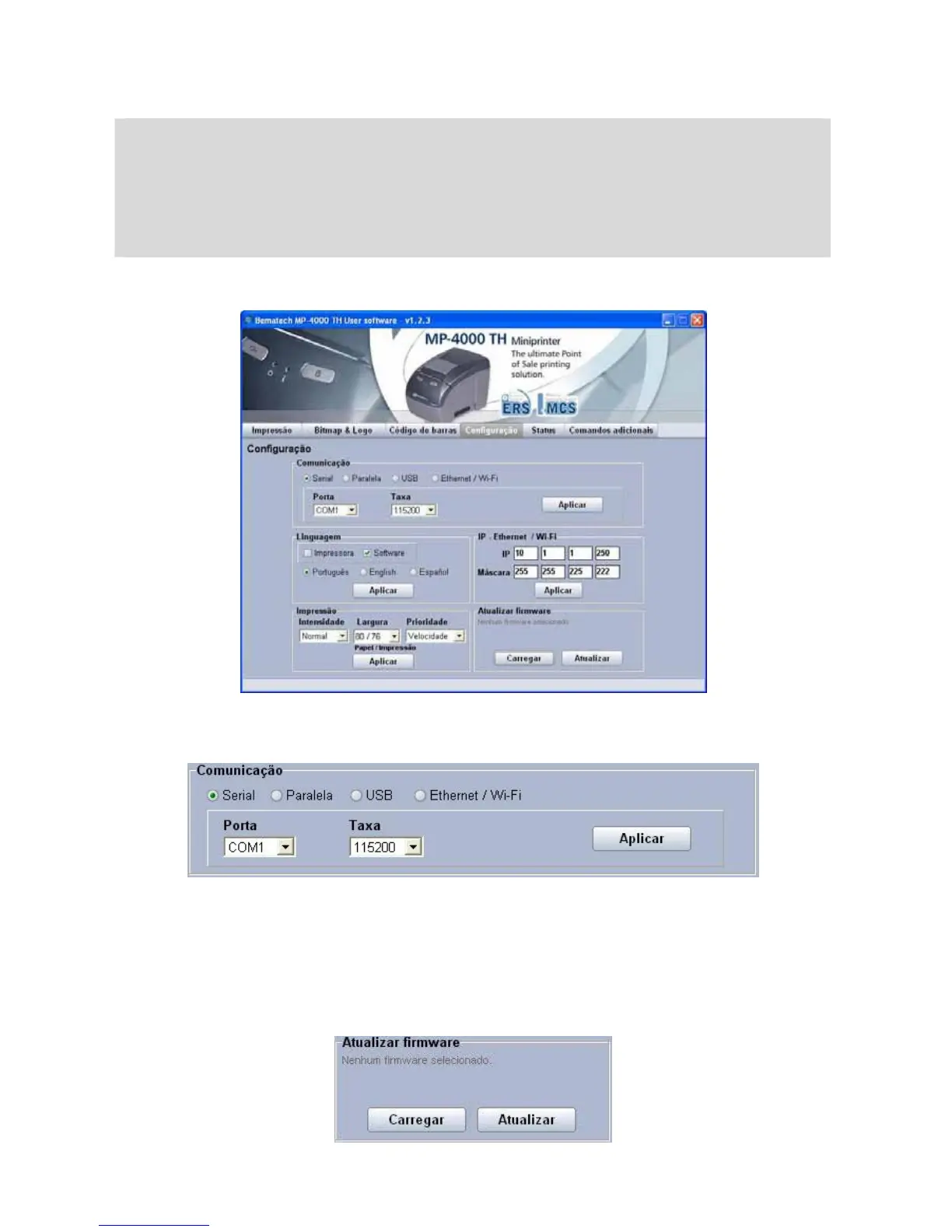
On the tab 'Configuration' select the communication interface (serial DB9/DB25 or Ethernet)
and click on apply.
Click on the button 'Load', on the field 'Update firmware'.
On the window that was open, select the firmware that will be loaded and click on open.
Click on the button 'update' and wait for the operation end. During the firmware update the
printer LEDs keep on blinking in orange, indicating this function.
The printer will be ready for use without the need to be turned off.
In case two LEDs keep on blinking on the printer it is necessary to once more load the
firmware which can be done through the same procedure.



 To Next Page