39
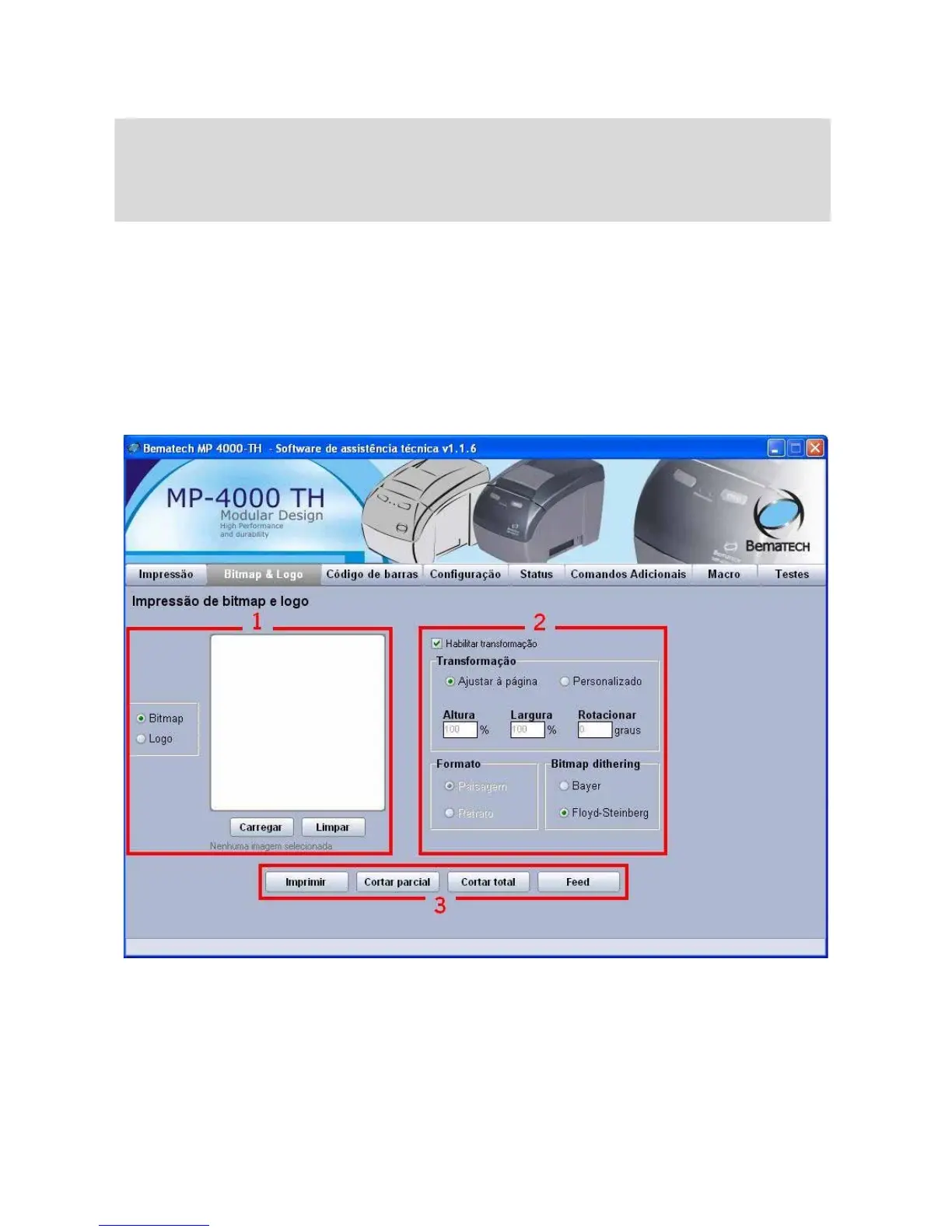
Tab 'Bitmap & Logo'
ATTENTION!
Be careful with the images originally preloaded into the memories (volatile and non volatile)
as they are used by the clients. Make sure you have them (or the client has them) before
performing these tests.
1. In this field it is possible to choose an image to be printed in the MP-4000 TH. The option
Bitmap allows you to check the graphics printing and the Logo option allows you to test the
functions of logo storage and logo printing from volatile and non volatile memories.
2. When selected the option 'Enable transformation', it will be possible to make some changes
in the image loaded for print, such as redimension, rotation and print type for the Bitmap.
These functions do not apply to the Bitmaps (logos) stored in the memory.
3. As in the tab 'Print', here you can find the buttons to initiate printing, cutting (partial and
fiull) and paper feeding.



 To Next Page