43
Tab 'Macro'
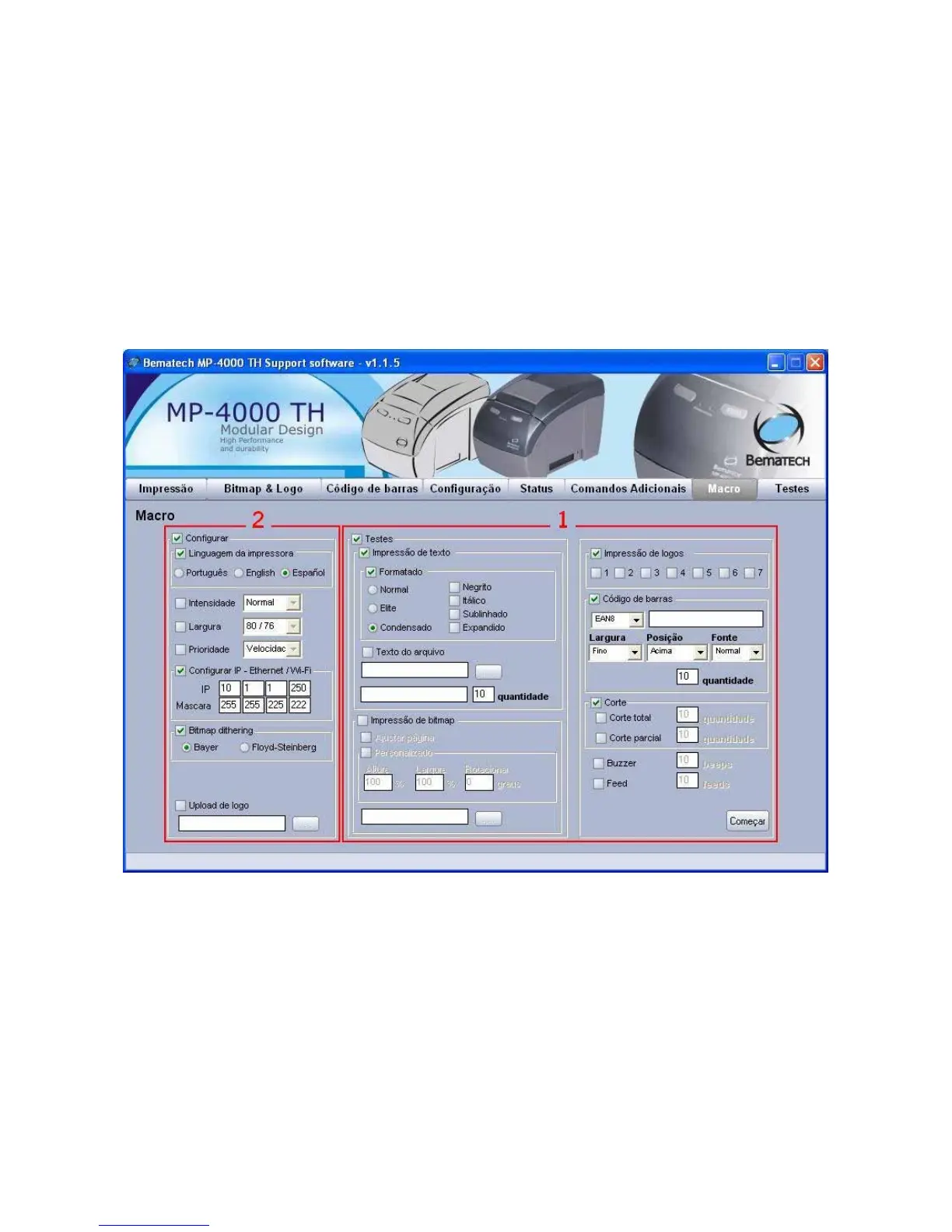
The tab 'Macro' allows tests to be processed in batch mode.
1. Configure the tests to be performed. The dialogue box 'Text print' allows selecting the
formatting and origin of the text (file or keyboard) and how many times the print will be
repeated. The dialogue box 'Bitmap print' allows testing the print of graphs from a BMP file.
The logo print allows testing the Bitmap prints stored in the non volatile memory. The dialogue
box 'Bar code' allows testing the bar code printing. The dialogue box 'Cuts' allows testing /
repeated testing of partial and total cuts. The option 'Buzzer' allows testing of buzzer activation
and the option 'Feed' allows to test the paper feeding.
2. To configure the printer parameters (language, intensity, width, priority, IP address and
logo to be stored in non volatile memory).



 To Next Page