38
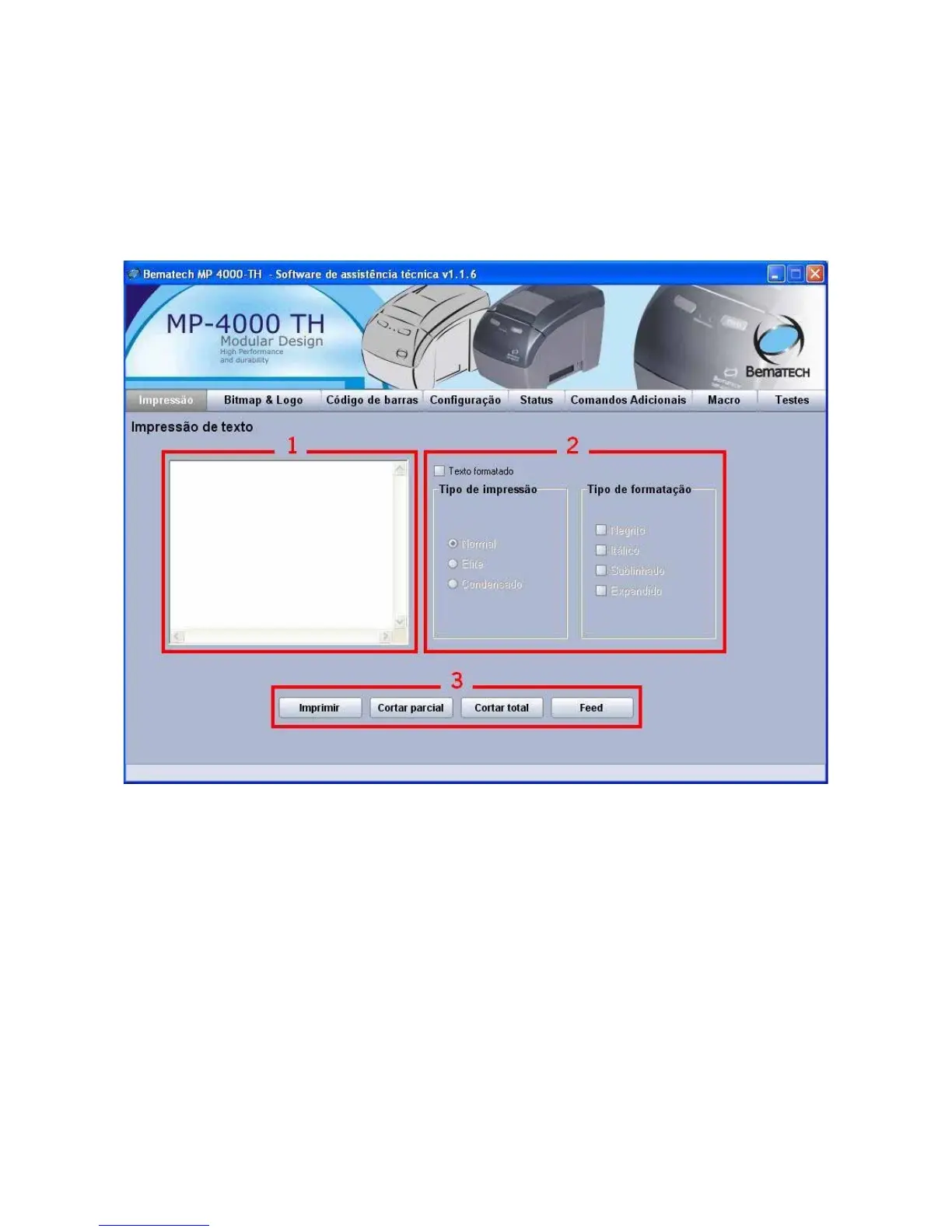
Tab 'Print'
1. The text written within this area will be printed after clicking on the button 'Print'.
2. When selected the option 'Formatted text', the fields 'Print type' and 'Format types', will be
enabled, use the text format styles to test your MP-4000 TH printer and get to know the print
modes it can perform.
3. Use the buttons to print, cut (full and partial) and paper feed.



 To Next Page