34
Removing the Cover Lever Set
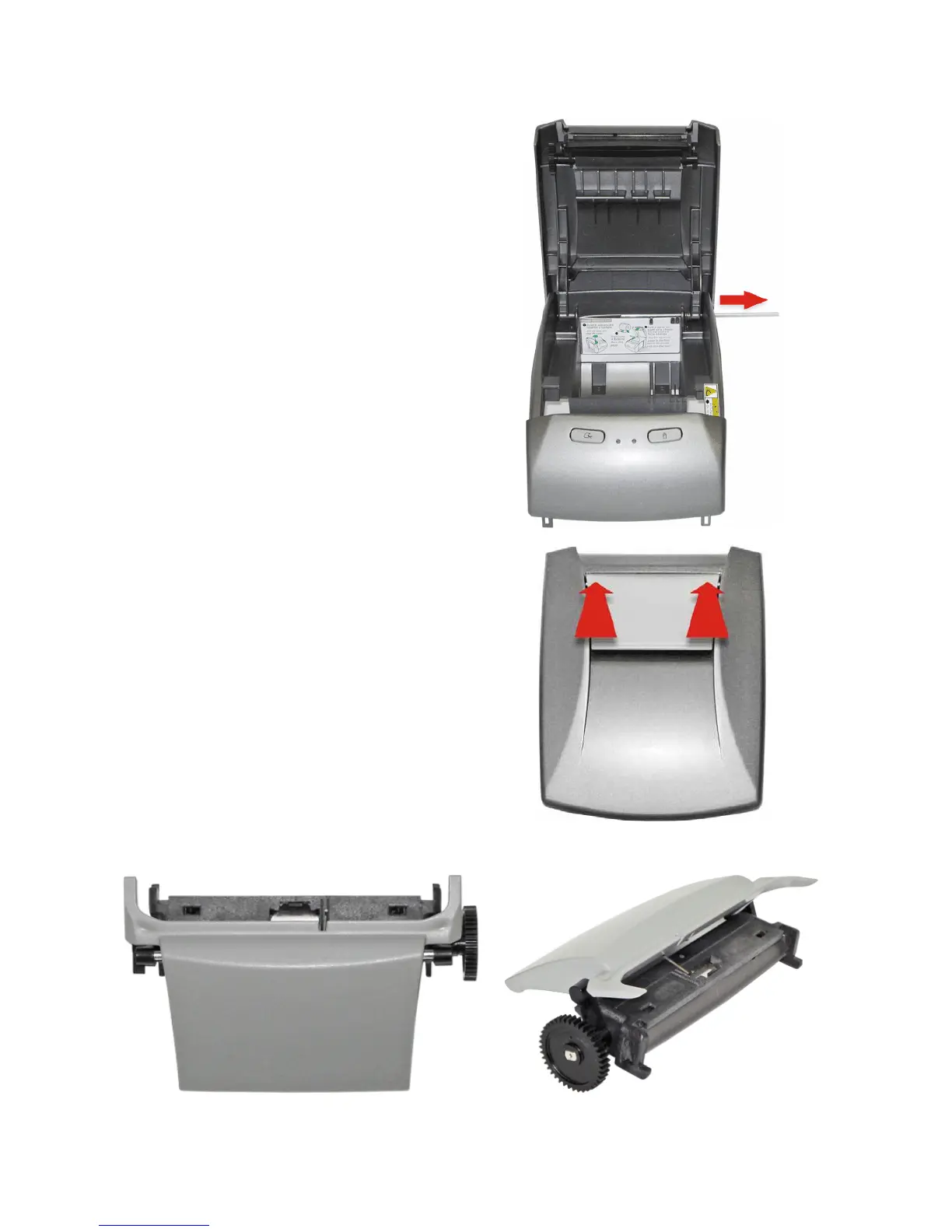
To remove the lever set it is recommended
that the printer cover is also removed. To
remove the printer cover just pull the axle
that holds the body case to one side (as
shown in the picture on the right).
To remove the opening Lever Set, just press
it from top to bottom on the points indicated
on the picture.
The lever set will be completely removed. There is no need to disassemble any parts to
remove it from the cover.



 To Next Page