33
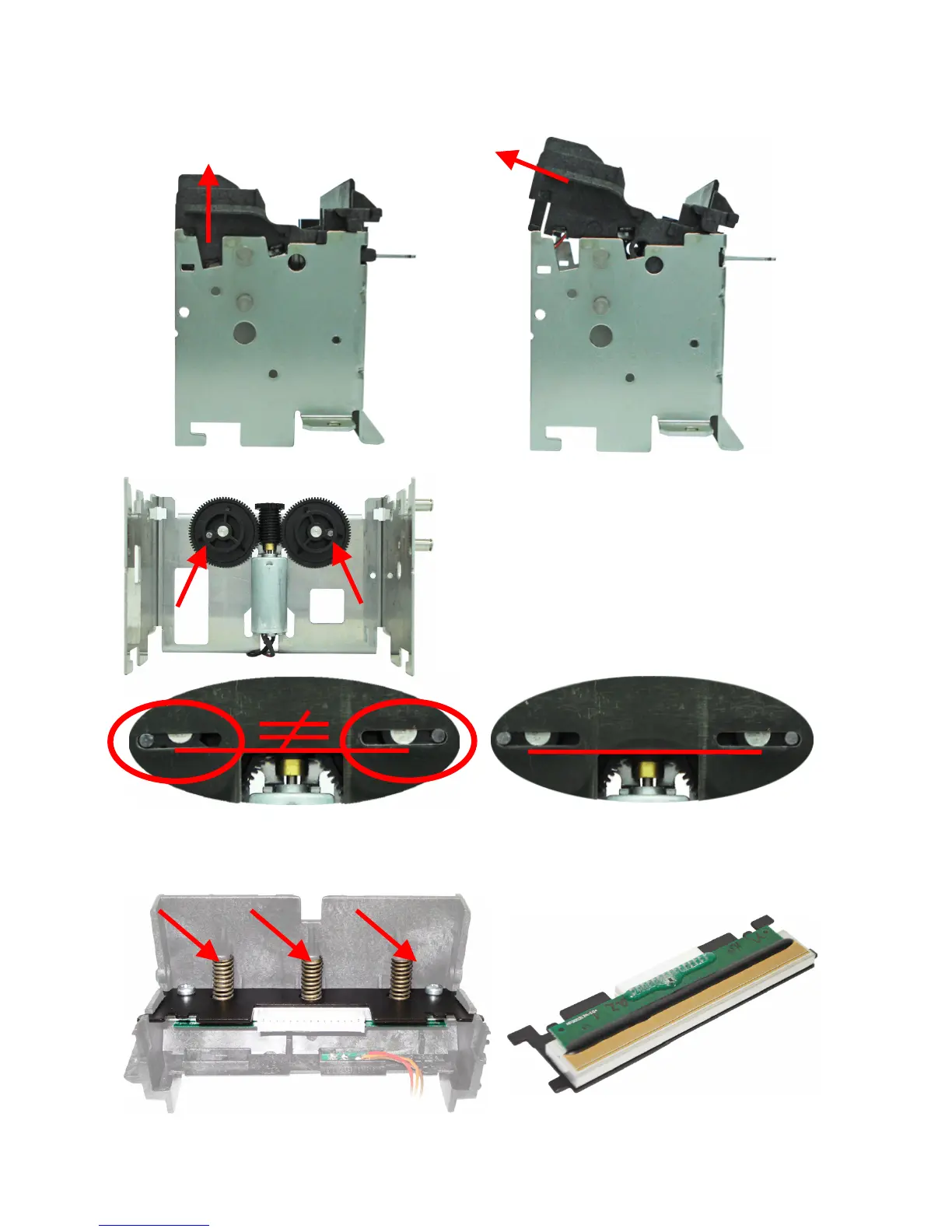
After disconnecting the plastic chassis, just pull up the back side to loosen the frontal part.
Only by separating the two chassis it is possible to have access to the thermal print head.
When the chassis assemble is performed, leave the
gears and its pins on the same position, both with
the pins pointing out (pictures below).
That's required to ease the cutter blade fitting.
Verify the proper position of the pins by inserting
an Active blade, noticing the tangency through the
blade oblong cuts in relation to the metallic chassis
axle (pictures below).
Use black BR12 grease to lubricate the helicoidal
gear pins.
Misaligned Blade
Aligned Blade
To remove the thermal print head, just disconnect the three springs that hold it to the plastic
chassis.



 To Next Page