47
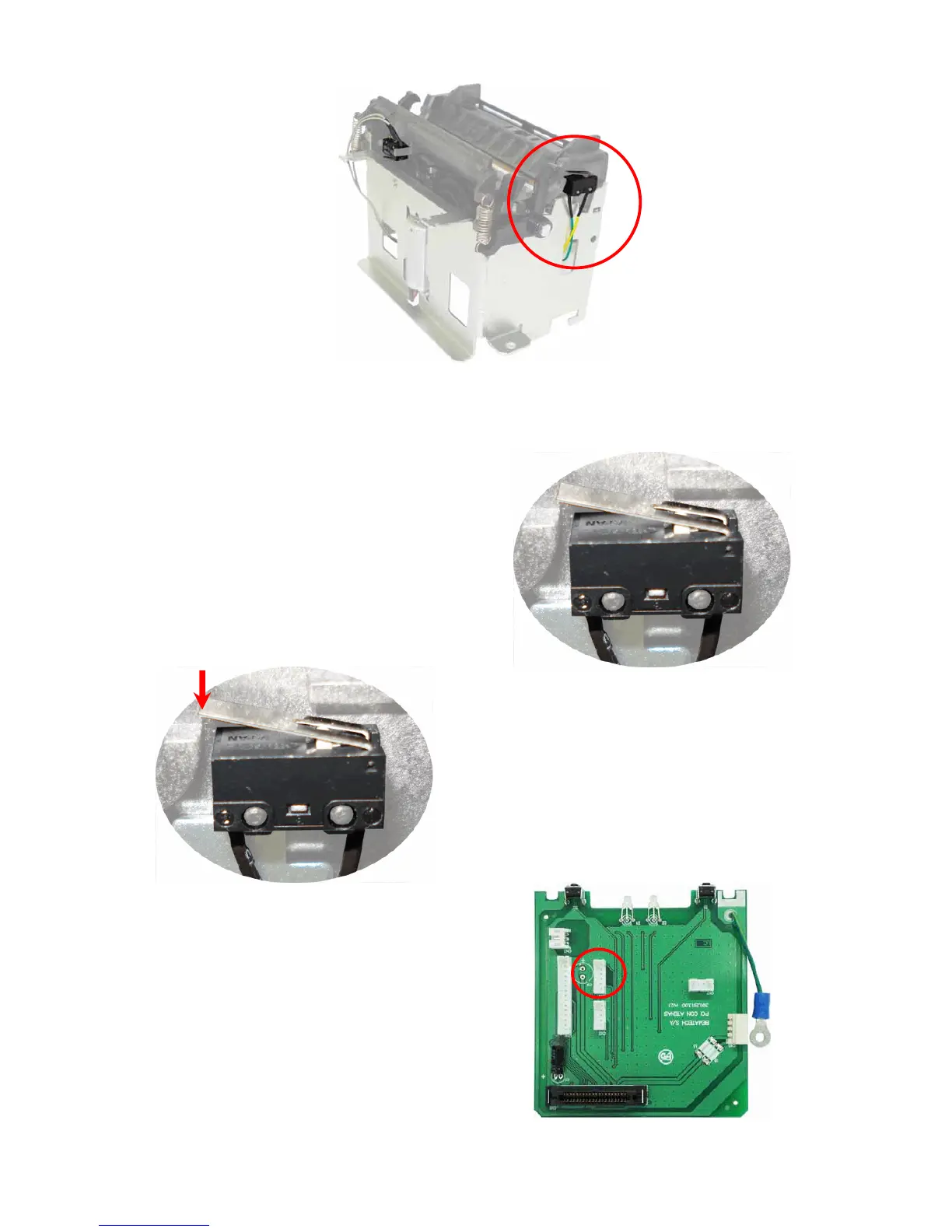
There is a sensor on the right side of the printer (picture above) that notifies it when the cover
is closed. If the error message persists, even if the cover is closed, you can verify the following
items:
- Is the cover sensor in the indicated
location?
Is the sensor placed properly? Notice the
correct way to insert the sensor on the
picture on the side. After that, the issue may
be solved.
- When pressing the sensor activation key
(image on the side), you can hear a clicking
sound which indicates the proper operation of
the sensor. If you can't hear the clicking
sound it’s very likely that the malfunction is in
the sensor. Replace it to solve the problem.
- Verify the sensor connection on the
connection board. The right place to connect
this cable is on the CN4 connector (as shown
on the image on the side). Also, verify the
sensor cable (image below), as it must be in
perfect conditions on all its length.
Obs. On the cover sensor cable there is also
the paper sensor. If any of those sensors
show any problems, this cable must be
replaced.



 To Next Page