Touring your Joybook 13
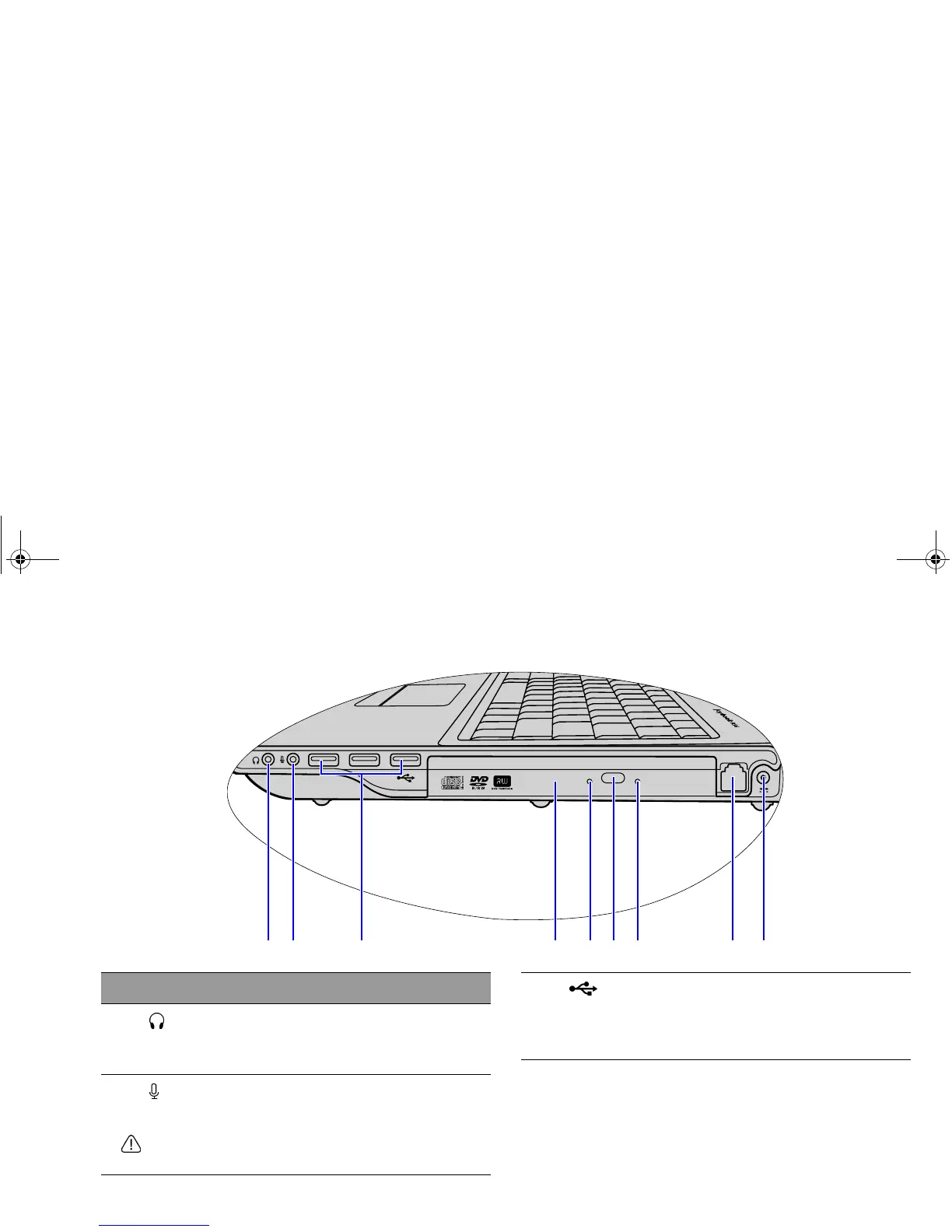
Right side view
(1) (2) (3) (4) (5) (6) (7) (8) (9)
No. Right-side components
(1)
Audio output socket
Can be used to connect to an earphone/headset
or external speaker for playing the Joybook audio.
(2)
Microphone input socket
Can be used to connect to a microphone for
recording sounds.
This socket is for 3.5mm analog audio plugs. It accepts
both mono and stereo plugs.
(3)
USB ports
For connecting peripherals such as mice, digital
cameras and MP3 players that use the USB 2.0
interface.
JB_R56_en.book Page 13 Tuesday, July 3, 2007 10:01 AM



 To Next Page