Touring your Joybook 15
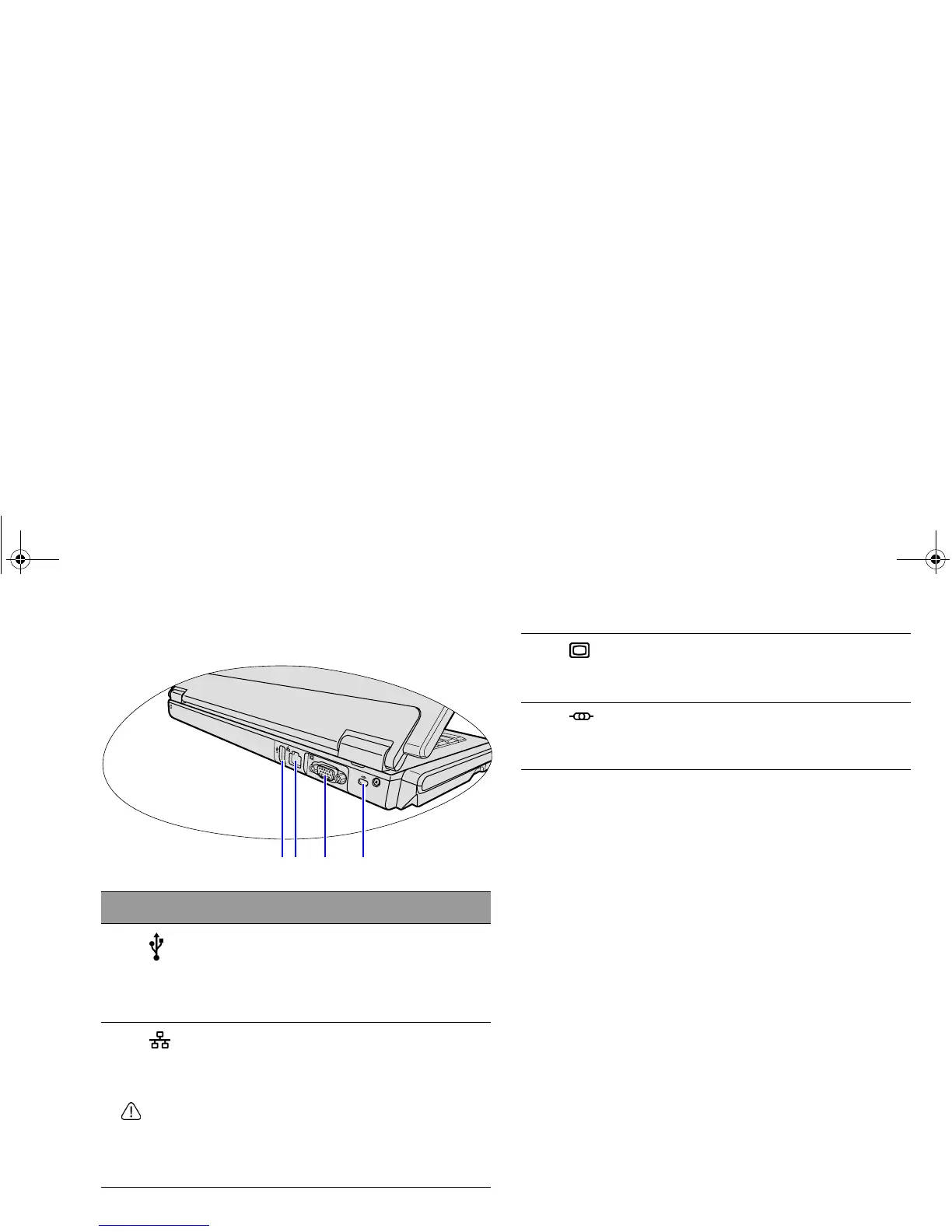
Rear view
No. Rear components
(1)
USB port
For connecting peripherals such as mice, digital
cameras and MP3 players that use the USB 2.0
interface.
(2)
LAN (Local Area Network) port (RJ-45
connector)
Allows the Joybook to connect to a 10/100Mbps
fast Ethernet 100BASE-T network.
Please be careful to avoid plugging a RJ-11 phone
cable connector in the RJ-45 port. This will damage the
LAN port. They look similar, but the RJ-45 connector is
wider than the RJ-11 connector, and has more
conductors.
(1)(2) (3) (4)
(3)
15-pin D-sub video socket
For connecting external display devices, such as
monitors and projectors.
(4)
Anti-theft Kensington lock slot
You can attach an anti-theft Kensington lock and
cable to this slot to help prevent possible theft.
JB_R56_en.book Page 15 Tuesday, July 3, 2007 10:01 AM



 To Next Page