Touring your Joybook16
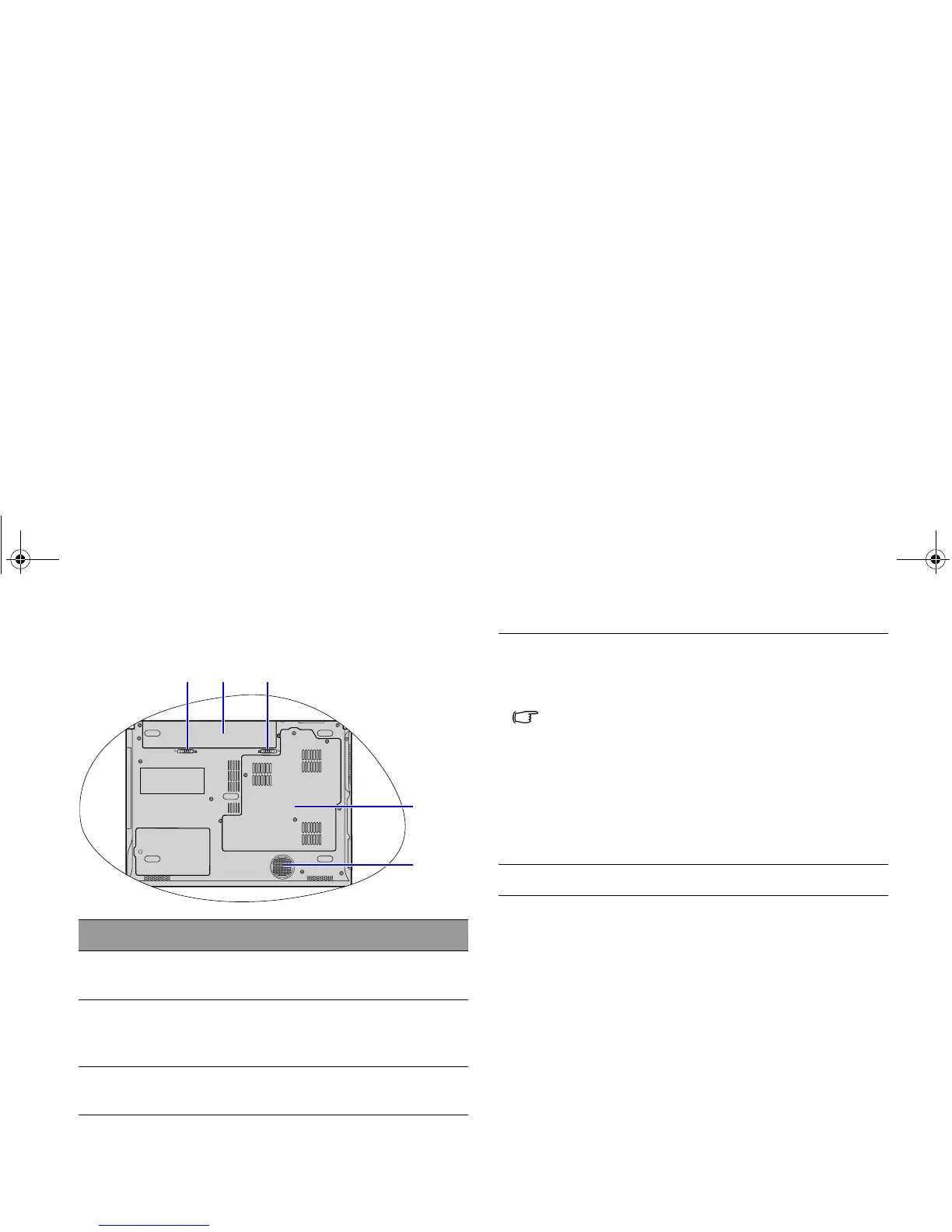
Bottom view
No. Bottom components
(1) Battery retainer A
Secures the battery in place.
(2) Battery pack
Supplies power to the Joybook when external
power is not connected.
(3) Battery retainer B
Secures the battery in place.
(1) (2) (3)
(4)
(5)
(4) MiniCard and memory expansion slot cover
Inside the cover, you can find the memory slot of
the Joybook. There is also a MiniCard slot for
using an optional MiniCard.
• A wireless network card in the MiniCard form-factor
design may have been pre-installed on selected
models.
• To remove the cover, a small Phillips head
screwdriver is required.
• For more information about adding additional
memory, the limit of maximum memory, or the types
of BenQ certified memory modules for your Joybook,
refer to "Installing additional memory" on page 53.
(5) Speakers
JB_R56_en.book Page 16 Tuesday, July 3, 2007 10:01 AM



 To Next Page