Using your Joybook30
Pairing with your Bluetooth device
1. Press the <Fn> + <F4> hotkey combination to turn on the
Bluetooth function on your Joybook.
The Bluetooth icon will appear in blue in the notification
area when Bluetooth is enabled.
2. Turn on the power of your Bluetooth device and activate its
Bluetooth function. You also need to make your Bluetooth
device "Discoverable".
• For details about how to activate the device's Bluetooth
function, please refer to its documentation.
• The maximum effective range of connection between your
Joybook and the Bluetooth device is 10 meters.
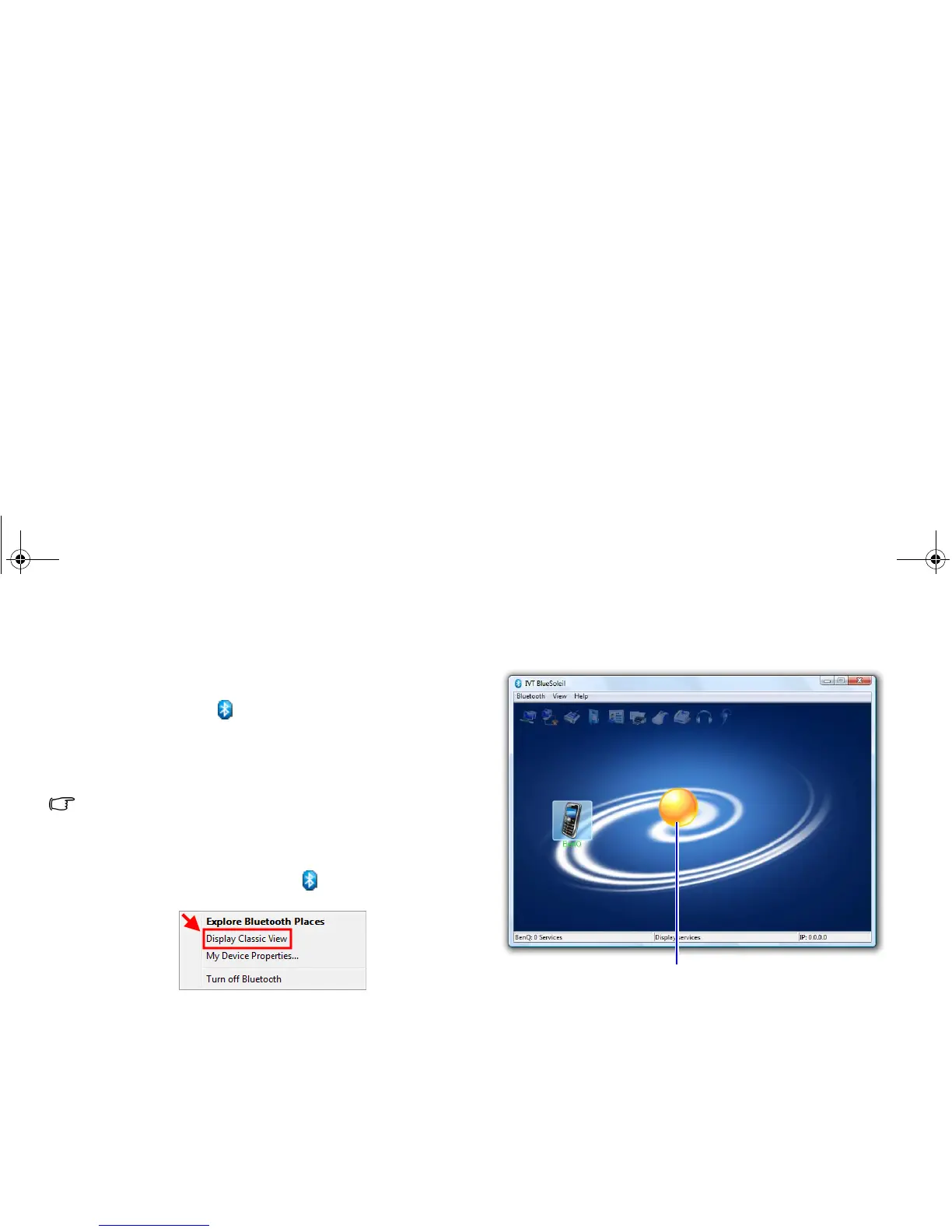
3. Right-click on the Bluetooth icon in the notification area,
and then click Display Classic View to launch the utility.
4. Double-click the My Device icon (the orange ball in the
center of the Classic View window).
Your Bluetooth device will appear around the orbit, if
discoverable.
My Device icon
JB_R56_en.book Page 30 Tuesday, July 3, 2007 10:01 AM



 To Next Page