Using your Joybook 35
When connecting to an HDMI-capable
LCD TV
Adjusting the audio output:
When you have connected your Joybook to an HDMI-capable
LCD TV with an HDMI cable, follow the steps below to adjust
the audio output:
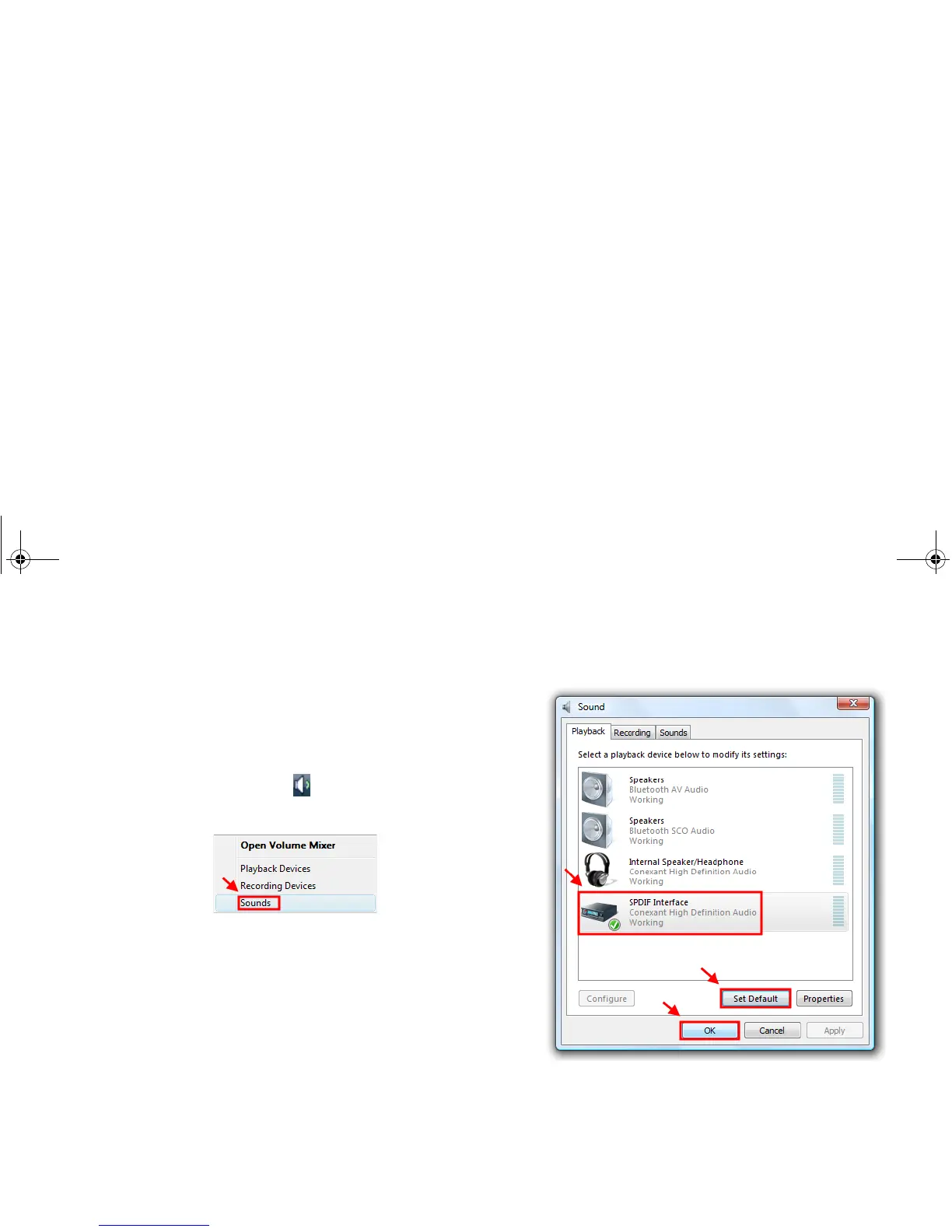
1. Right-click the Volume icon in the notification area
located in the lower right corner of the desktop, and then
click Sounds.
2. In the Sound window that appears, enable the HDMI audio
output by selecting SPDIF Interface under the Playback tab,
and then click Set Default and OK.
3. Then, the sound will be output to your connected HDMI-
capable LCD TV.
JB_R56_en.book Page 35 Tuesday, July 3, 2007 10:01 AM



 To Next Page