Using your Joybook36
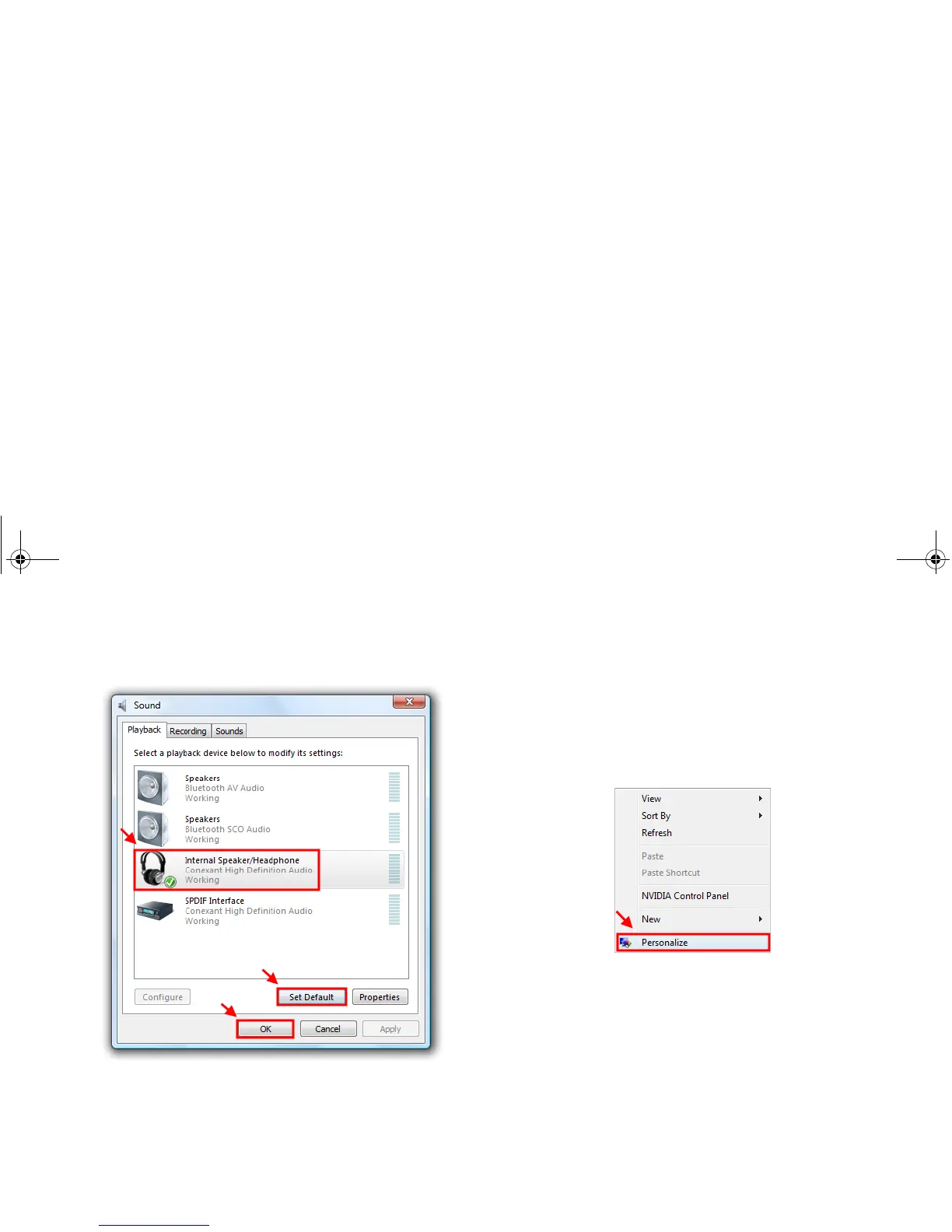
If you want to switch the audio output back to your Joybook, in
the Sound window, click the Playback tab, select Internal
Speaker/Headphone, and then click Set Default and OK.
Adjusting the video output:
The screen resolution of your Joybook may not be supported on
your connected HDMI-capable LCD TV. Therefore, you may
encounter situations like a blank or flickering screen. To fix the
problem, refer to the documentation that came with your TV, or
try to adjust the screen refresh rate of your Joybook by following
the steps below.
1. Right-click on the desktop, and then select Personalize.
2. Click Display Settings.
JB_R56_en.book Page 36 Tuesday, July 3, 2007 10:01 AM



 To Next Page