Service and support66
Service and support
BenQ Joybook Global Online
Service
Welcome to BenQ Joybook Global Online Service
(http://Support.BenQ.com). In order to ensure you an enjoyable
experience with your Joybook, the following supports are
provided so you can get assisted whenever and wherever you
are.
• Support: Here you can select the country/region you are
located in, and visit the specific support web site.
• Knowledge Base: Contains answers to frequently asked
questions about the Joybook as well as additional tips.
• Contact Us: Here you can directly contact BenQ Customer
Service for answers and advice to your questions. You can also
obtain the information about the BenQ service stations in
your country.
Joybook Overseas Regional
Warranty (ORW) online
registration
Register now to get free product news and latest information
about BenQ! To register, follow the steps below:
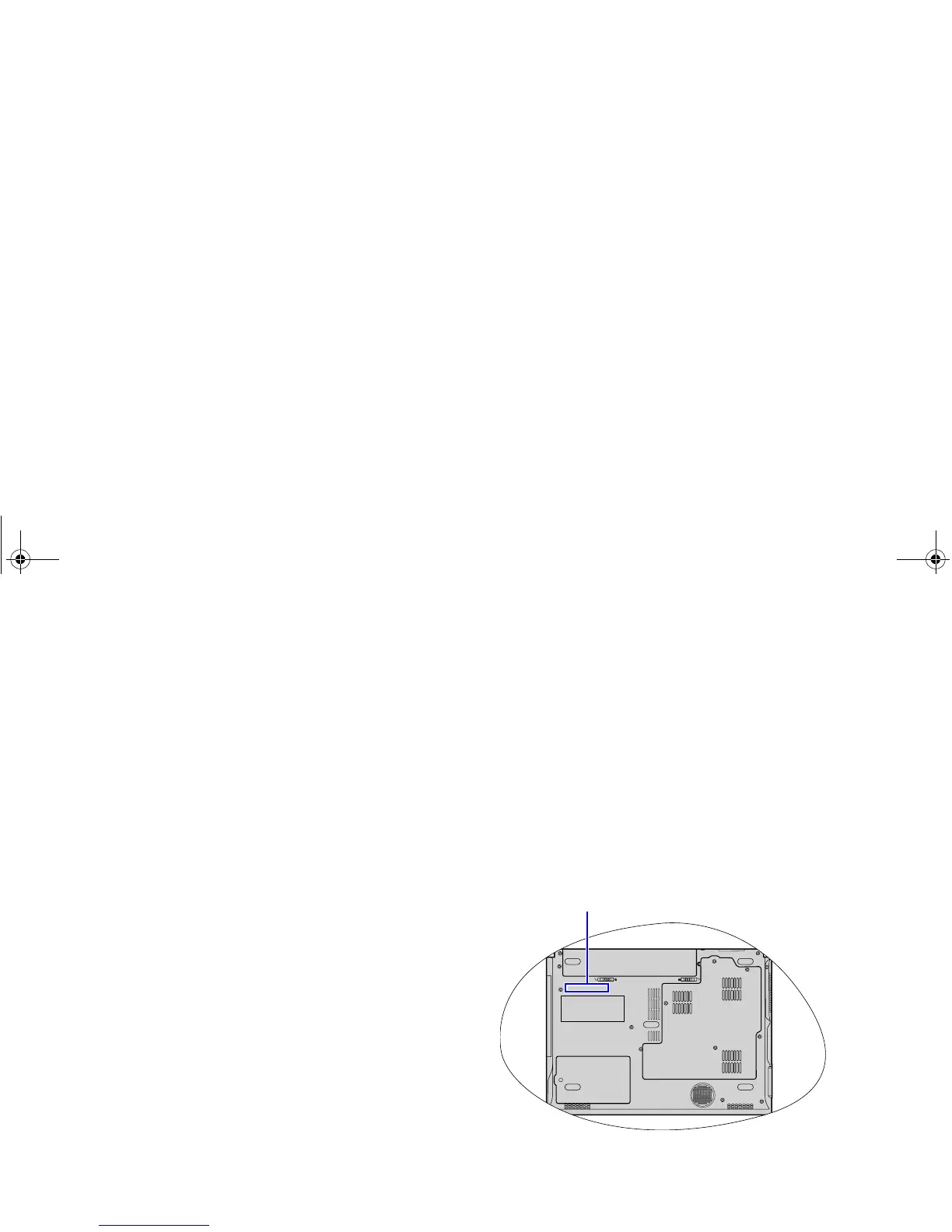
1. Refer to the illustration below to locate the 24-digit product
serial number on the bottom side of your Joybook and write
it down.
2. Connect to http://service.benq.com/orw/joybook
3. Click Register Now to begin with registration and follow the
instructions on the screen to proceed.
Serial number
JB_R56_en.book Page 66 Tuesday, July 3, 2007 10:01 AM



 To Next Page