Installing additional memory 55
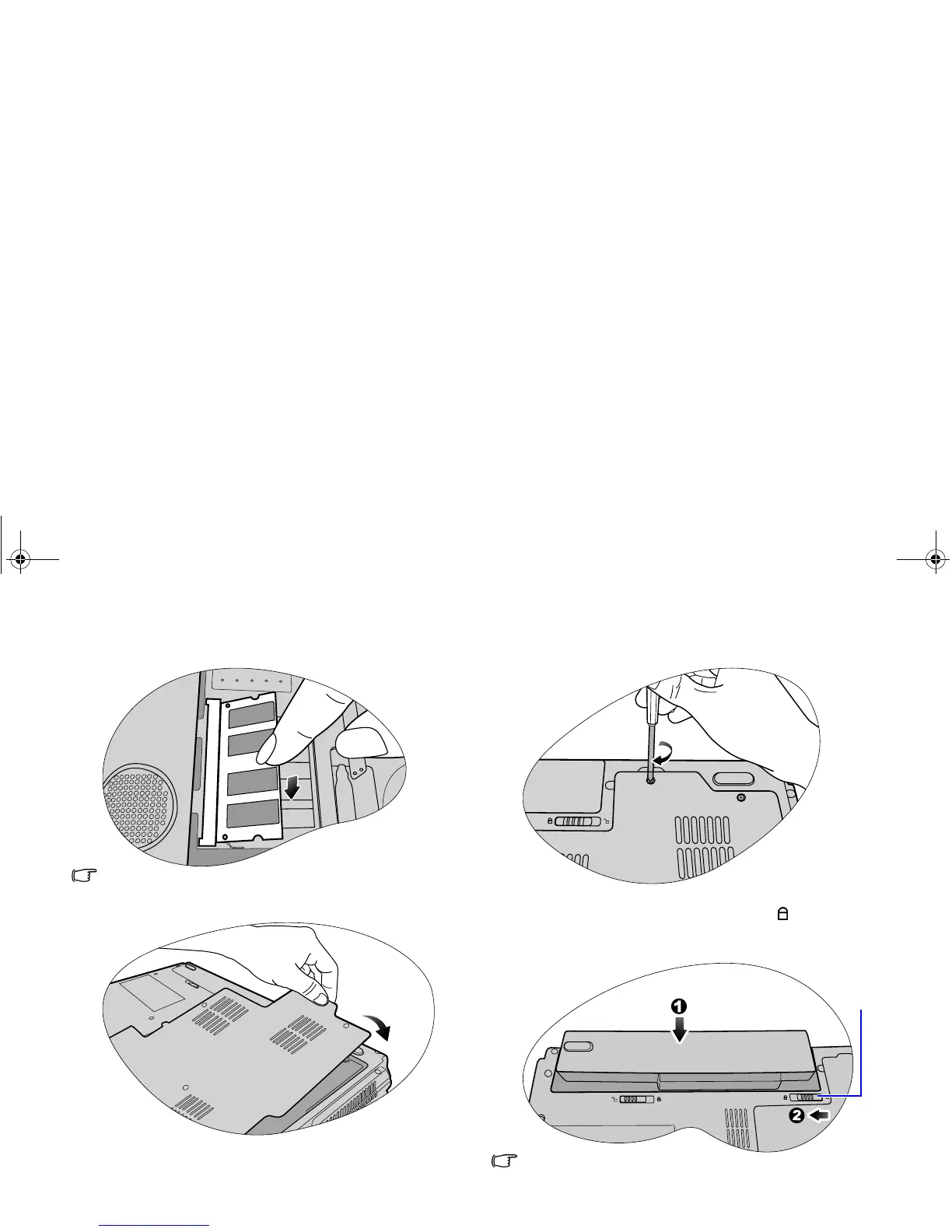
7. Gently push the free edge downwards until the module locks
into place.
If the memory module is not installed properly, your Joybook
may not boot properly.
8. Replace the cover.
9. Use a screwdriver to secure the memory cover with the
screws.
10.Place the battery on its original position (1) and then slide
the battery retainer B to the to the lock
position (2).
Connect the power adapter. When you start the Joybook, it
will automatically test and configure the new memory.
It is recommended that you go into BIOS to load setup defaults
after installing additional memory. For details, refer to "Using
BIOS setup" on page 44.
Battery
retainer B
JB_R56_en.book Page 55 Tuesday, July 3, 2007 10:01 AM



 To Next Page