44
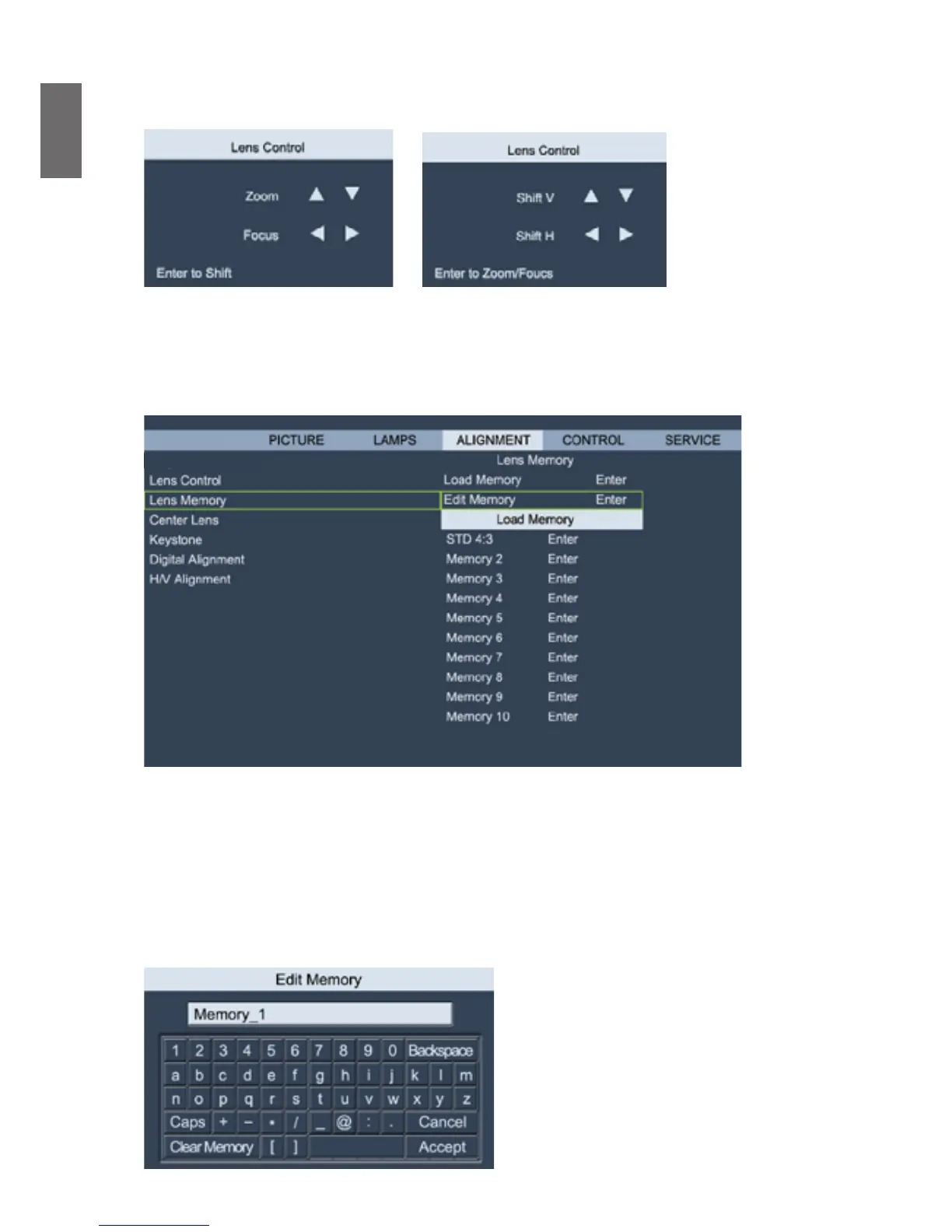
menu, press
◄►
arrow key focus the projected image or shift the lens in horizental direction,
and
▲▼
to zoom the projection size or shift the lens in vertical direction.
• Lens Memory
The projector can memorize up to 10 zoom, focus, and lens shift settings. You can give each
group of settings a unique name with the virtual keyboard. You can save current lens position
(horizontal and vertical), zoom and focus settings as well as retrieve and load saved lens memory
for the projector to apply the newly loaded lens shift, zoom, and focus settings.
DISPLAY
Projector Installation
• Load Memory: To recall saved lens settings: Press Enter key to display lens memory list, press
▲▼
arrow key to select desired memory, press Enter key again to retrieve and load the saved
lens settings. The projector can keep 10 groups of lens settings. The memory position with lens
settings will be marked in a different color and you can select only those with actual settings. To
add or change lens memory, please select below Edit Memory option.
• Edit Memory: Edit memory name and save current memory settings including lens shift, zoom
and focus. Press Enter key to display the virtual keyboard. Press
▲▼◄►
and Enter keys to
select or accept setup values.



 To Next Page