Uni-Probe LB 491
Berthold Technologies GmbH & Co. KG
3 – 271
Volume 3 5 Functional Processes
3
5.2 Changing the Uni-Probe Password
Passwords rule out that parameters can be changed by unautho-
rized persons. To allow you to check the Uni-Probe even in the
locked status, the levels LIVE DISPLAY and VIEW PARAMETER
are not password-protected and are therefore always accessible.
On these levels, parameters can be read, but not edited.
In the Uni-Probe you can clear parameter levels specifically. Up to
3 different passwords can be used. Passwords may even be identi-
cal; in this case, they open several levels at the same time.
On the
CHANGE PASSWORD level you can rename the passwords.
Clear access If the password has not already been changed by the user, you can
clear access to all levels with the standard password UNIPROBE.
Block access By entering 00000000, all levels where parameters can be
changed, are locked.
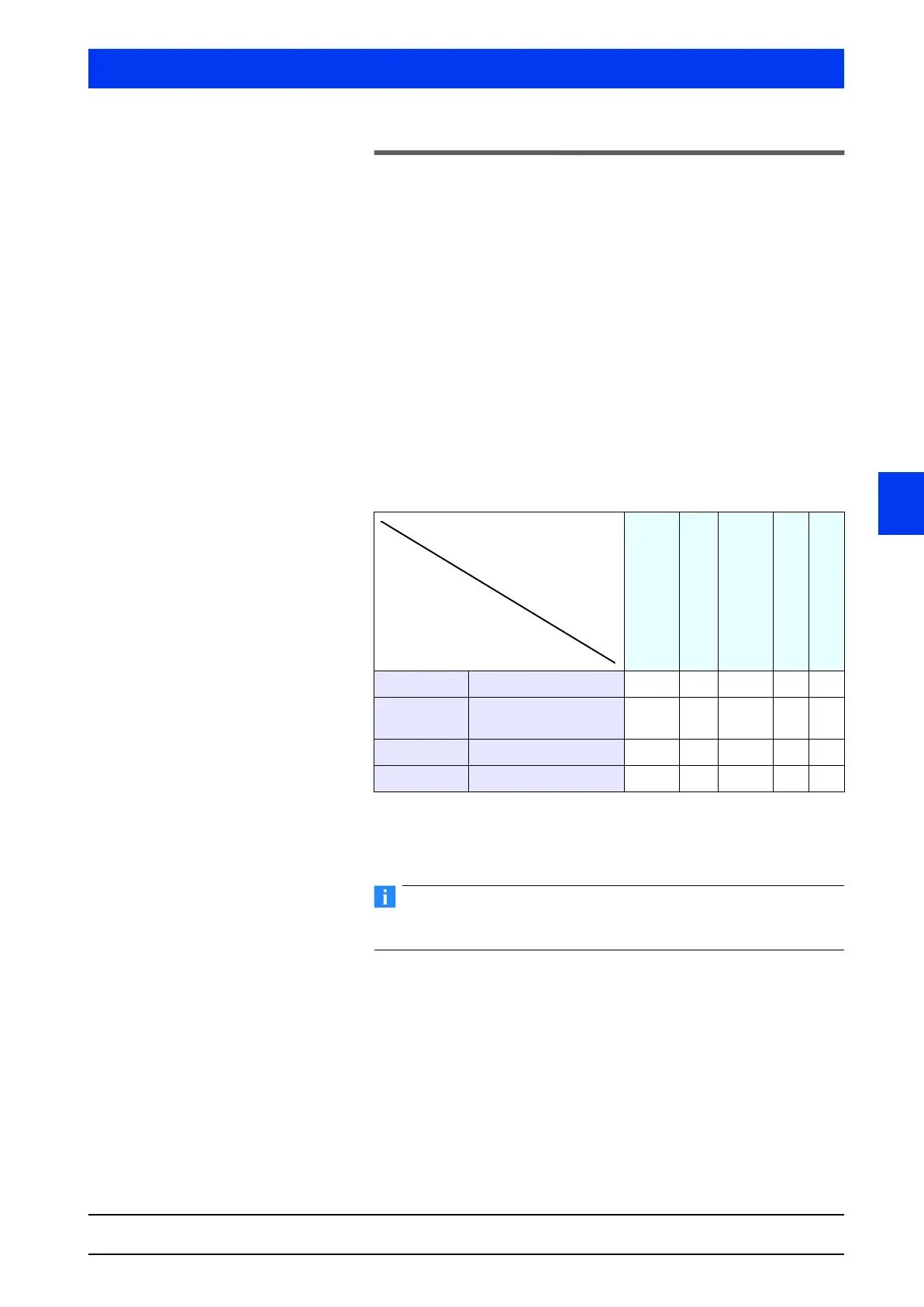
The table shows that a higher level also unlocks the levels below it.
For example, if password 3 has been cleared, access to all levels
below it is also granted.
Prerequisite for changing the password is that you have access to
the level CHANGE PASSWORD.
Proceeding from the Start menu, select the menu for changing the
password as follows:
ACCESS TO SETUP FULL ACCESS
LIVE DISPLAY
VIEW PARAMETER
CONFIGURATION
CONFIGURATION &
CALIBRATION
SERVICE
CHANGE PASSWORD
Password 3 FULL ACCESS XXXXX
Password 2 CONFIGURATION &
CALIBRATION
XXX X
Password 1 CONFIGURATION XX X
00000000 READ ONLY X
Access to level
Password Description


 To Next Page