38478BA2B
6 – 554 27.5.08
6 Explanations Volume 6
6.3 Reading-in Pulse Rates
For each calibration you have to read-in or enter count rates. In the
Uni-Probe LB 491 User’s Manual, Volume 6 there are several refer-
ences to this procedure.
Read or enter count rate?
The count rate can be read-in or entered. Typically, the count rate
is read in. If the count rate has already been determined in the
past, or in another manner, then you can enter the count rate man-
ually.
6.3.1 Proceed as follows
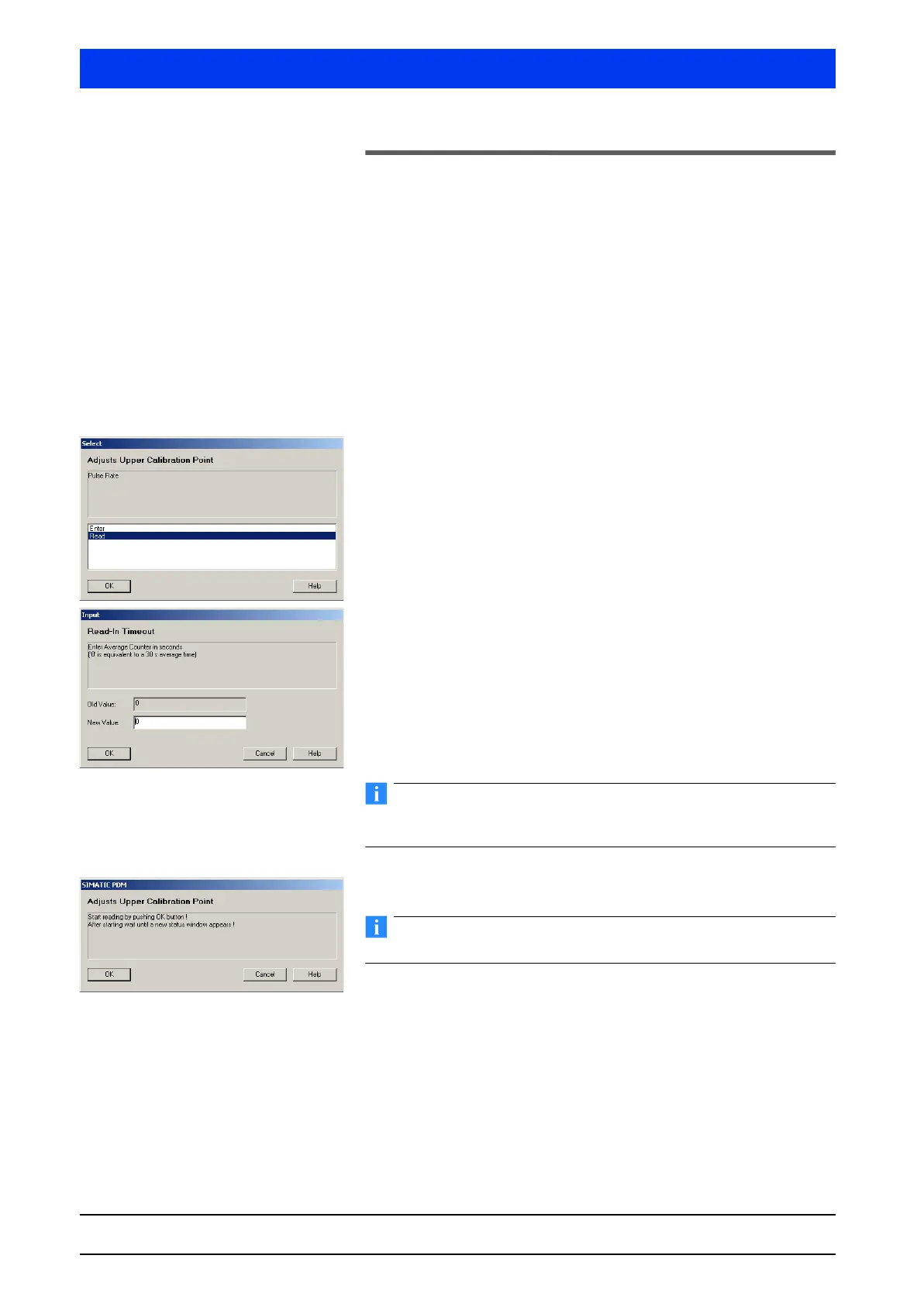
Select READ and confirm the selection with OK.
READ means the current count rate is read in.
ENTER allows you to enter a count rate manually.
Reading the count rate:
If necessary, change the value for the averaging time.
The standard value 0 selects an averaging time of 30s, which suf-
fices in most cases. This means that the process is over after
30 seconds.
Enter a value >0 to determine another averaging time in seconds.
The longer this time, the more accurate the averaging.
Do not enter a number that is too high by mistake!
The process can be stopped only by turning off the Uni-Probe.
Click OK to start reading in the count rate.
During averaging the density must not change.
The count rate reading-in process has started.
If the process has been started with 0, it will take 30s until the
count rate is read in. Otherwise, the duration of this process corre-
sponds to the averaging time entered.
“Reading” means that all incoming count rates are added up. How-
ever, a count rate value which is standardized with respect to one
second is always displayed. Thus, an averaged count rate is calcu-
lated.


 To Next Page
 Loading...




