BestCode Next Series 8 Technical Manual October 2022 Page 266 of 290
If increasing the speed does not cause
message to fit size requirements, it may be
necessary to reduce the font height or slow
the product line.
Scenario 2: Print in too Short
Increase the Width until the print is long
enough. Doubling the Width value will
roughly double the print length.
Scenario 3: Good Print
Setup is complete. Print will appear at this
size from the minimum print speed to the
maximum print speed.
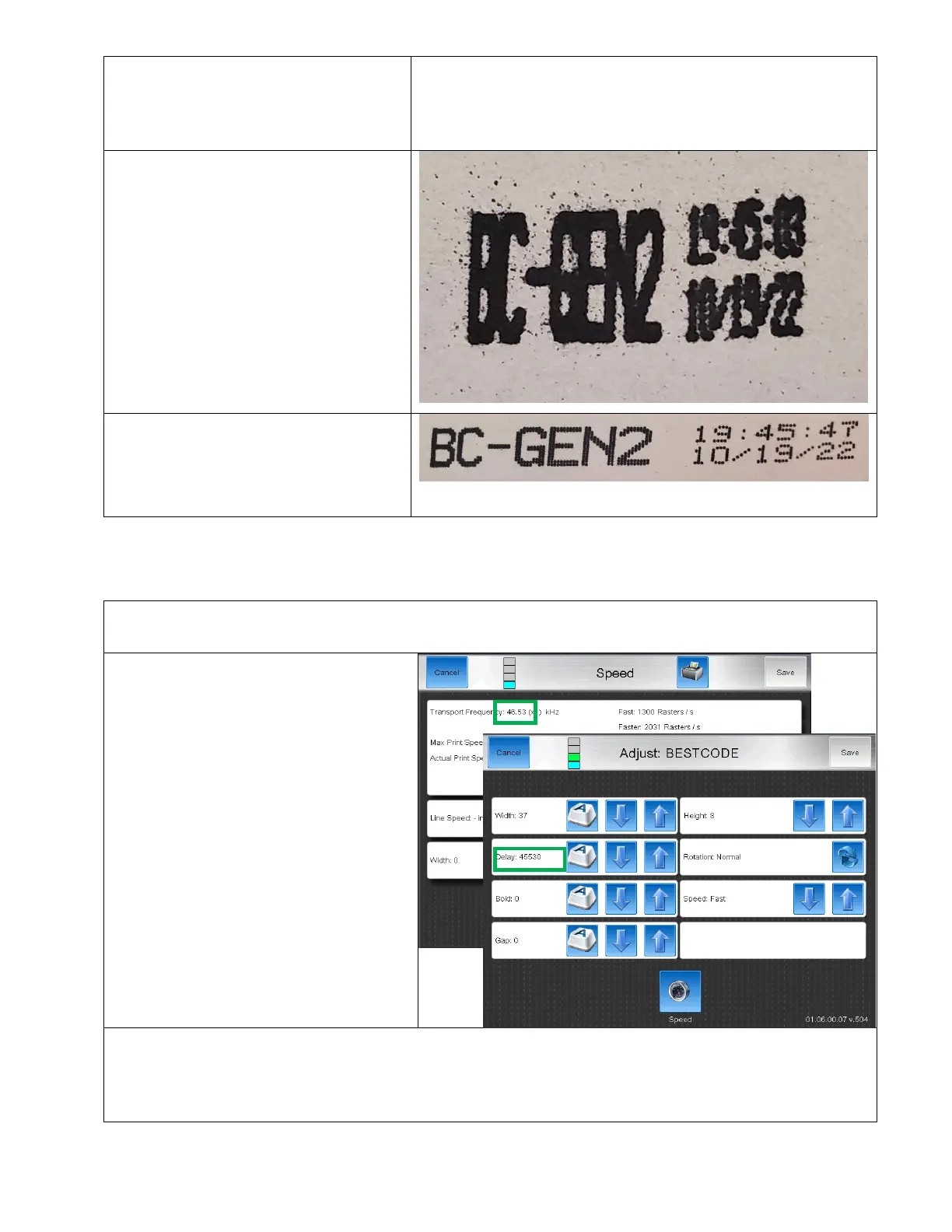
Setting the Delay / Pitch value
Delay and pitch are set experimentally. Each Delay or Pitch value correspond to 1 encoder pulse. Some Math can be
used to help in setting up these values.
1. To delay or pitch the print by 1 second,
the delay value should be equal to the
Transport Frequency.
2. For a known line speed, like 200 in/sec, the Delay or Pitch of 1 second will cause a distance delay or pitch of 200
inches.
3. For unknown line speed, the Delay or Pitch should be tested, and adjusted until proper print length and spacing
are achieved. As long as the Minimum Width value setup is not broken, the pitch and delay will be consistent



 To Next Page