BestCode Next Series 8 Technical Manual October 2022 Page 268 of 290
Missed Photo Eye
Missed Photo Eye occurs when a Print Trigger is received while a message is still printing. This is caused either by the
delay value being too large or if using a relay print switch, bouncing of the contactors.
Scenario 1: Mechanical Print Trigger Switch
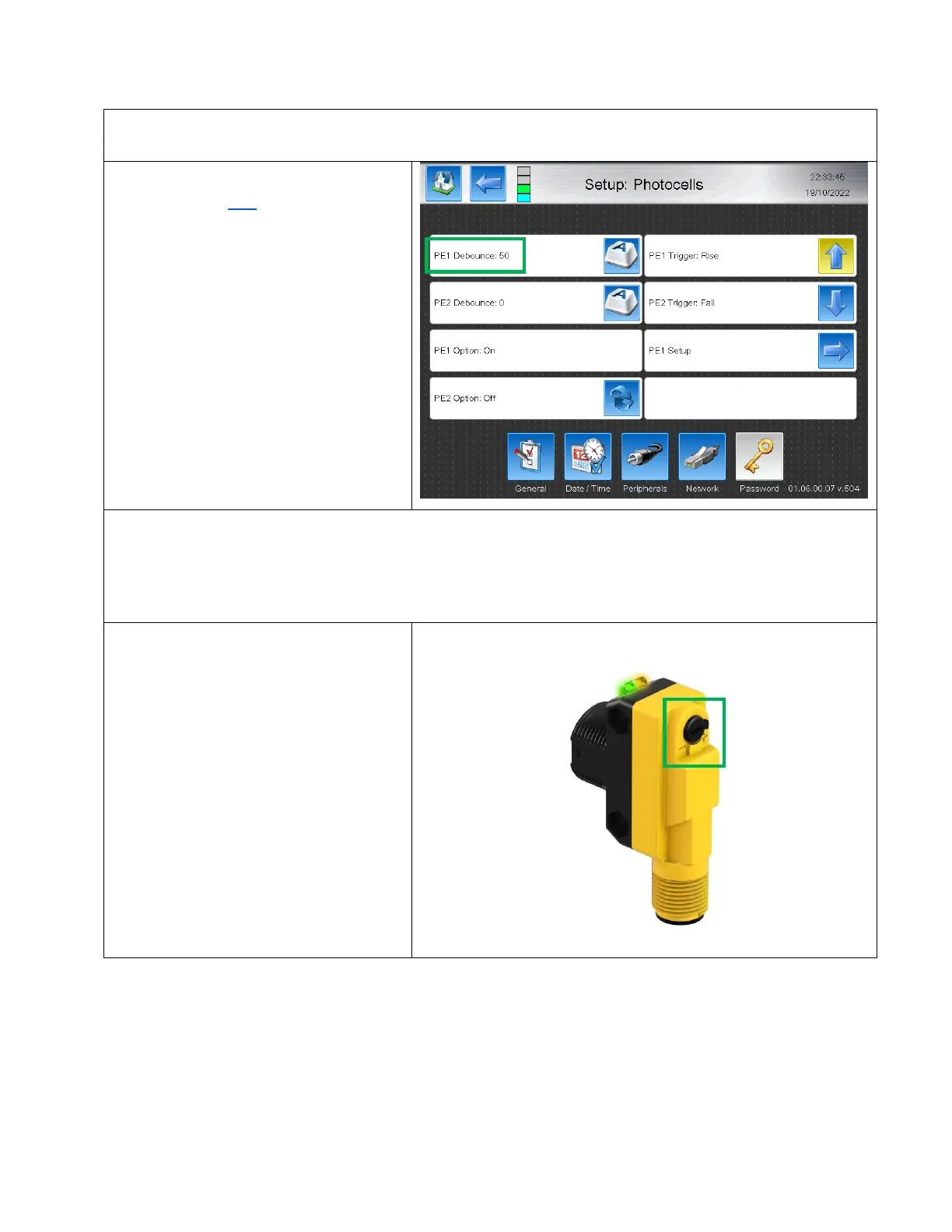
Review debounce here. Start with a value of
50. This will only make a difference if using a
mechanical relay for the print trigger. Will
not impact performance of sensor driven
print triggers.
Scenario 2: Sensor Print Trigger Switch
1. Review the Delay / Pitch setup to determine if print trigger is occurring before Print has finished or during the
previous messages delay time.
Decrease Delay until issue resolves.
2. Adjust the gain up or down to ensure the
sensor is not trigger on objects behind
the product, or triggering twice when the
object passes.



 To Next Page