26 KC5000 Technical manual — Printouts
Printouts
If a printer is connected to the central unit, you have the possibility to have
two types of printouts.
• Programmed information. At any time you can print the information
you have programmed about Time zones, Codes and Doors.
The printout will give a good overview of the codes, time zones etc. that
are currently used. You print out the information by choosing PRINT (4)
after you make your choice from the main menu.
• Events. This type of information will automatically be printed to the
printer if it is connected. These registrations are possible to control with
a time zone, for example printing only in the nighttime. In the chapter
Doors it is described how to add a time zone for registration.
Print event log
If you choose not to have the printer connected it is still possible to have a
printout of the 400 latest events, since they are always stored in the KC5000.
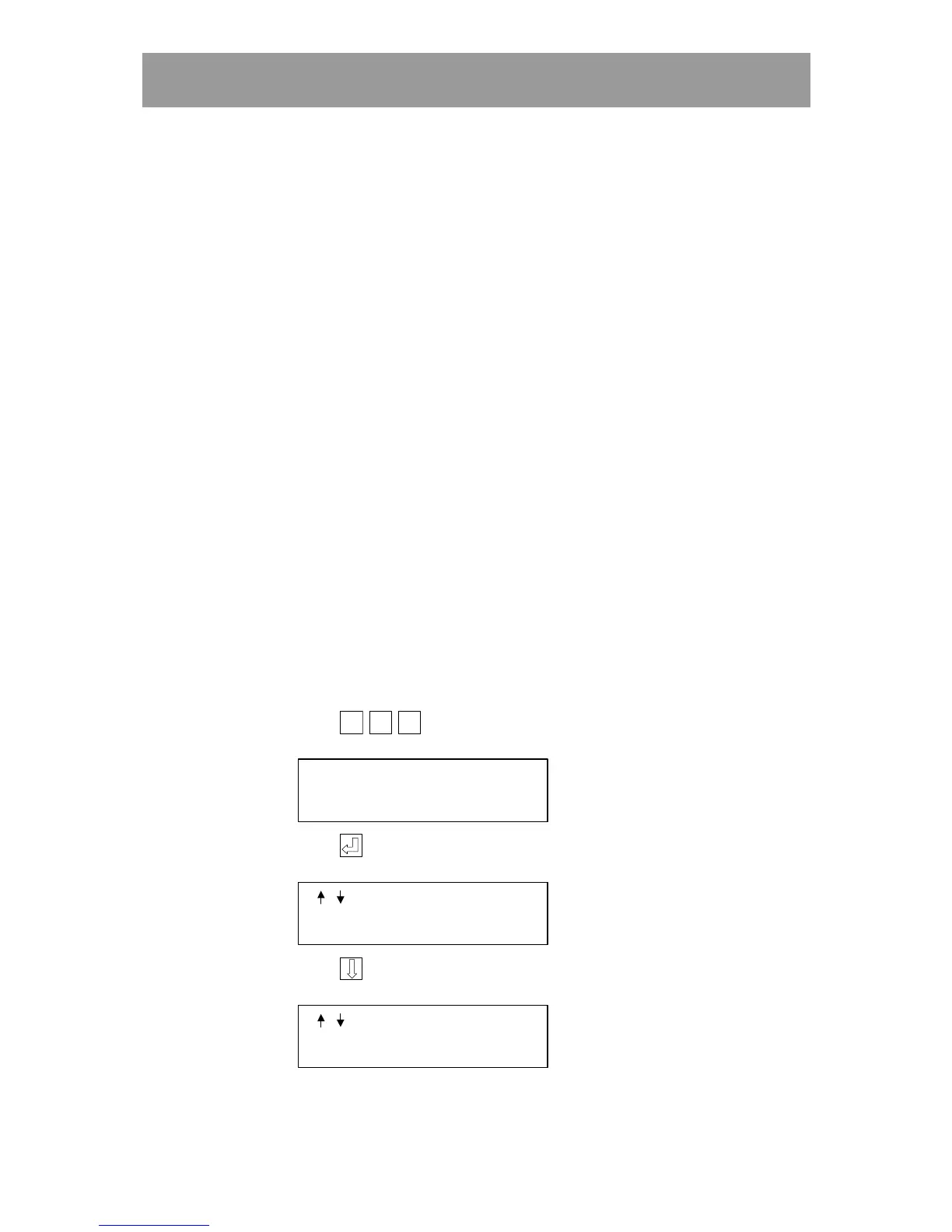
Proceed as follows:
1 Connect the printer.
2 When the display is in stand-by position,
press
Esc
EscEsc
Esc
Esc
EscEsc
Esc
Esc
EscEsc
Esc
(three times). The following text is displayed:
OPTIONS MENU
3 Press . The following text is displayed:
/
TO STEP
4 Press . Until the following text is displayed:
/
TO STEP
PRINT EVENT LOG



 To Next Page