28 KC5000 Technical manual — Remote programming
Remote programming
One of the great advantages with the KC5000 is that the system can be
remotely programmed. Using this feature, you don’t have to go to the central
unit to maintain the information in the system – instead; you can call the
KC5000 number and perform programming from an ordinary telephone. The
only condition is that the telephone you are calling from must use tone
dialling.
As an extra accessory it is also possible to program KC5000 via modem
from a PC with Windows 95. For more information about this, see the
manual supplied with the PC software.
Password
Before you start programming from a telephone you must decide on a
password for remote programming. This is to guarantee that nobody else can
call the KC5000 and change the information.
The password consists of six digits.
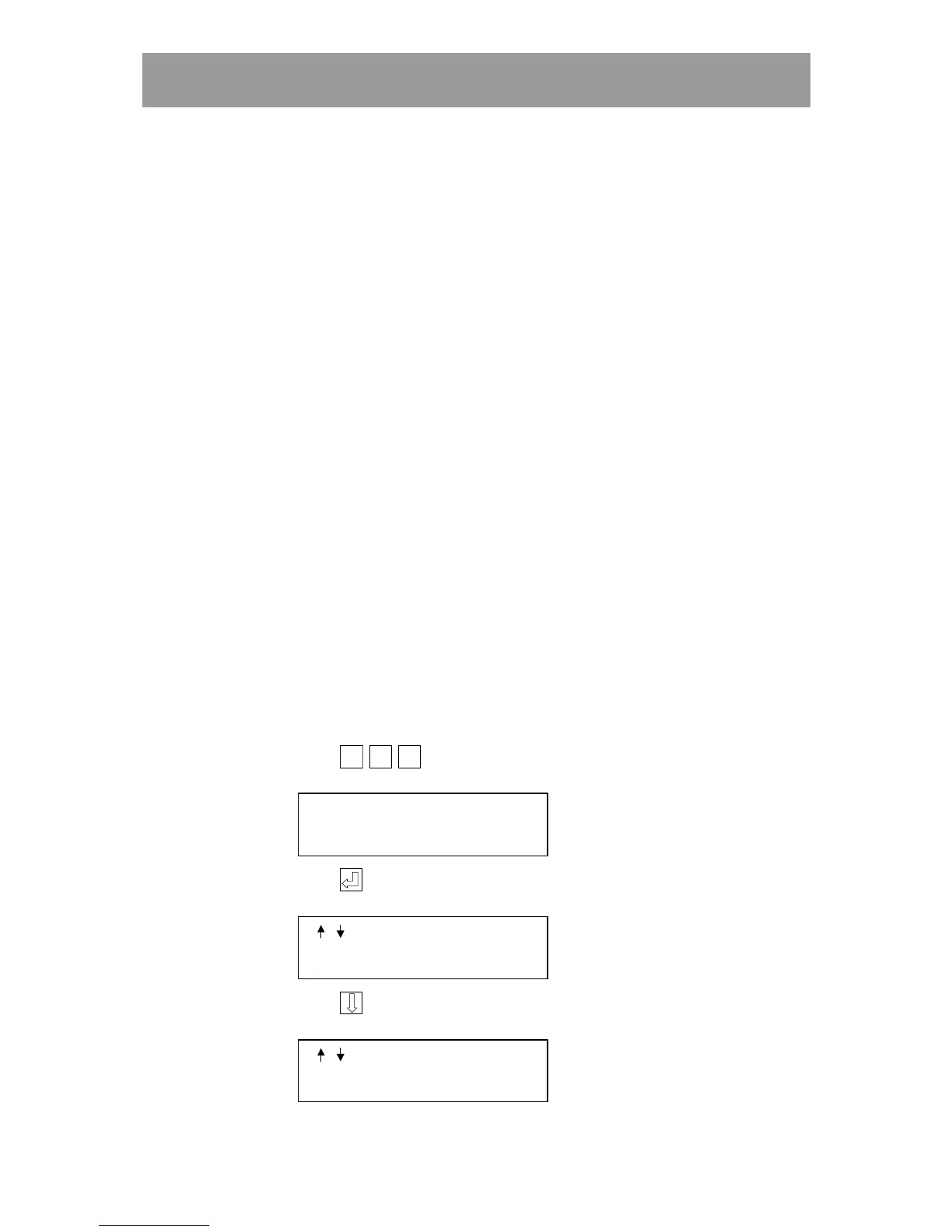
You enter the password direct in the central unit:
1 When the display is in stand-by position,
press
Esc
EscEsc
Esc
Esc
EscEsc
Esc
Esc
EscEsc
Esc
(three times). The following text is displayed:
OPTIONS MENU
2 Press . The following text is displayed:
/
TO STEP
3 Press . The following text is displayed:
/
TO STEP
CHANGE PASSWORD



 To Next Page