BIGTREETECH Pi 2 User Manual
17
3. Install the driver:
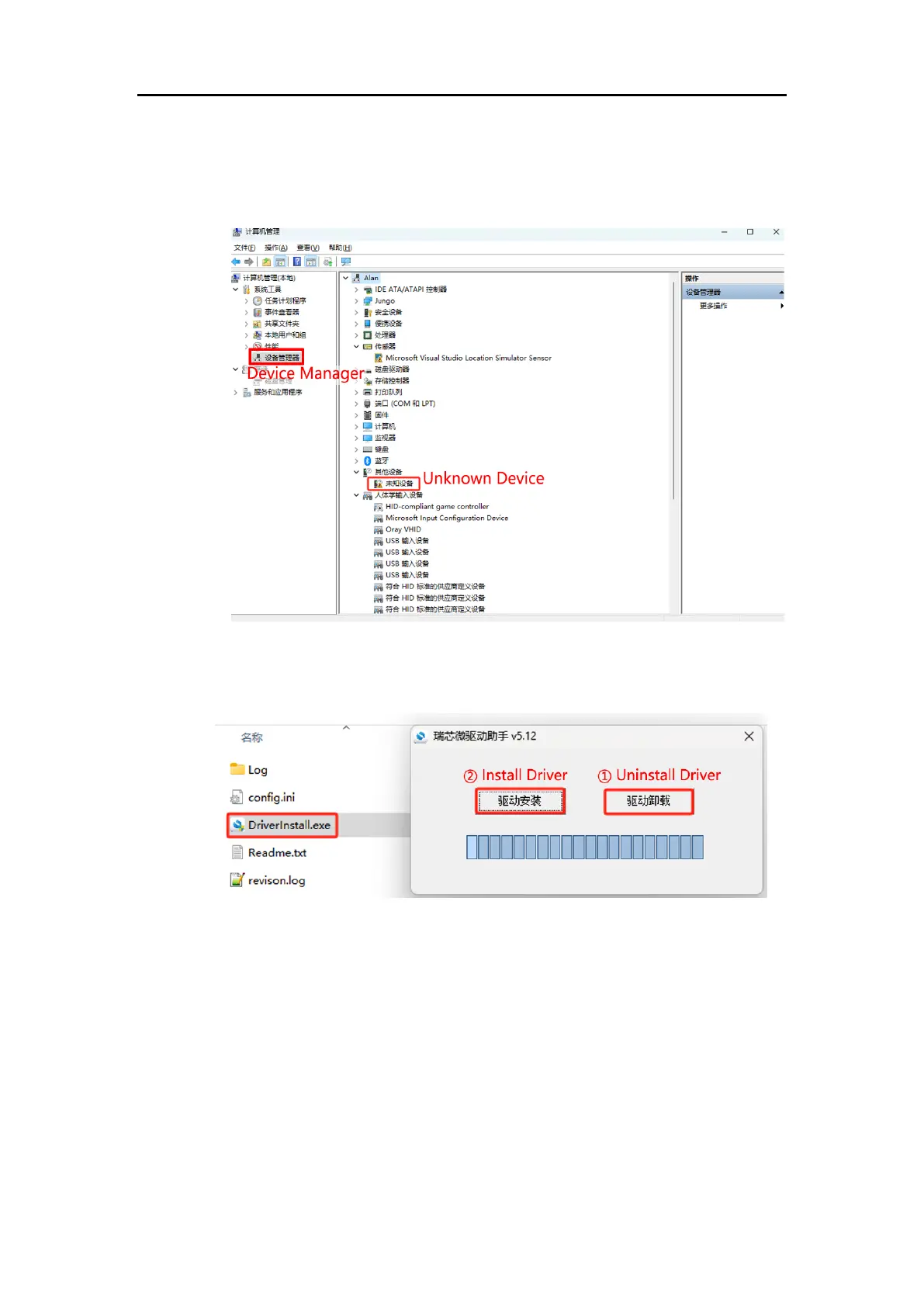
⑴ In “Device Manager”, if you see “Unknown Device”, it indicates that
the computer is missing drivers.
⑵ Open the DriverAssistant tool in the downloaded RKDevTool folder,
click “① Uninstall Driver”, then click “② Install Driver” to ensure that
the latest version of the driver is installed.
⑶ After the installation is complete, hold down the “Recovery” button,
replug the Type-C cable. "Device Manager" should now recognize a
“Rockusb Device”, indicating that the driver installation is successful.




 To Next Page