BIGTREETECH Pi 2 User Manual
18
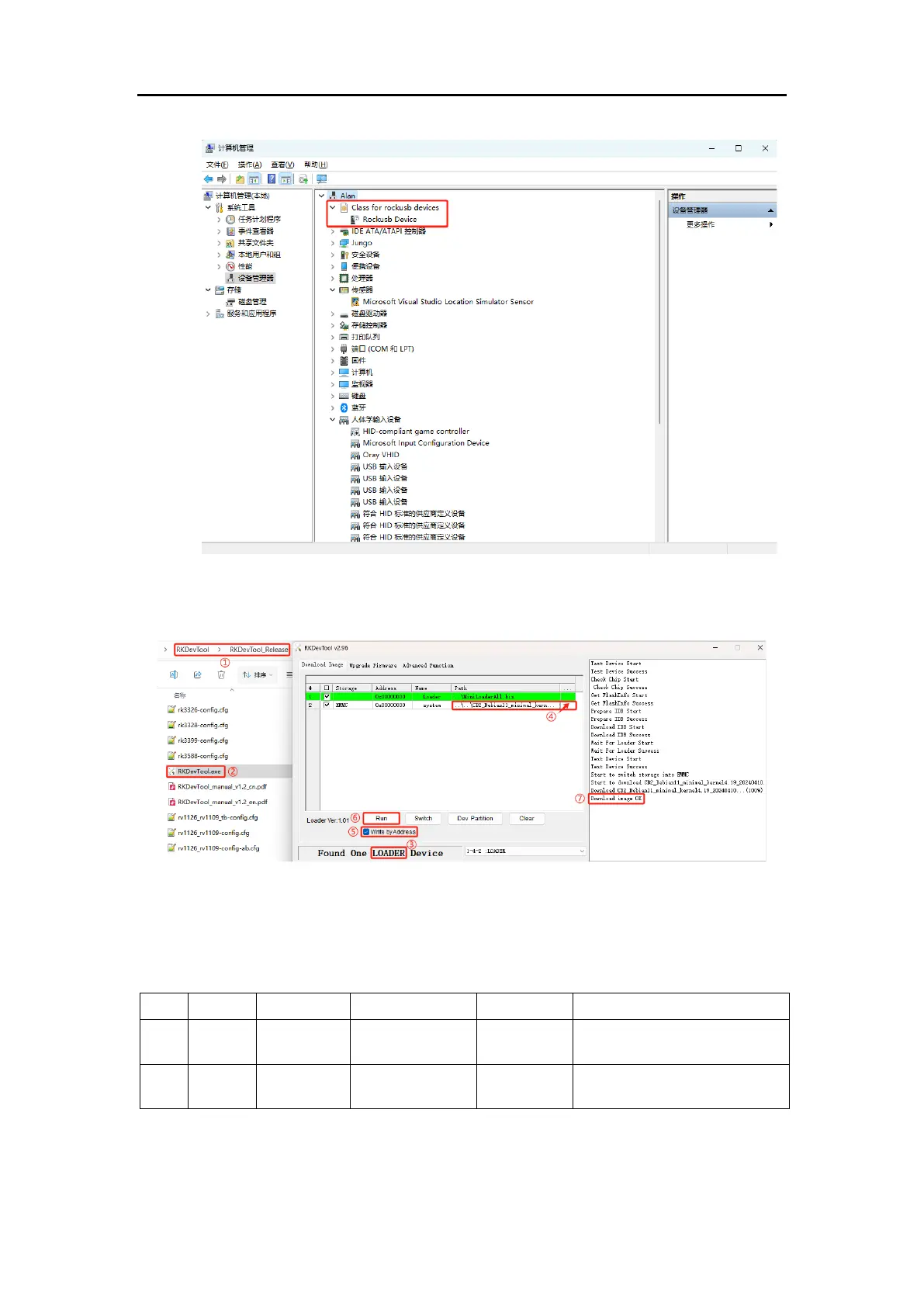
4. Open the “RKDevTool” software:
Note: The parameters in the software are set by default as shown in the image.
Normally, you only need to set the “④ actual path of the .img system”. If the
parameters in your software do not match those in the image, manually adjust
them to match.
actual path of the .img
system
①Find the path where the downloaded RKDevTool is located.




 To Next Page