5. USE OF THE TERMINAL
5.1 General
Keys , , described in par. 4.2 on page 1-37 allow the
operator to browse in the menus, the submenus and parameters.
In particular
is used to:
✔ access the displayed submenu or parameter;
✔ memorize the displayed parameter value;
✔
respond in an affirmative way to the questions posed by the terminal
("store?" "sure?").
is used to:
✔ move through the displayed submenus or parameters;
✔
move through the values of the displayed parameters;
✔
respond negatively to the questions posed by the terminal ("store?"
"sure?").
is used to:
✔
return to the selected submenu from the parameter or relative value;
✔ quit the submenu display phase and return to normal terminal
operation;
✔ edit the various programming parameters.
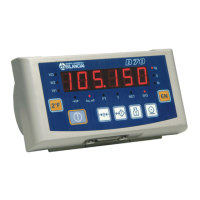
D70
1-41



 To Next Page