10. PERSONALIZATION
10.1 Foreword
WARNING
Personalization procedures are strictly reserved for
specialised personnel only.
However, the user is permitted to modify certain of the
terminal operating parameters.
We recommend that extreme care is taken when modifying
these parameters to prevent possible malfunctions caused
by incorrect settings.
The only parameters that may be modified are those directly
related to the program installed on the terminal.
10.2 Accessing the parameter configuration function
To access non-metrological parameters only:
✔
press on switching on the terminal. Keep depressed until the
SETUP item appears.
WARNING
If the parameter configuration function is accessed by means
of key when the instrument is powered, you will only be
able to personalize the non-metrological parameters.
However, you will also be able to display (but not edit) the
metrological parameters entered during the installation
phase.
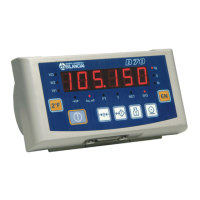
D70
1-79



 To Next Page